

2023-2024
Sketch
AE
Protopie
Tools
UI/UX Designer
Role
Year
Overview
Research
Visual Identity
Ideation
Design
Result
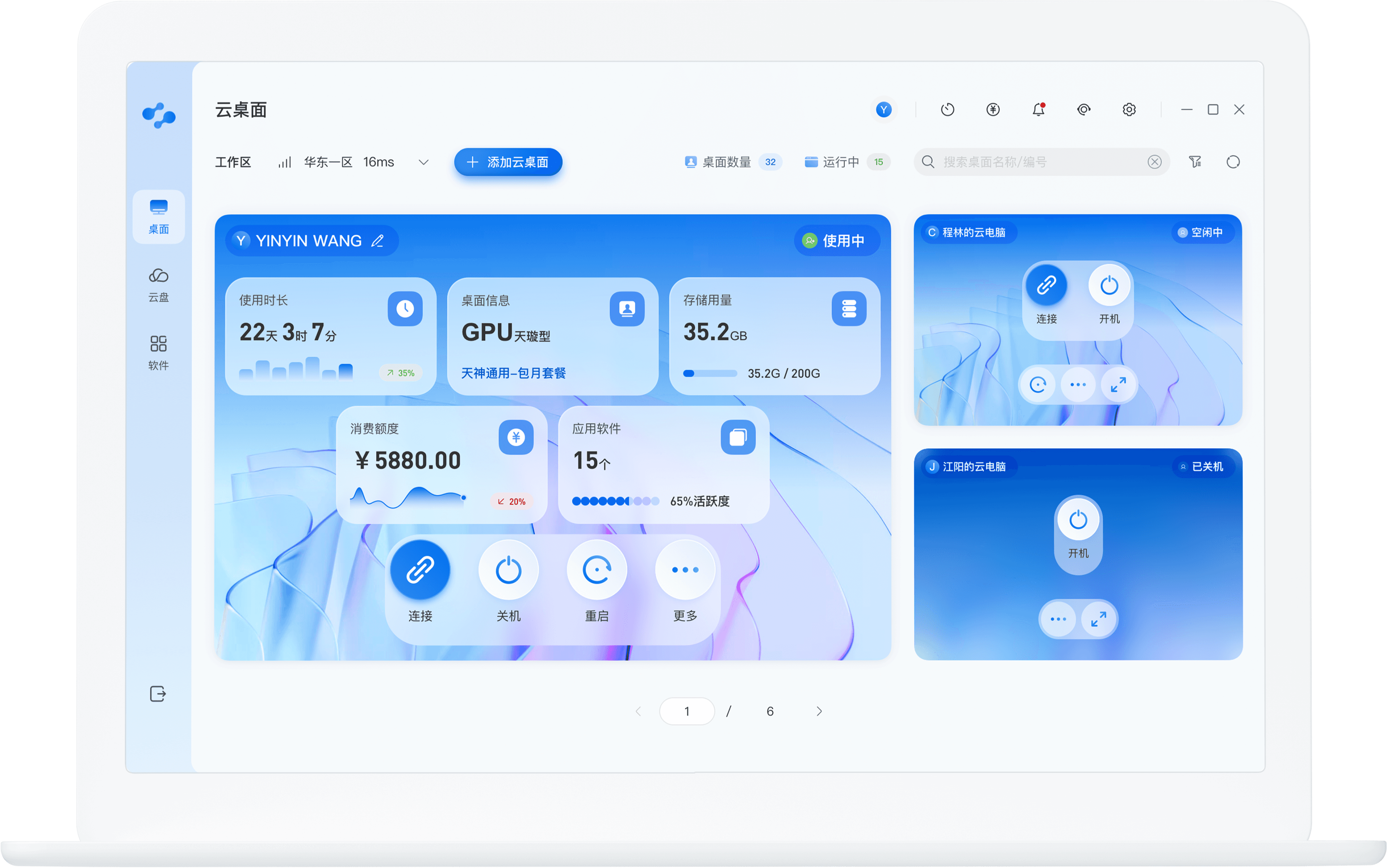

Desktop App
Enterprise SaaS
Cloud Workstation
End-to-End
Overview
Problem
Goal
Optimize the local client’s user experience for applying, configuring, and managing cloud desktops in daily workflows, enabling users to quickly, securely, and efficiently manage their cloud desktop resources. Ultimately, the goal was to improve task completion efficiency and user satisfaction.
After the release of version 1.0, early users reported poor experiences with the local desktop client’s cloud resource application and management process. The main issues were complex application configurations and inefficient resource management, which impacted user configuration efficiency and satisfaction.
Zanqi Cloud Workstation is a high-performance professional cloud-based desktop platform designed for designers. It allows individuals and studios to directly utilize computing resources and licensed professional software, enabling efficient work without the need for high hardware investment or complex maintenance costs.
Background
What is Zanqi Cloud Workstation?
My Role
Design Process & Strategy
Team
I collaborated with the product and development teams, turning user feedback into design solutions. I also led the visual brand upgrade and design system creation, establishing a color palette, components, and interaction guidelines to ensure a consistent desktop platform experience.
This project followed a design process of:
Problem Identification ➝ Scenario Focus ➝ Hypothesis & Solution ➝ Testing & Validation ➝ Iterative Optimization
Early validation helped distinguish user configuration pain points and identify the core issues through behavioral and pricing model analysis.
High-frequency user needs and critical scenarios were distilled to design minimum viable experiences.
Validation results were linked to business goals to iteratively improve the design system and product strategy.
Product
UX Researcher / UX Designer
3
UI Designer
2
15
2
Developer
Feedback-driven problem identification
Hypothesis testing
Hypothesis & Solution

Testing & Validation

Scenario Collection

User Feedback

Iteration

Design Iteration
We focused on two high-frequency task paths — “Configuration Application” and “Daily Usage & Resource Management.”
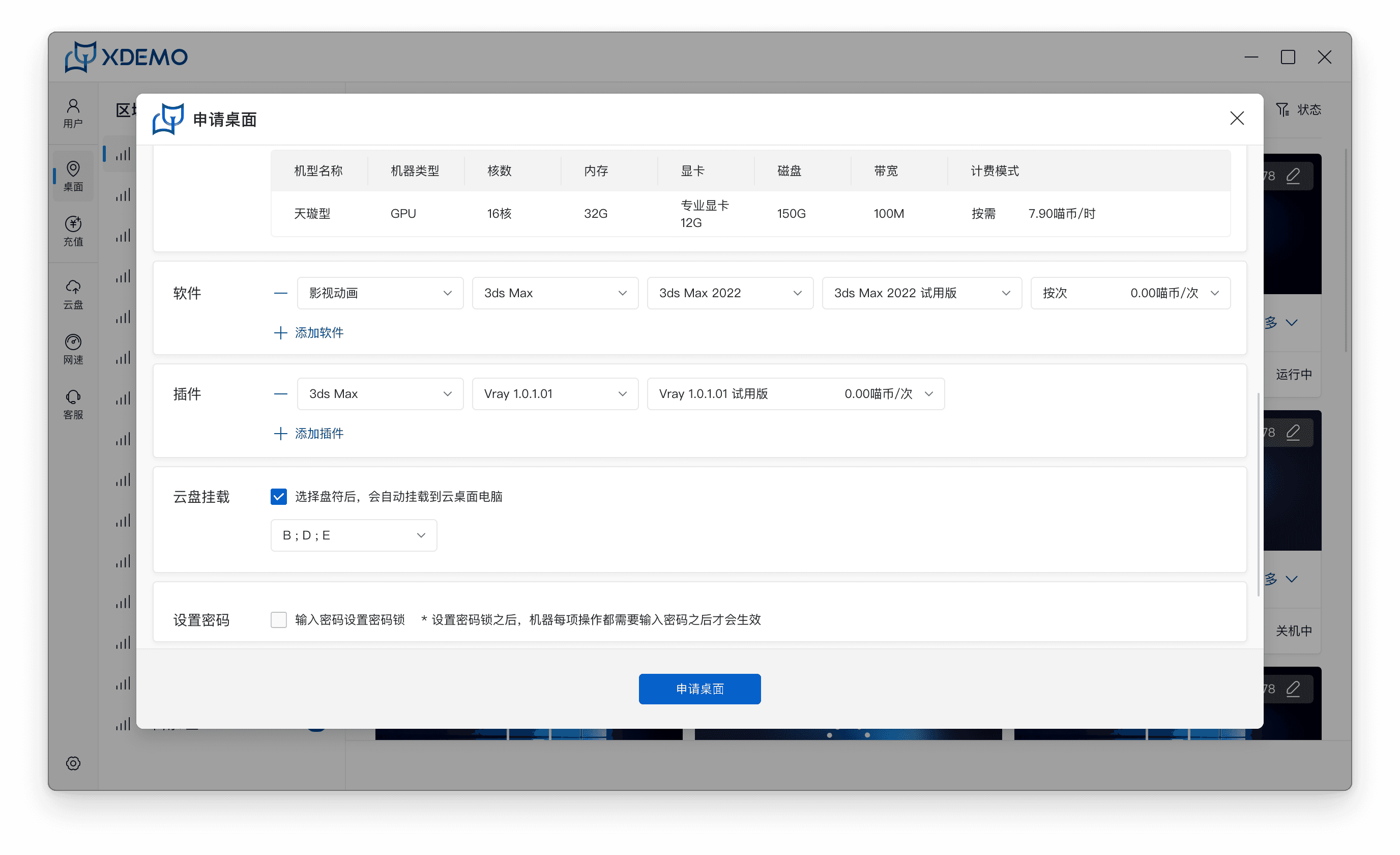
The early parameter-heavy, form-based functional interface was redesigned into a task- and status-oriented operational entry point, improving configuration efficiency and overall user experience.
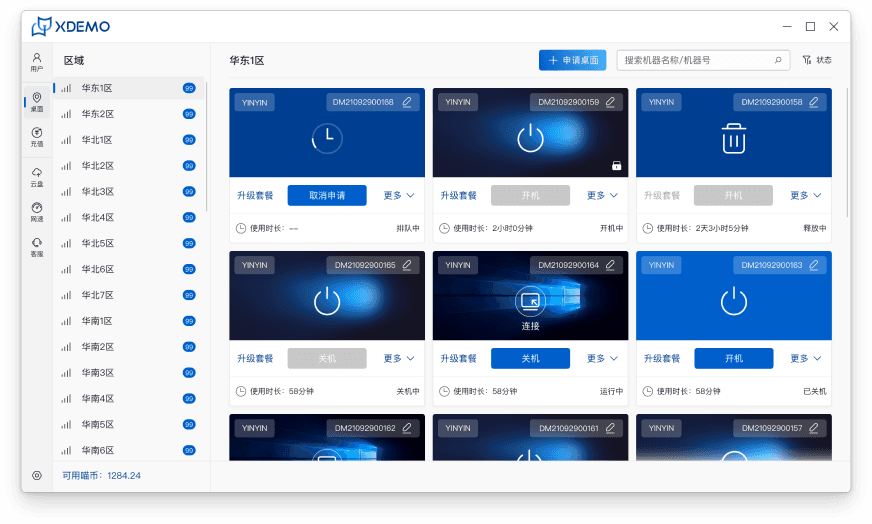
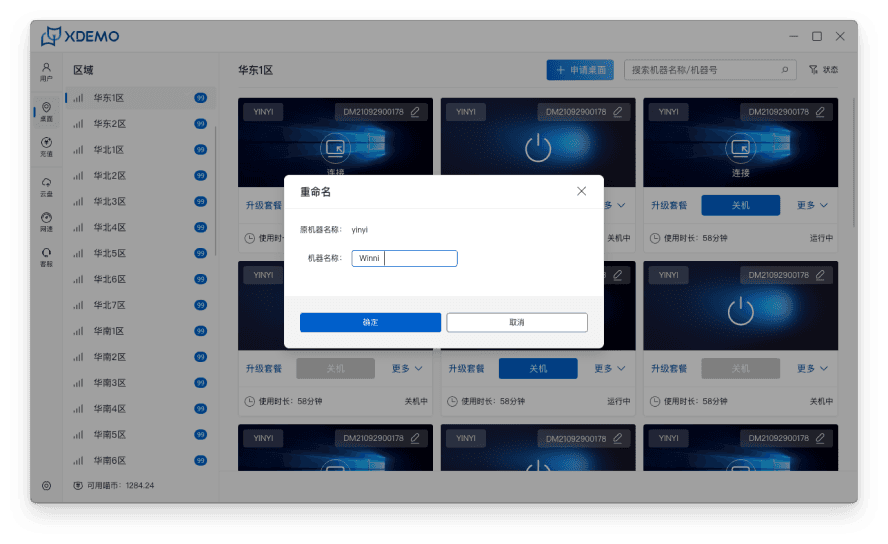
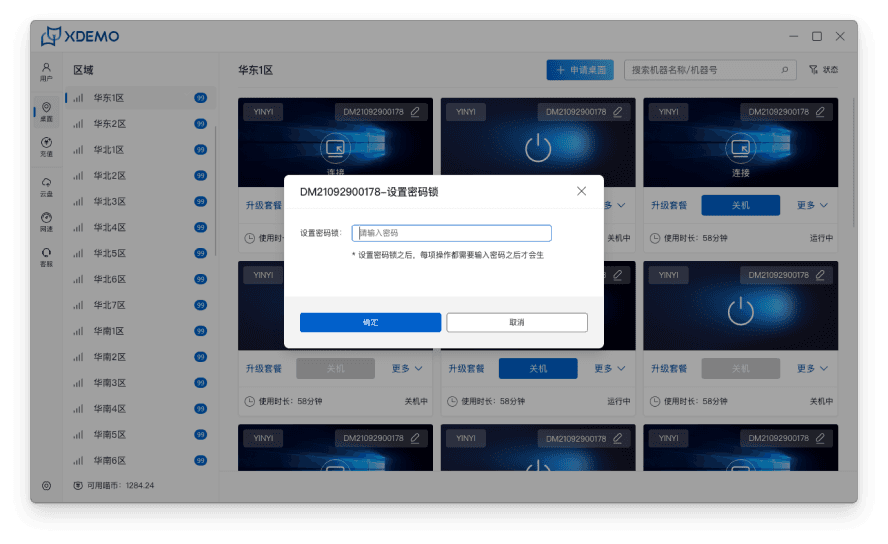
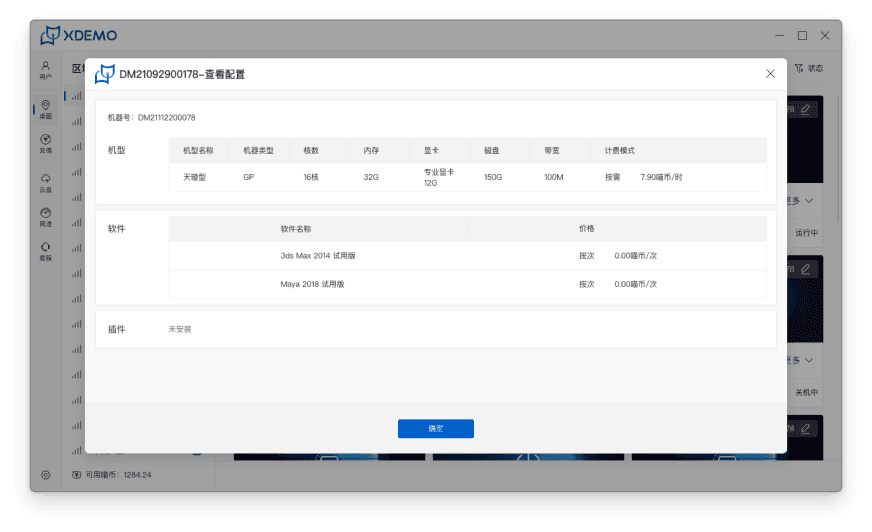
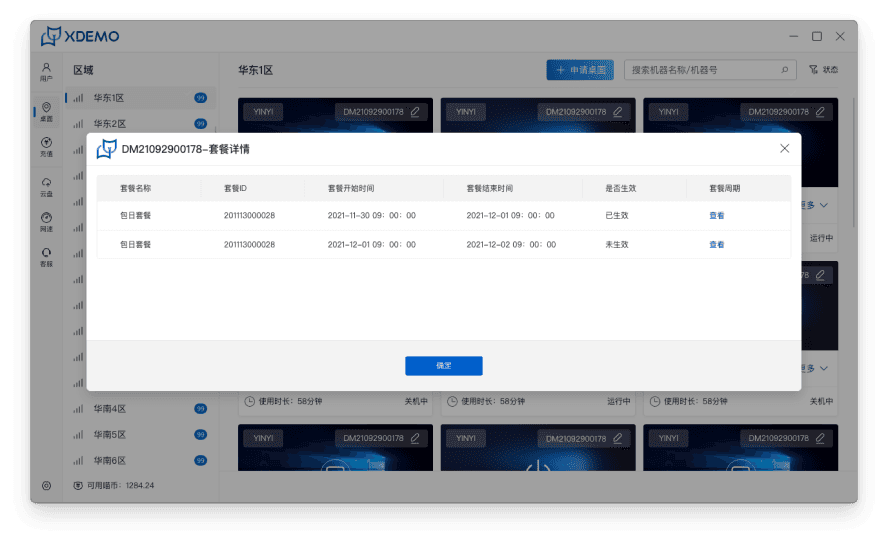
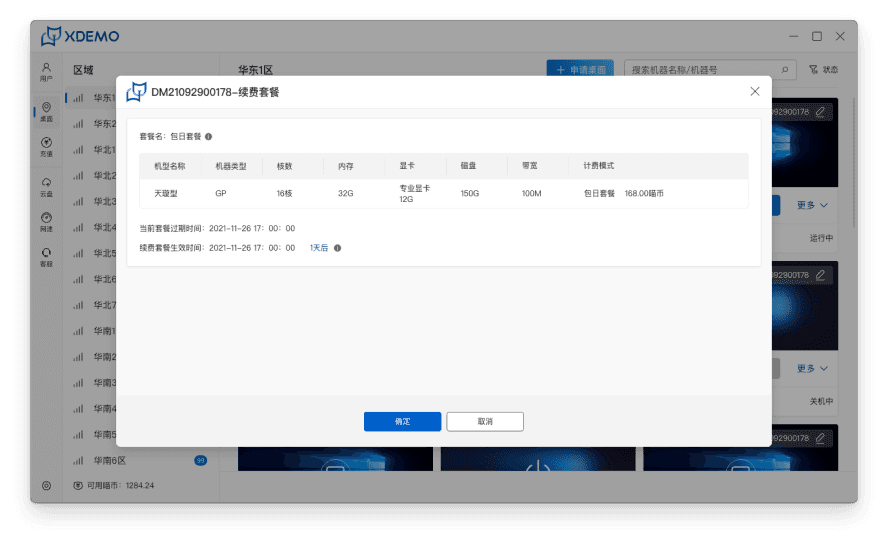
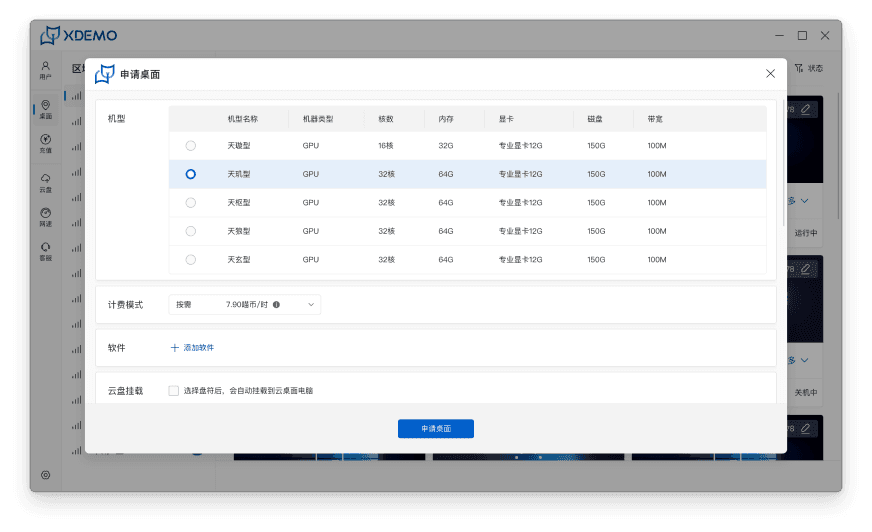
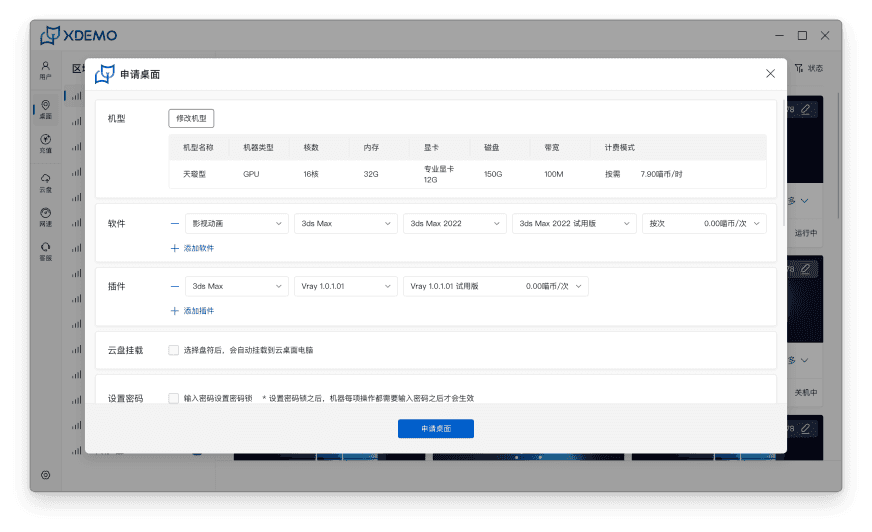
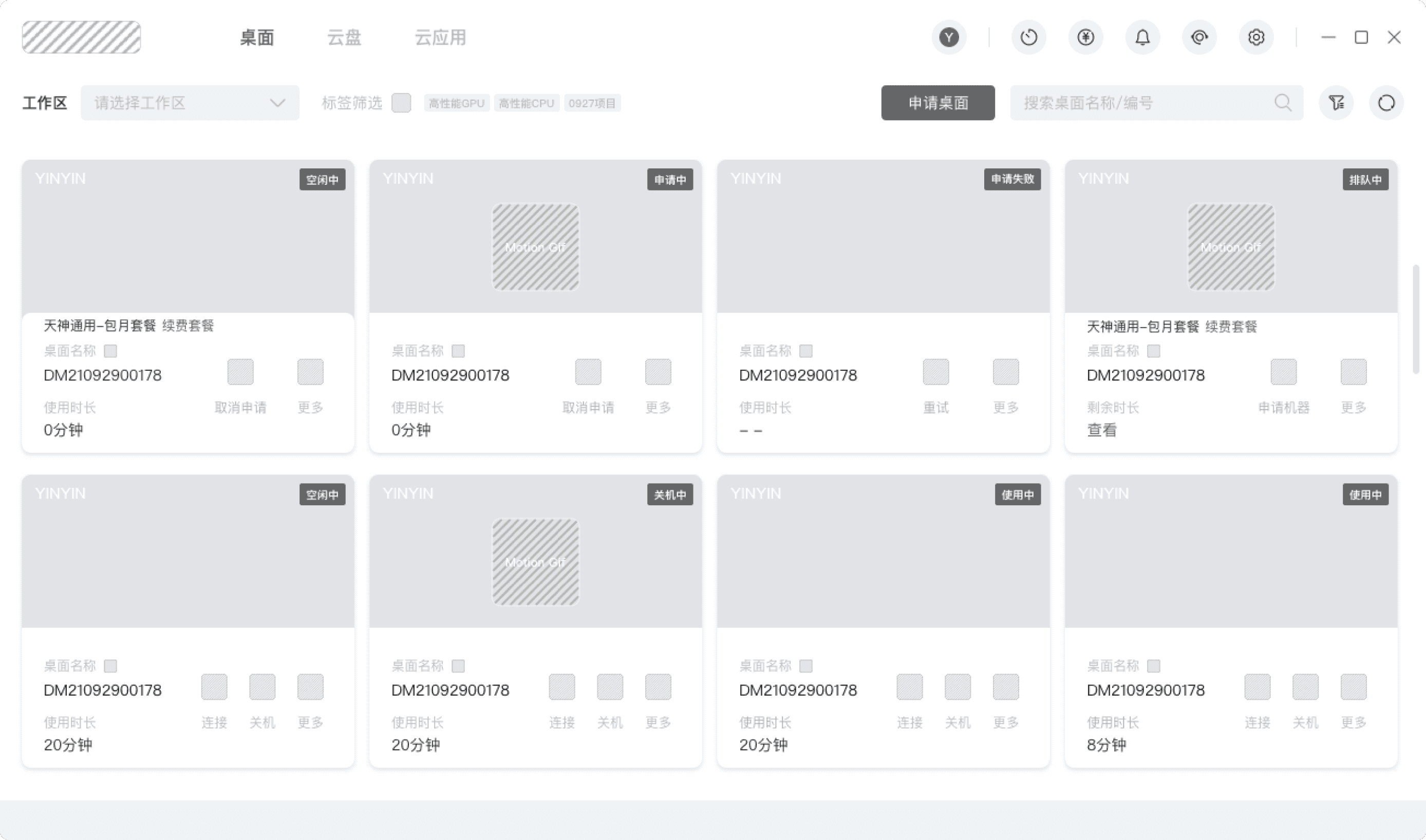
Early Entry Interface
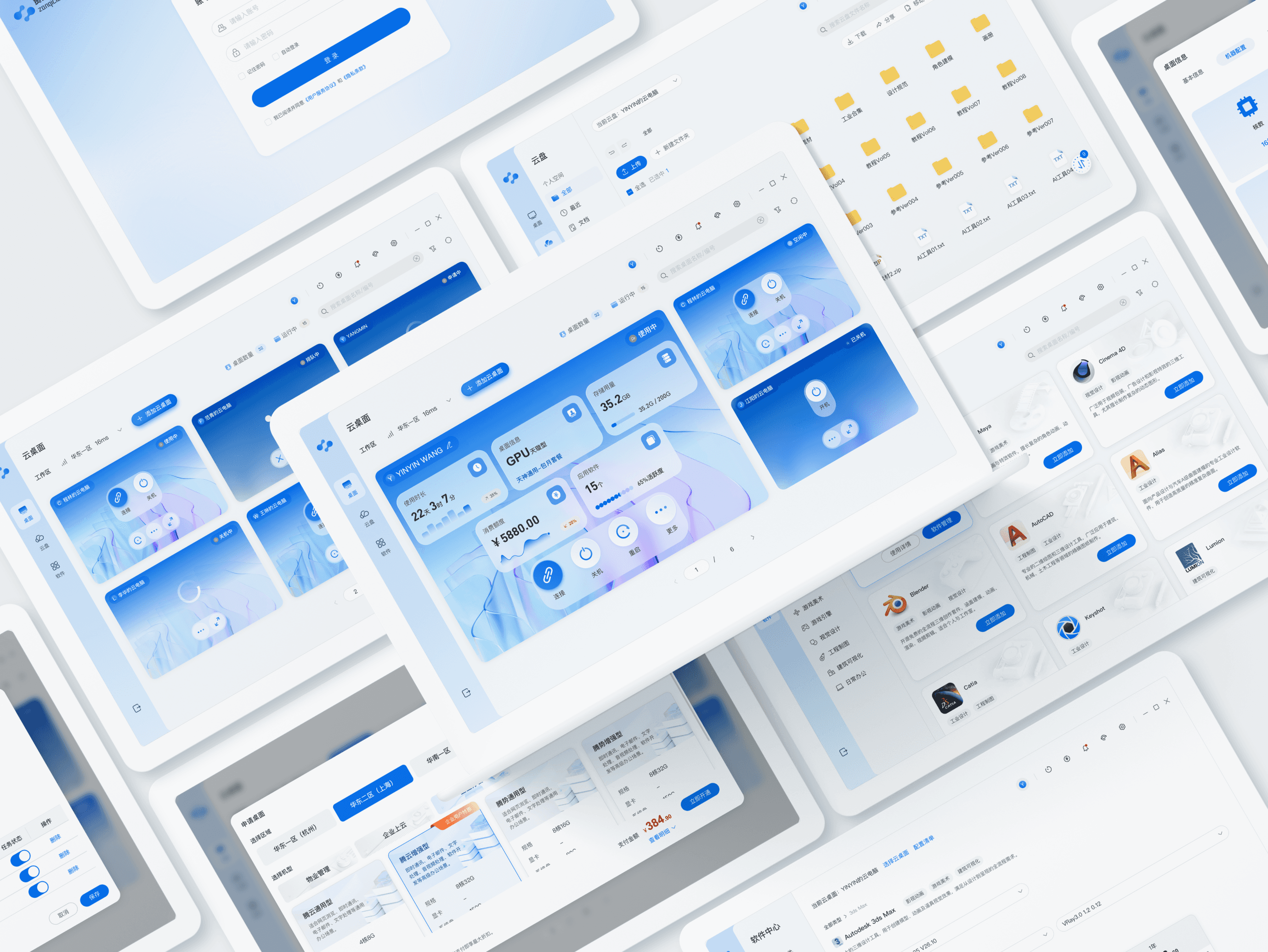
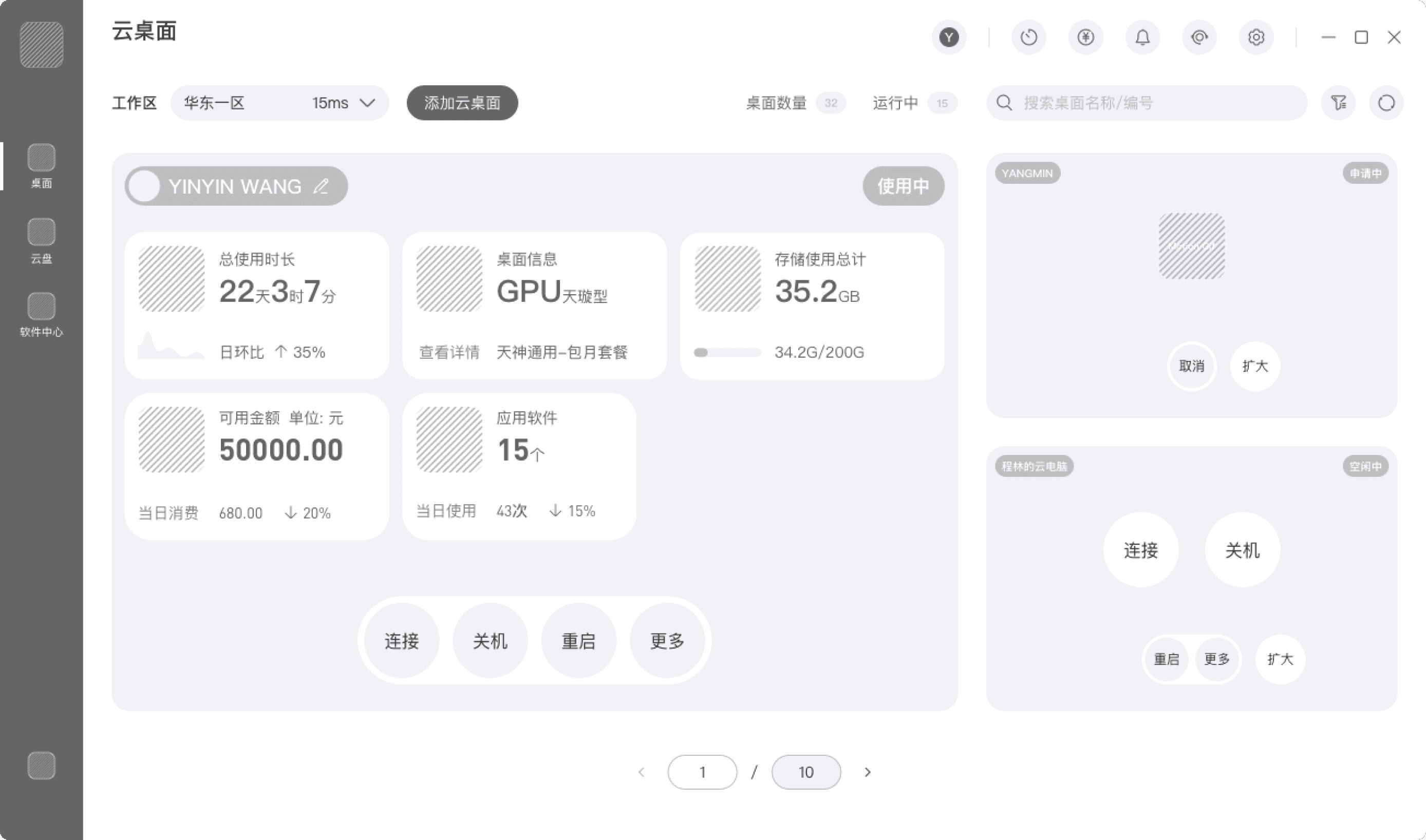
Final Optimized Version
The initial version relied heavily on dense parameter inputs and tabular layouts, emphasizing system configuration over user task flow.
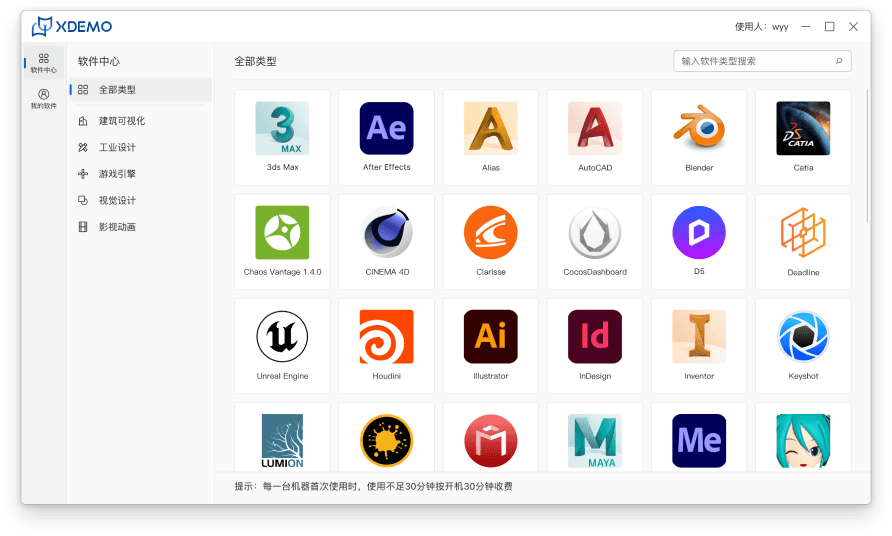
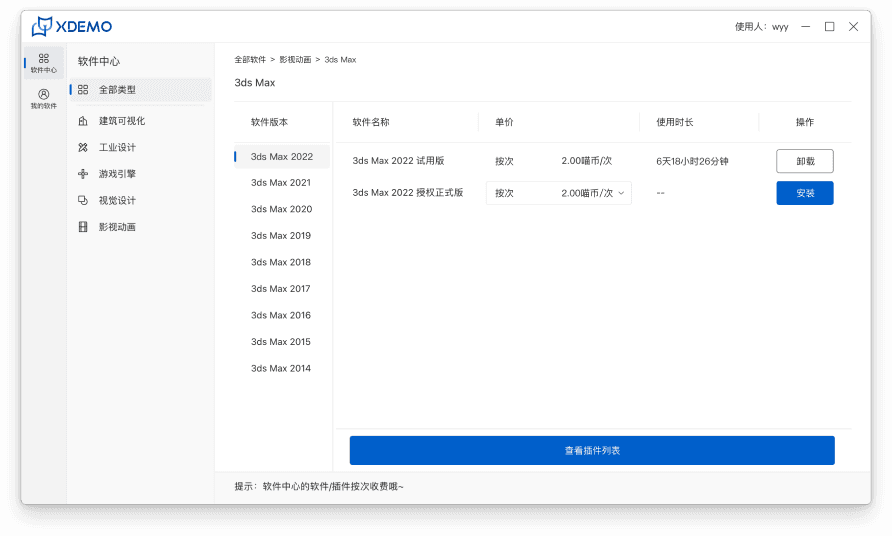
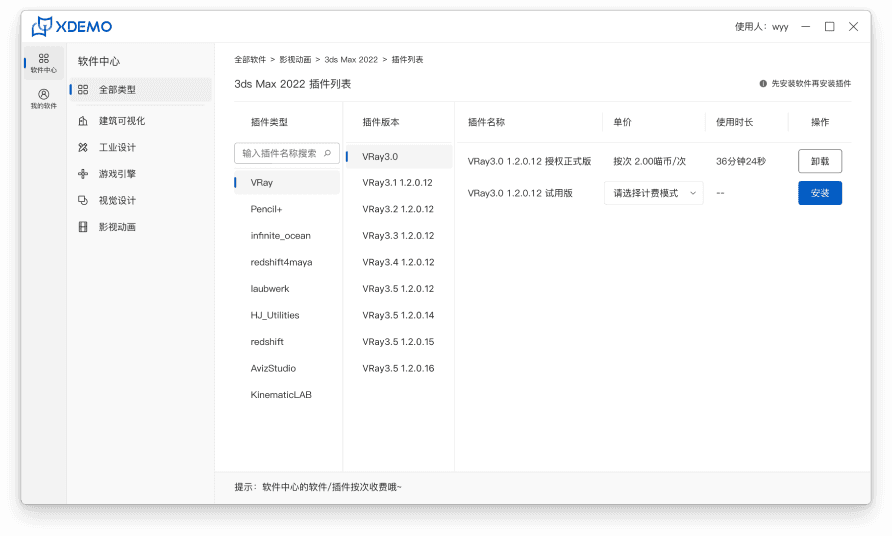
The optimized version centers around user tasks and real-time status visibility, simplifying decision-making processes and enhancing operational clarity and efficiency.
Problem Discovery
Identifying Key Frictions in the Cloud Desktop Application and Daily Management Experience
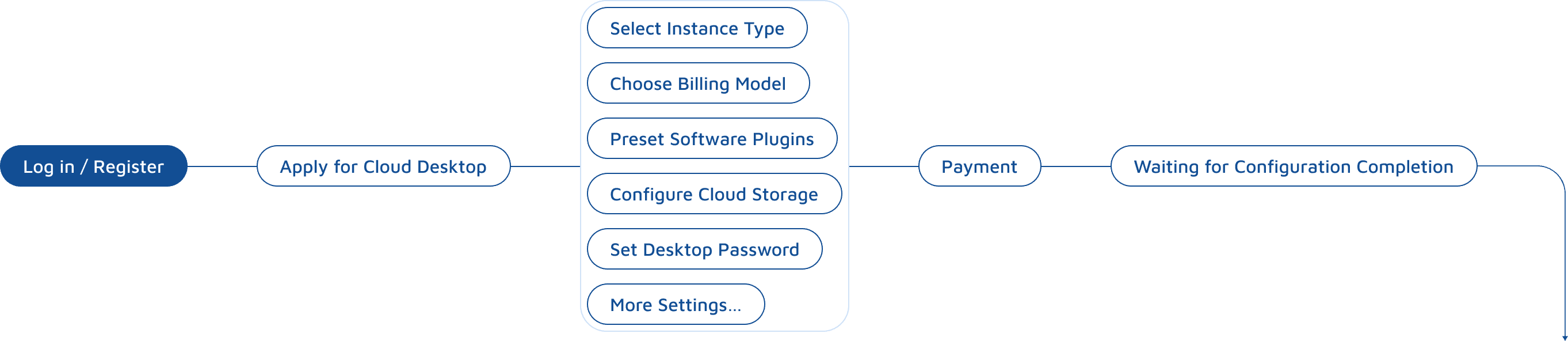
Scenario 1: Cloud Desktop Application & Configuration Flow
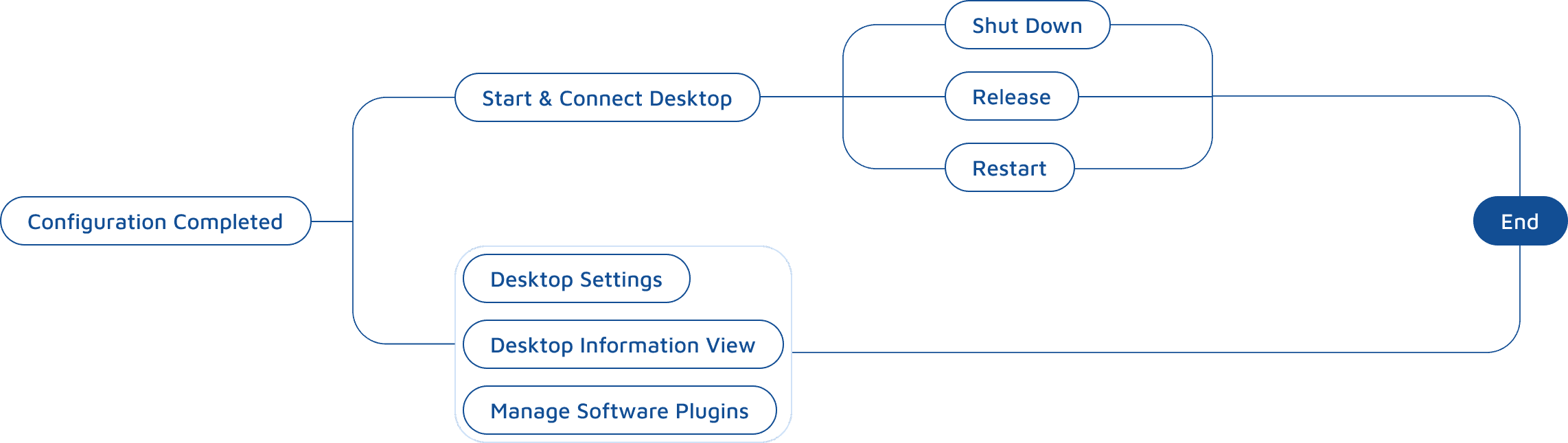
Scenario 2: Cloud Desktop Entry – Daily Usage & Management
The user’s first-time workflow when using the cloud workstation involves a complete process: Select Resources → Configure Parameters → Confirm Pricing → Submit Application, covering customized needs for computing resources and software environments.
This is the most frequently used module in daily operations. It mainly includes:
Viewing cloud desktop status
Start / Connect / Shut Down / Release instances
Managing software permissions & billing
Performing daily desktop settings and management tasks
Application & Configuration Flow
Daily Usage & Management Flow
For both Scenario 1 and Scenario 2, in-depth enterprise users (design professionals using cloud desktops as their primary work environment) were surveyed and evaluated.
Feedback on visual perception and usability revealed that key performance indicators scored only 3.4–3.8 / 5, indicating significant room for improvement.
Industrial Manufacturing



Total
3.4/5
Film & Post-production



Total
3.8/5
Post-editing



Total
3.7/5
Interview & Customer Journey
We mapped designers’ workflows in both the application process and daily entry usage scenarios, conducting in-depth interviews to identify core usability pain points.
Task Flow
Key Interview Questions
User Feedback
When applying for a new cloud desktop, what steps do you usually go through? Were there any steps that made you pause or hesitate?
During the configuration process, do you frequently switch between multiple pages? How does this affect your decision-making?
When reviewing desktop pricing, what information do you care about most? Can you see all of it at once?
During configuration, can you clearly understand how much your current selection will cost?
Have you ever modified your configuration — or even abandoned the application — due to unclear pricing?
When you open the cloud desktop homepage, what is the first thing you check?
Which information on the current interface is essential? What feels distracting?
Have you ever clicked the wrong button by mistake?
What was your first impression of this product?
During usage, did you notice inconsistencies in visual style across pages?
Would you recommend this platform to your team? Why?
There are too many steps. I’m never sure if I’ve actually completed everything — it always feels like there’s one more step.
Configuration, information review, and price confirmation are on different pages, so I keep going back and forth to compare.
I can’t see the final price in real time during configuration, which makes me uneasy and afraid it will end up being expensive.
The differences between plans are abstract — I’m not sure which one is more cost-effective.
If I could immediately see “This configuration costs X and is suitable for Y scenario,” I would decide much faster.
I mainly want to know whether the desktop is running properly, whether there are issues, and roughly how much it costs.
Many cards look similar — it’s hard to immediately identify what’s important.
Sometimes I misclick because there are too many buttons and the status isn’t clear.
The features exist, but it feels like a system pieced together.
Different pages have inconsistent styles — it doesn’t feel like a mature platform.
The functionality is professional, but visually it lacks credibility.
Cloud Desktop Application
Daily Usage (Entry)
Desktop Management
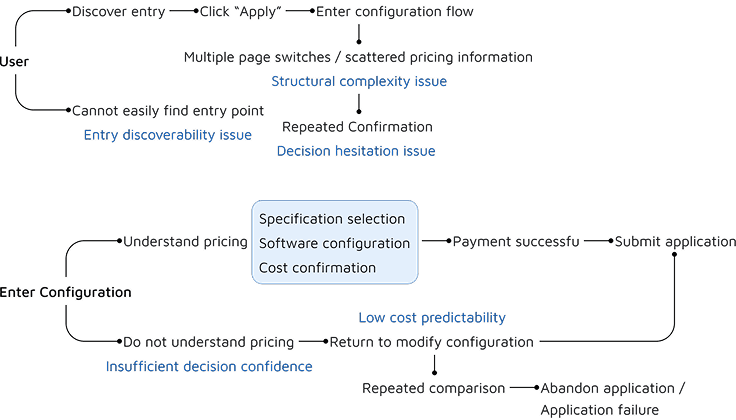
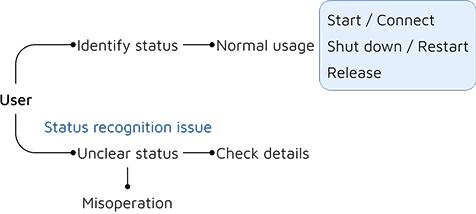

After consolidating the collected findings, the issues can be grouped into four main areas:
Simplify the application flow by consolidating scattered steps into a single, predictable process.
Redefine the information hierarchy and operational priorities on the main interface, highlighting high-frequency actions and key system states.
Reorganize configurations around usage scenarios and pricing information, improving immediate clarity of cost and selection differences.
Establish a unified visual language and component system to enhance professionalism and overall consistency.
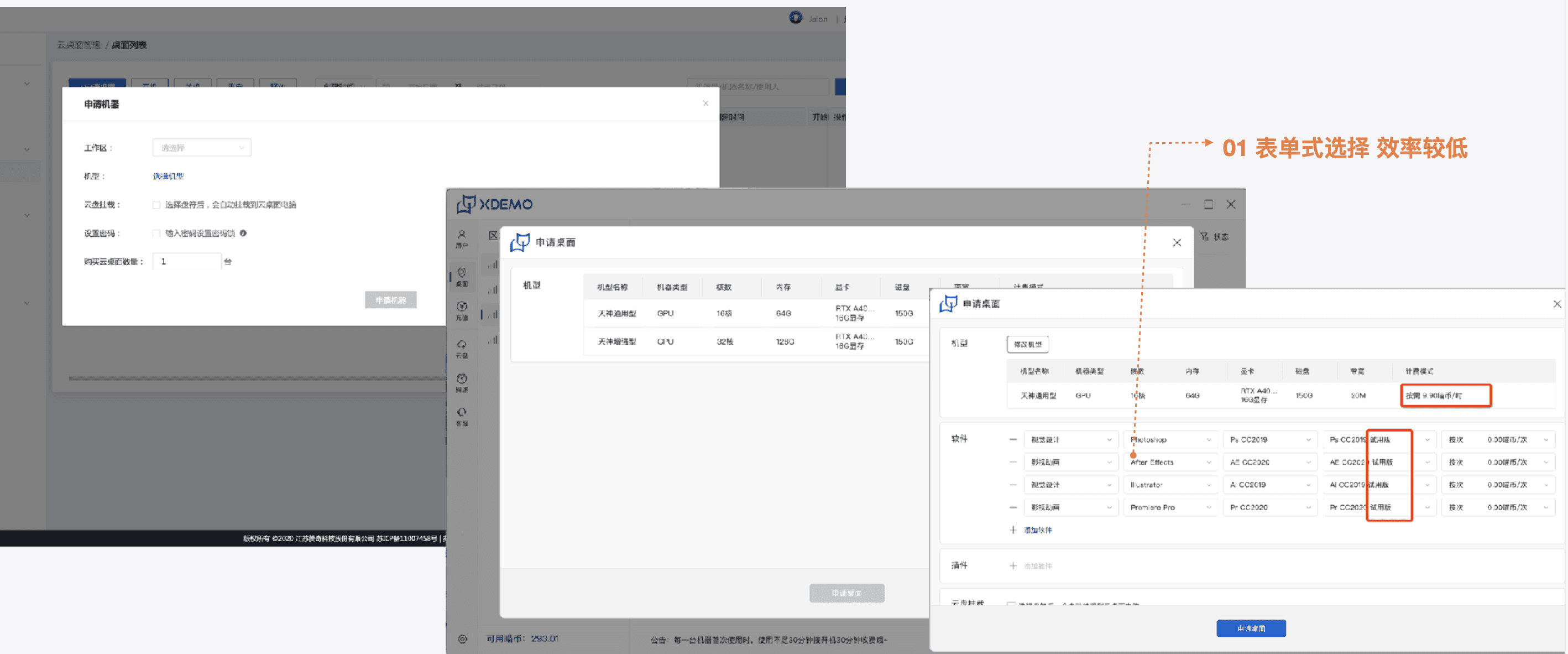
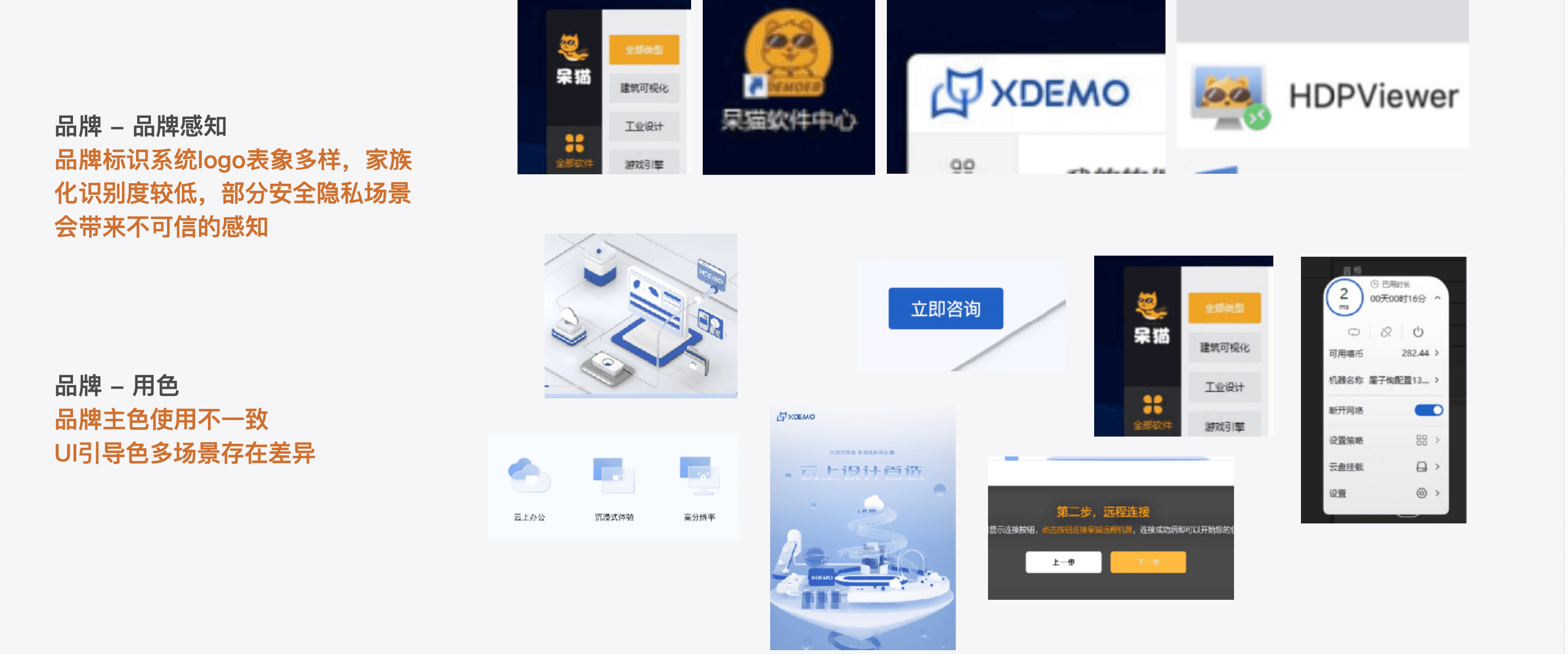
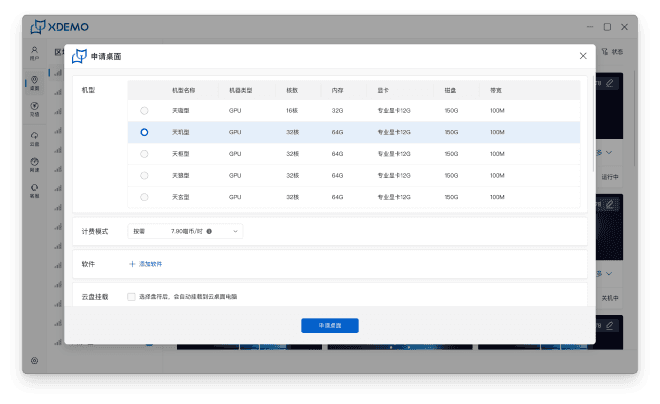
Fragmented Application Flow & Unclear Path
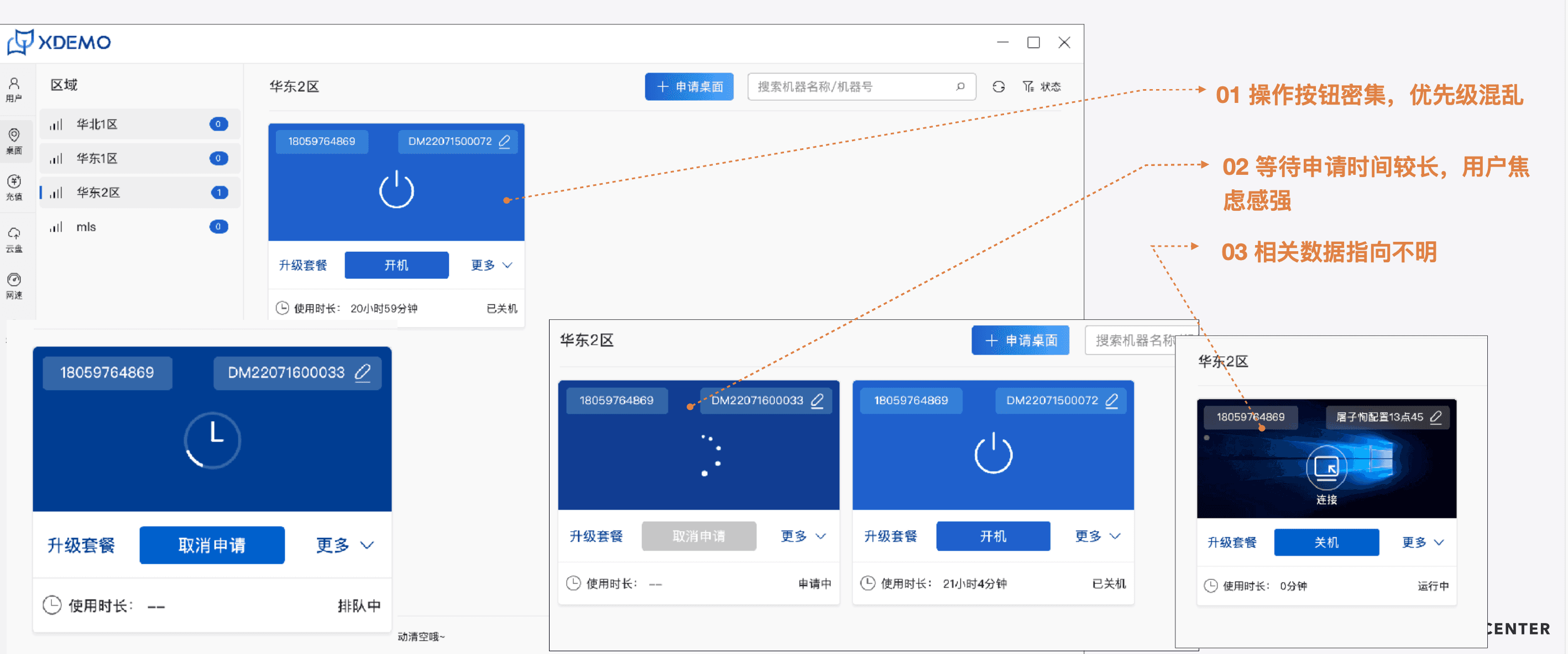
Confusing Information Hierarchy
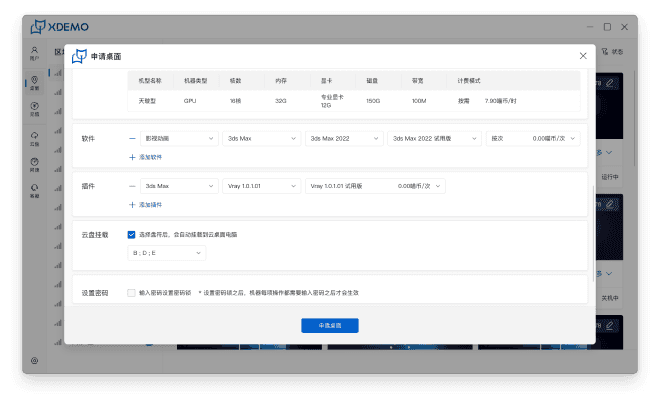
Unclear Cost Decision-Making
Weak Brand Perception
Users frequently switch between pages during the cloud desktop application process, resulting in fragmented information and a lack of flow clarity.
The main interface has high information density without clear hierarchy. Desktop cards look visually similar, action buttons lack emphasis, and misoperations are common.
Users are unsure which plan to choose and cannot see real-time pricing during configuration.
The overall visual style lacks consistency and does not convey strong brand professionalism.

“I keep jumping between pages — it’s confusing.”

“I don’t know which plan is more cost-effective.”

“It’s easy to misclick, and it doesn’t look very professional.”

Design Goals & Strategy
Improve configuration efficiency, first-time activation success rate, and entry experience—enabling users to quickly, securely, and efficiently apply for, use, and manage their remote cloud desktops and resources.
Guided, All-in-One Application Flow
Rebuild the Entry Interface Around Core Information & Key Actions
Reconstruct the Brand Visual System & Core Identity
Task-Centered Integration of Cloud Desktop Functional Operations
Build a Reusable Design System & Component Library
Reconstruct the Plugin Configuration Flow Around User Decision-Making
01
01
01
02
02
02
Centralize the application process and unify the configuration entry
Increase pricing transparency and reduce decision uncertainty
Reduce low-frequency operations and focus on core desktop tasks
Restructure hierarchy based on usage states
Simplify desktop card layout and emphasize primary actions
Redefine core visual identity and brand language
Establish systematic visual guidelines
Consolidate scattered functions under the “More” menu based on usage scenarios
Reduce fragmented interactions and improve operational clarity
Standardize core components and interaction patterns
Improve consistency and scalability across the platform
Provide quick-decision plugin configuration cards
Streamline the software plugin configuration process
Use real-time pricing feedback to guide configuration decisions
⚙️
✅
🎨
01
Improve efficiency and controllability
Improve usability and enhance error tolerance
Enhance overall user experience
02
03
Simplify the Cloud Desktop Purchase & Configuration Flow
Optimize the Cloud Desktop Entry Experience
Strengthen Brand Perception & Visual Consistency
Information Architecture
Ideation
Restructuring the Information Architecture around core user tasks from feature-centric structure to task-driven architecture.
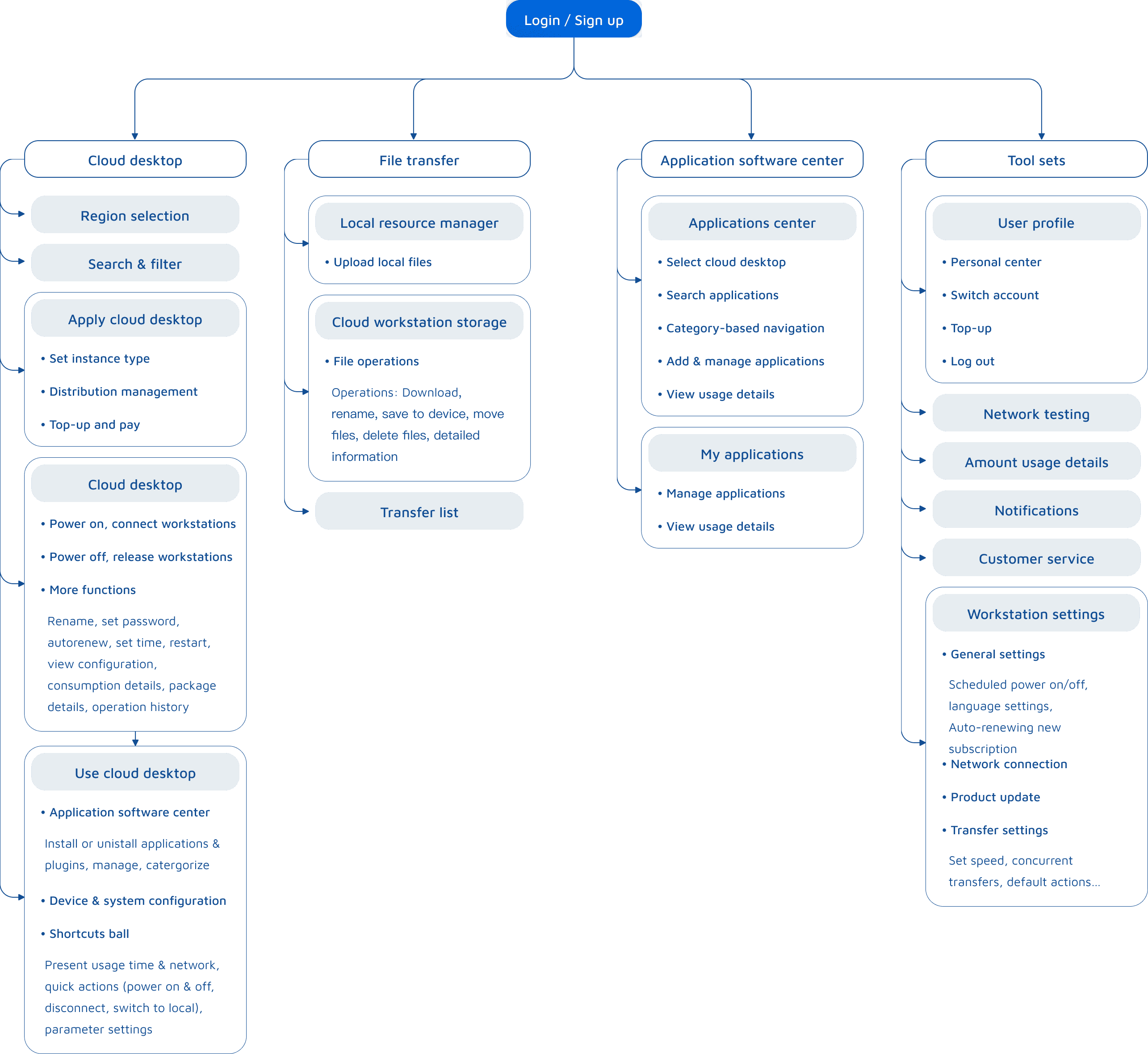
Overview of Version 1.0 Low Fidelity
Based on key deliverables from the IA and Ideation phase, we created Version 1.0 low-fidelity prototypes to conduct initial validation of core task flows.
Wireframing
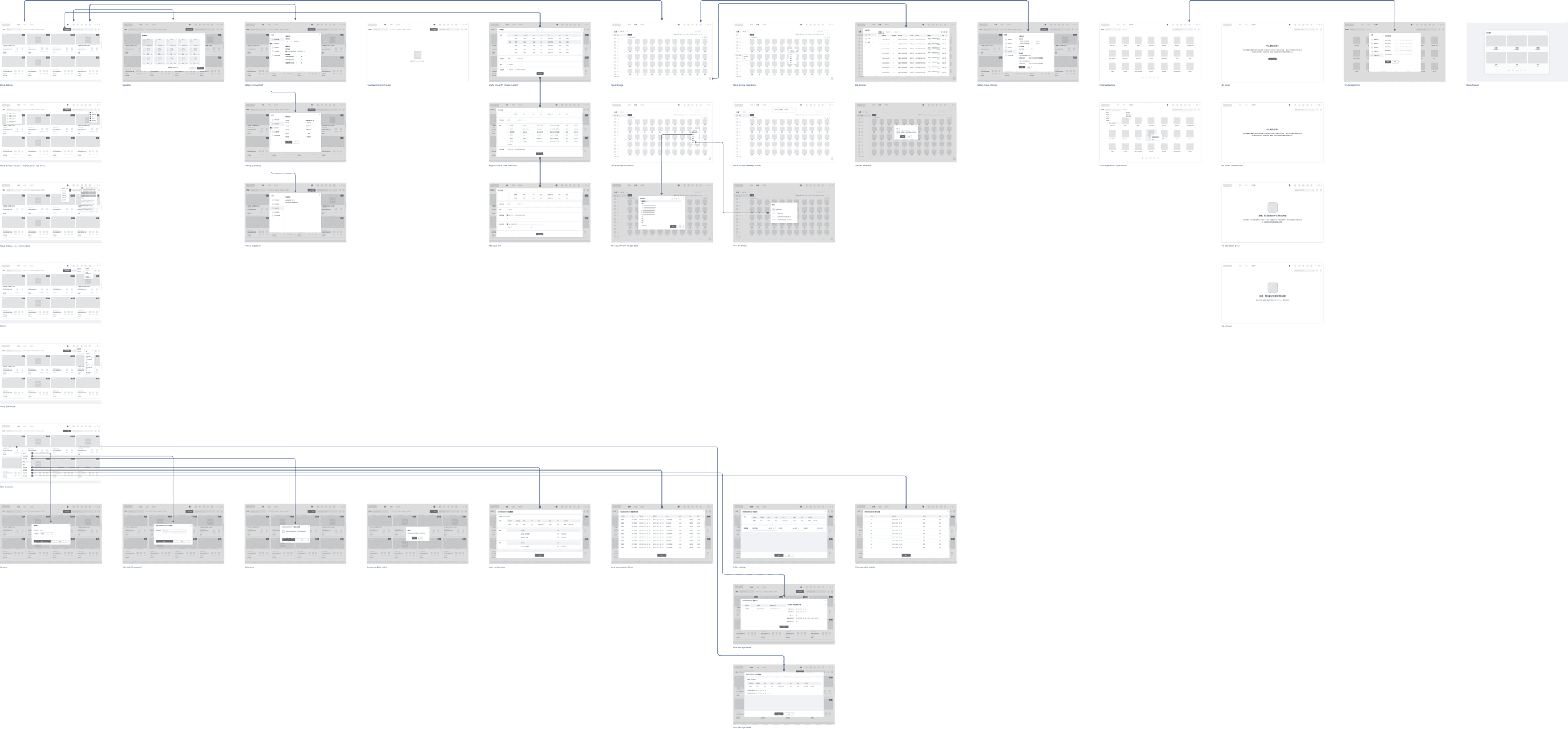
Low Fidelity Prototype
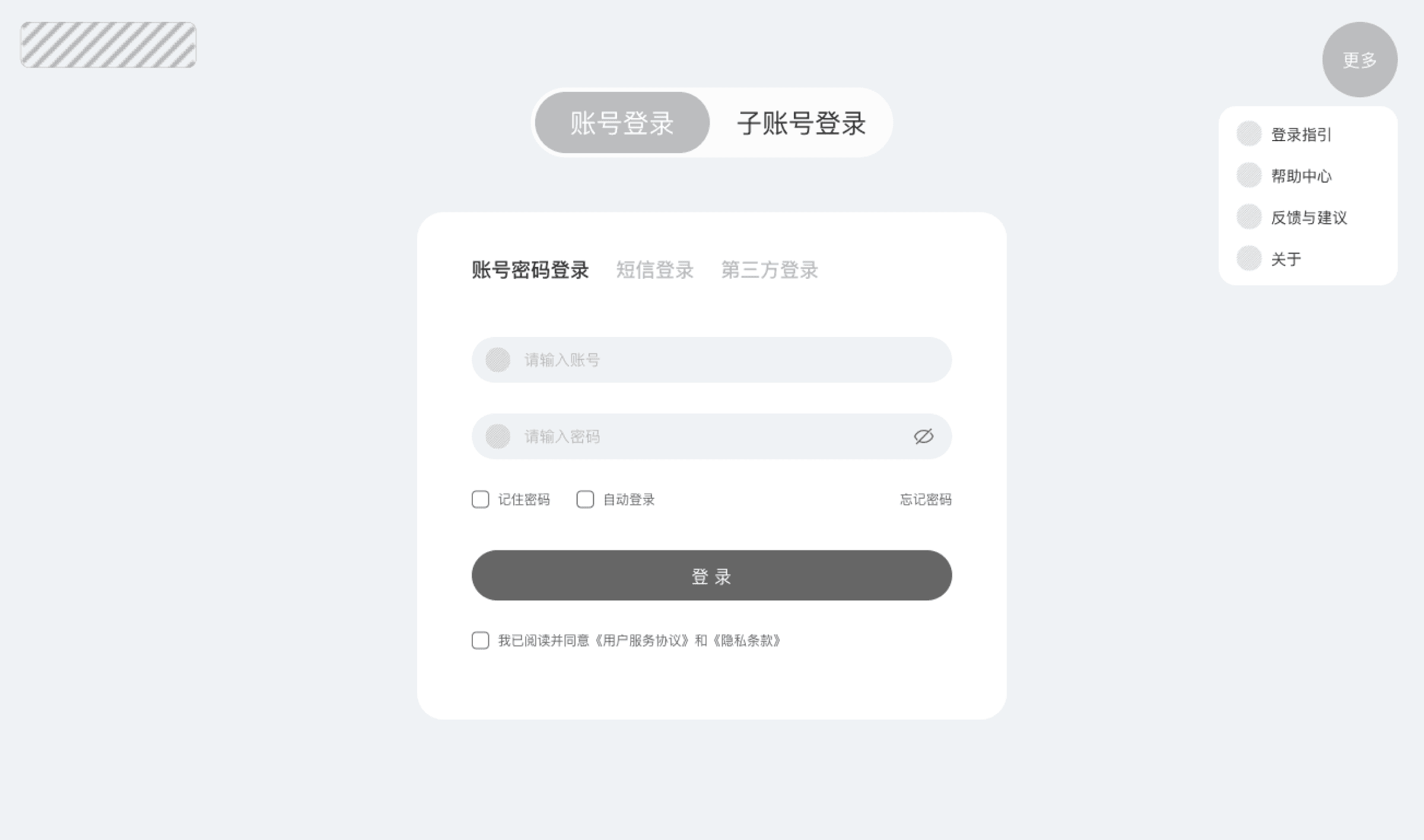
Disconnected Flow & Uncertain Outcomes
Unclear Guidance & Cost Ambiguity
Buried Information & Ineffective Visual Hierarchy
1
2
3
The configuration flow is fragmented across multiple pages, leaving users disoriented.
With no live price updates and a lack of clear final confirmation, users are unable to anticipate the outcome of their actions.
Unclear billing rules and incomplete guidance create high decision risks, while ambiguous primary/sub-account responsibilities lead to management confusion.
Critical information (e.g. pricing, plan types) remains buried in dropdowns and no scenario guidance for instance types — increasing cognitive load and slowing decision-making.
Old design
Prototype
Simplify the Cloud Desktop Purchase & Configuration Flow
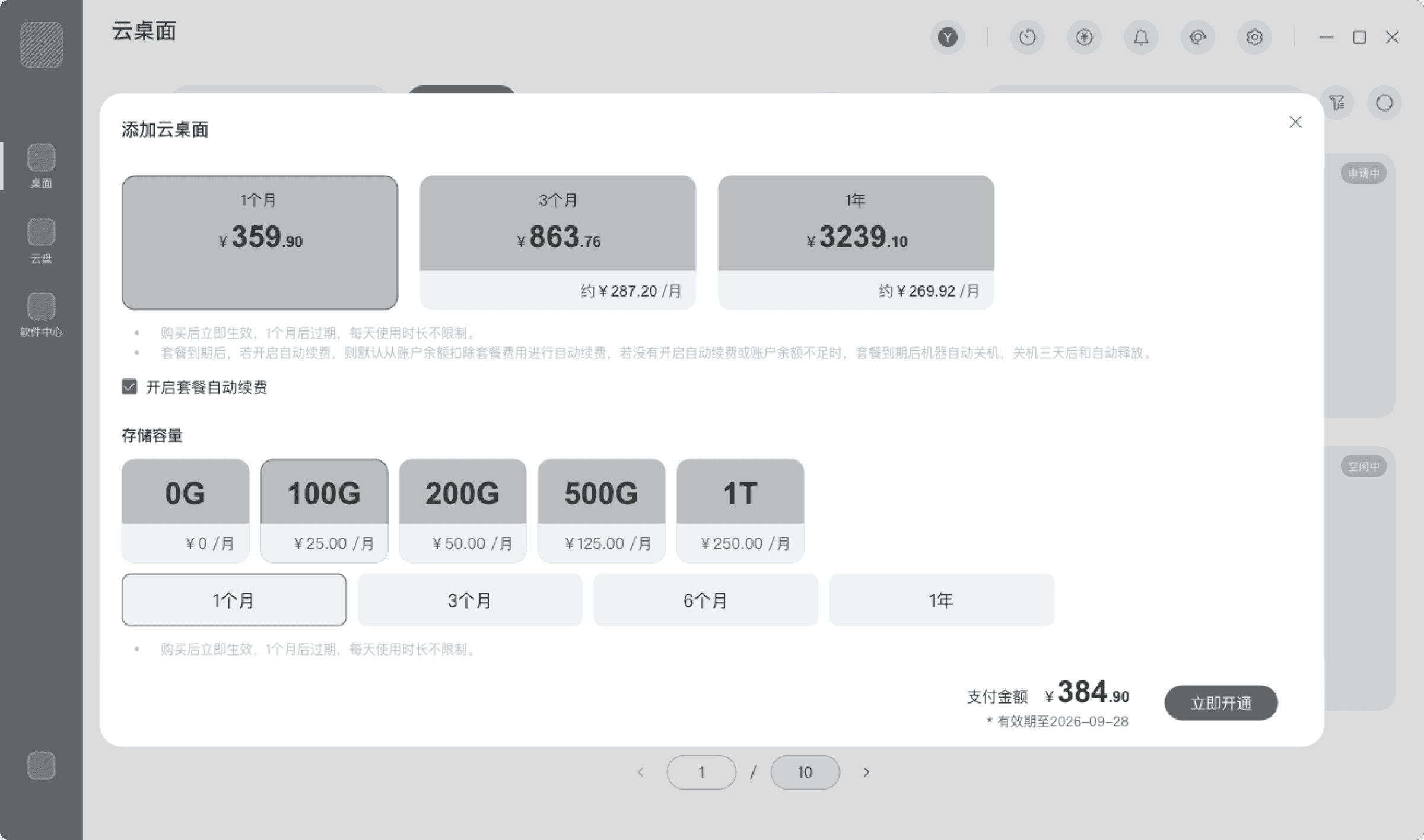
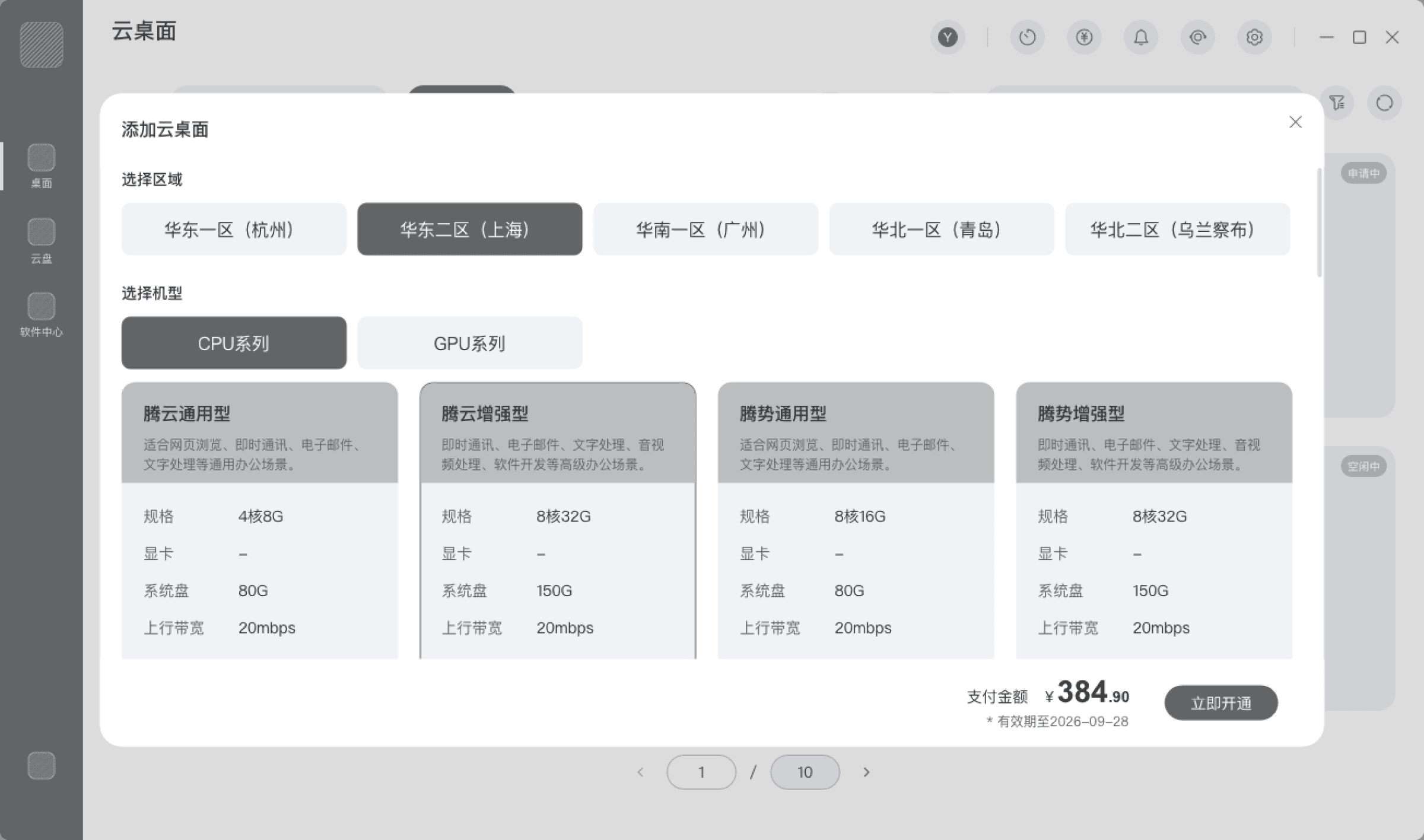
Streamline the cloud desktop setup paths with a guided, all-in-one application flow
Cloud desktop setup
Cloud Desktop Application Flow (Integrated)
Cloud Desktop Application Flow (Scrollable)
Design Process & Deliverables
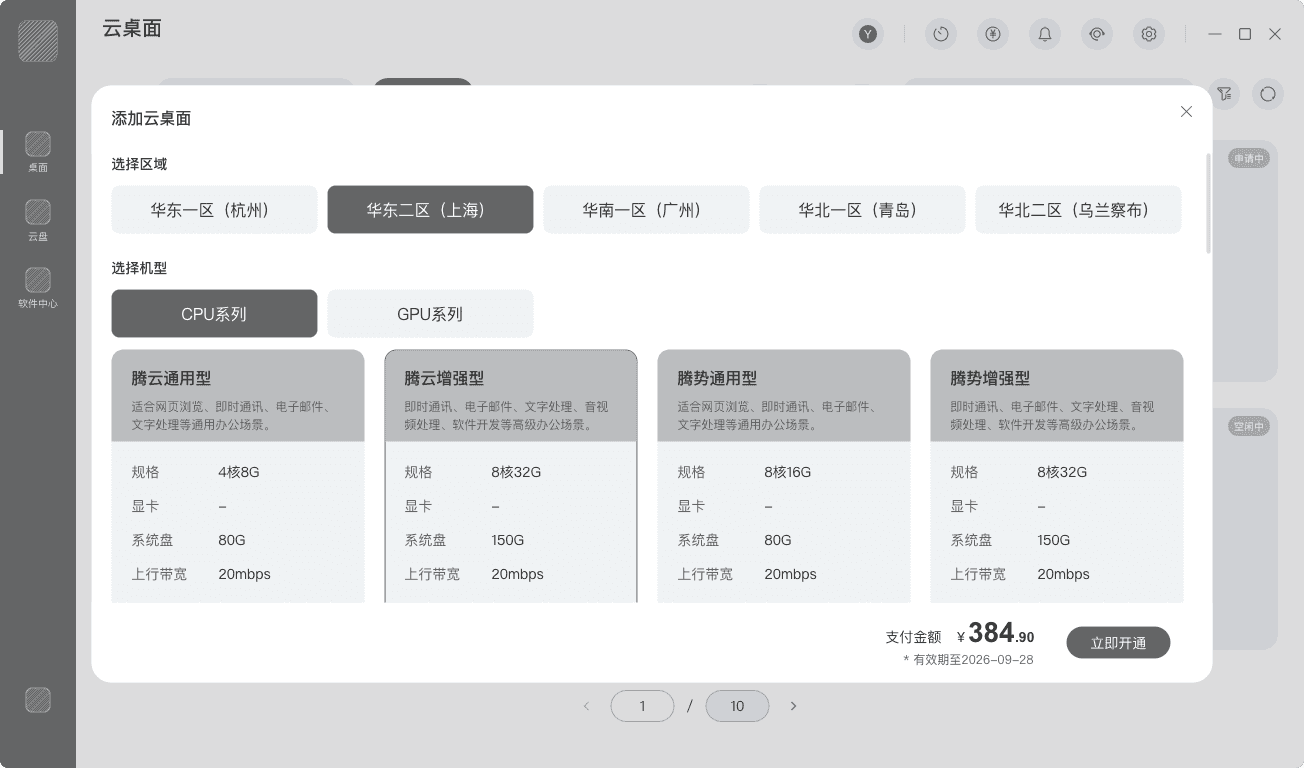
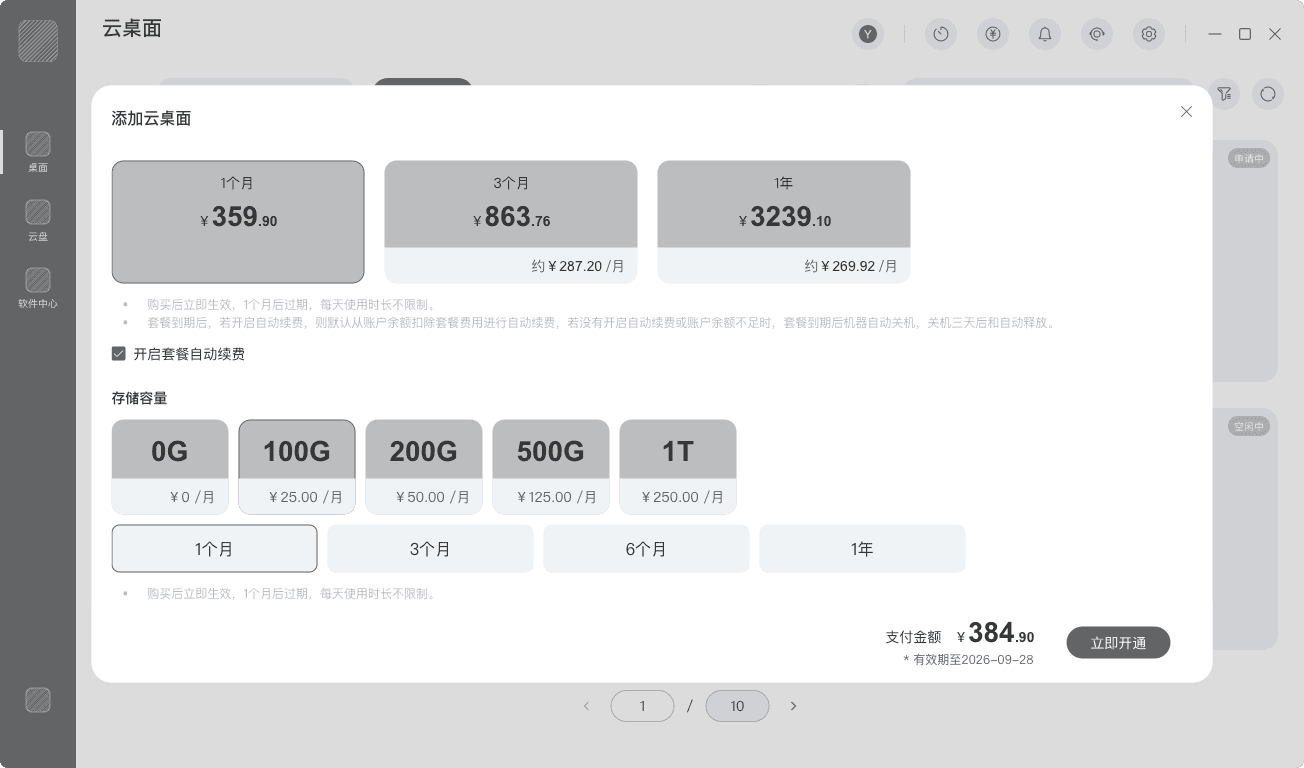
Centralized Application Flow, Unified Configuration Entry
Improve Pricing Transparency, Reduce Decision Uncertaincy
Consolidate configuration content into a single interface to minimize page switching.
Collapse advanced features and account allocation by default to reduce cognitive load.
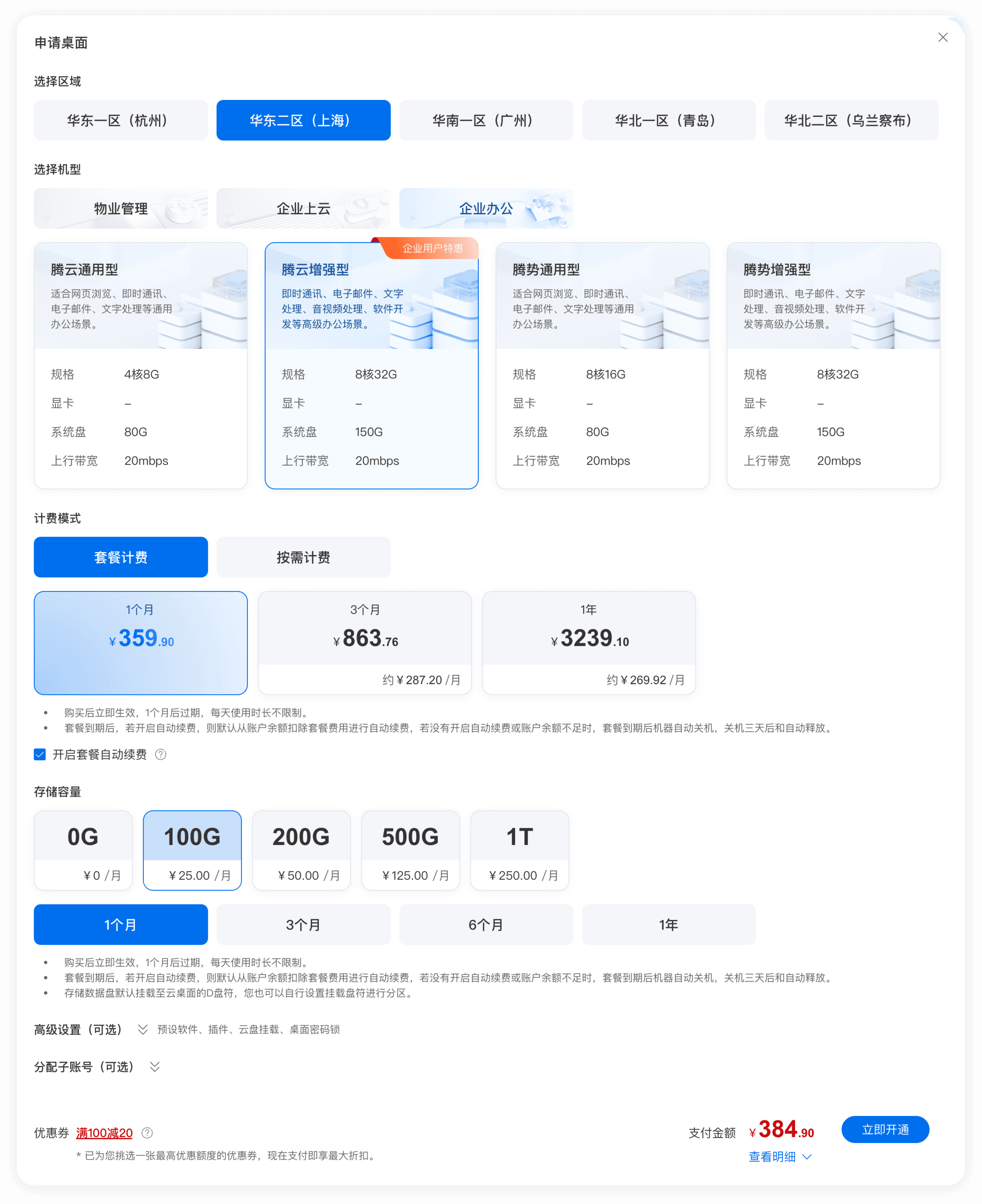
Categorize instance specifications by usage scenarios, presented in flat cards and linked with pricing, enabling users to clearly compare performance, cost, and applicable scenarios.
Provide real-time price feedback and display a fixed summary bar at the bottom showing cost breakdown, avoiding hidden costs and enhancing users’ sense of predictability and control over purchase outcomes.
✨
✨

Integrate previously scattered “fragmented selections” across multiple pages into a single guided flow, enabling users to complete the entire set-up and decision-making process within one-stop configuration.
Integrate dispersed configuration and pricing information to eliminate information silos, transforming the decision process into a clear and predictable aggregated decision.
Scenario tags leverage highly recognizable business contexts to create visual grouping, reduce user cognitive load, and guide users to quickly enter the correct path.
Background color uses light gray-blue tones combined with abstract architectural blocks to imply “enterprise-grade / scalable / stable,” enhancing professionalism.
Enterprise user labels adopt flag-style floating badges, conveying benefits while maintaining reading flow without disruption.
Proposed design
Cloud Desktop Application
📊
📋

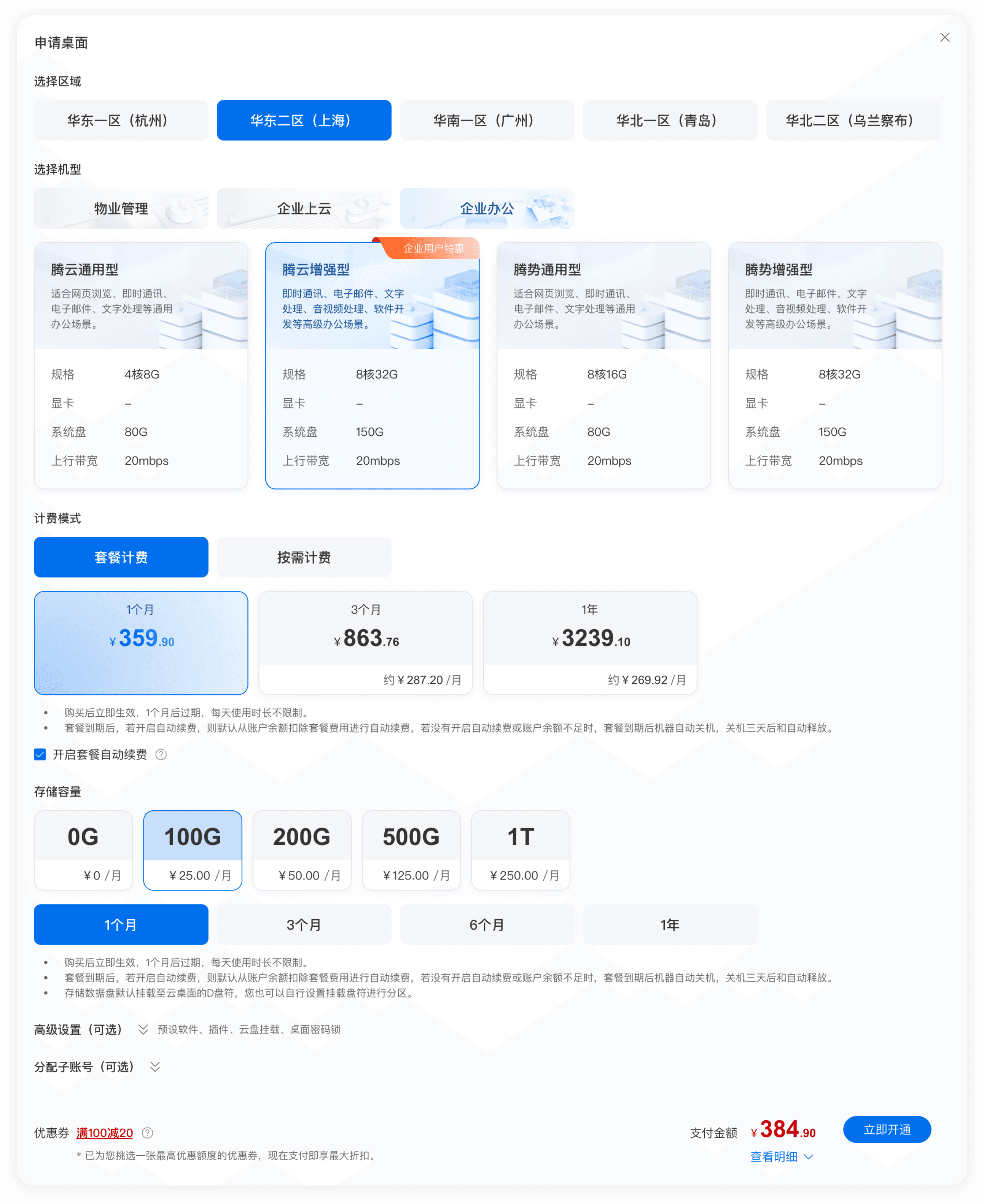
In an unmoderated usability test (without guided assistance), the core flow — “Apply → Configure → First Connection” — achieved a 100% task completion rate.
The average completion time was reduced from 8 minutes 40 seconds to 4 minutes 55 seconds (a 43% decrease), resulting in a 76% improvement in overall task efficiency.
Inefficient Layout & Visual Clutter
Unclear Guidance & Cost Ambiguity
1
2
• Complex setup paths with poor guidance increase memory load and operational cost.
• Unclear pricing models prevent quick cost assessment, hindering decision-making.
• The interface suffered from visual clutter, unbalanced information density, and a lack of status indicators.
• Configuring software with a side navigation checkbox layout created a visually lengthy interface.
Old design
Simplify the Cloud Desktop Purchase & Configuration Flow
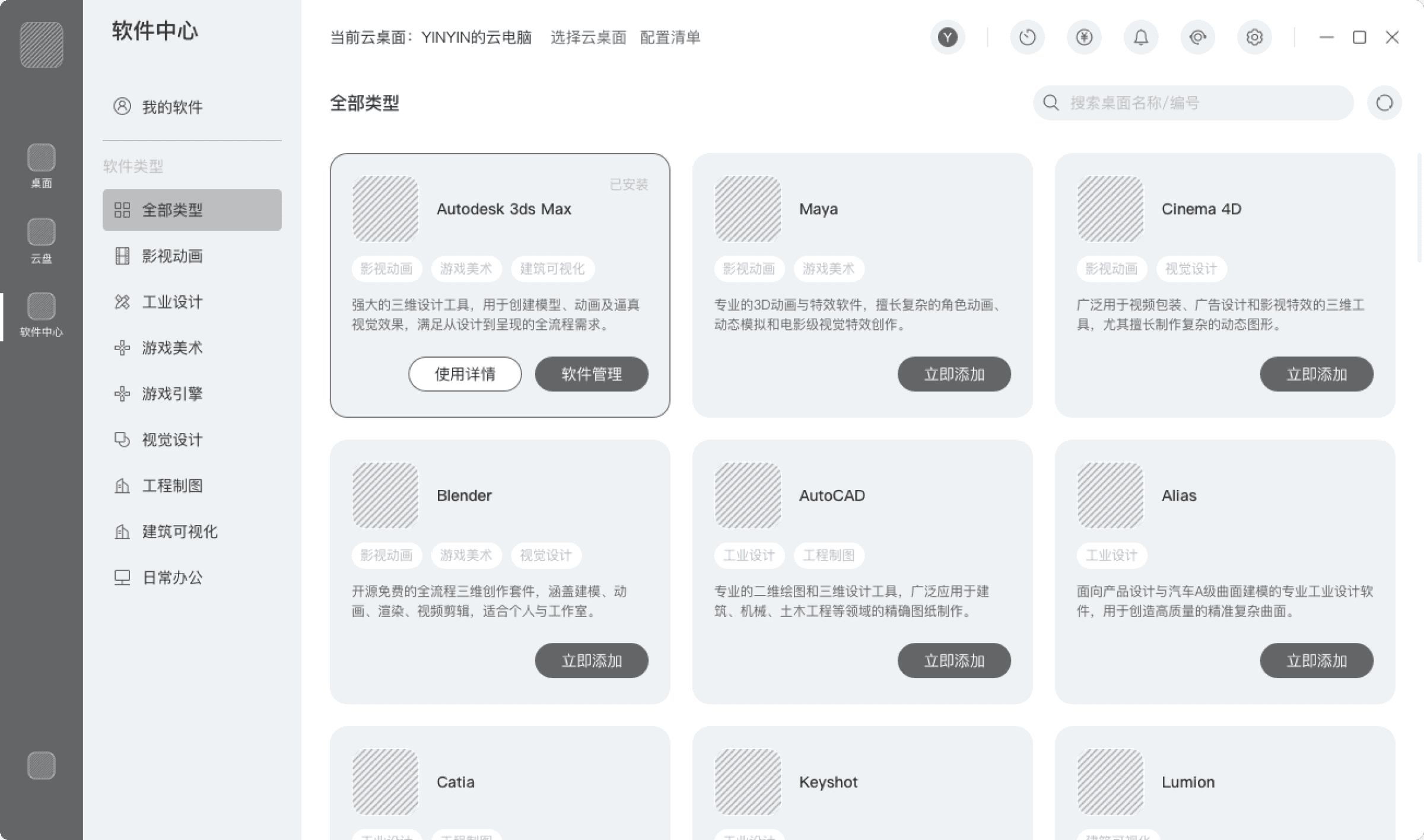
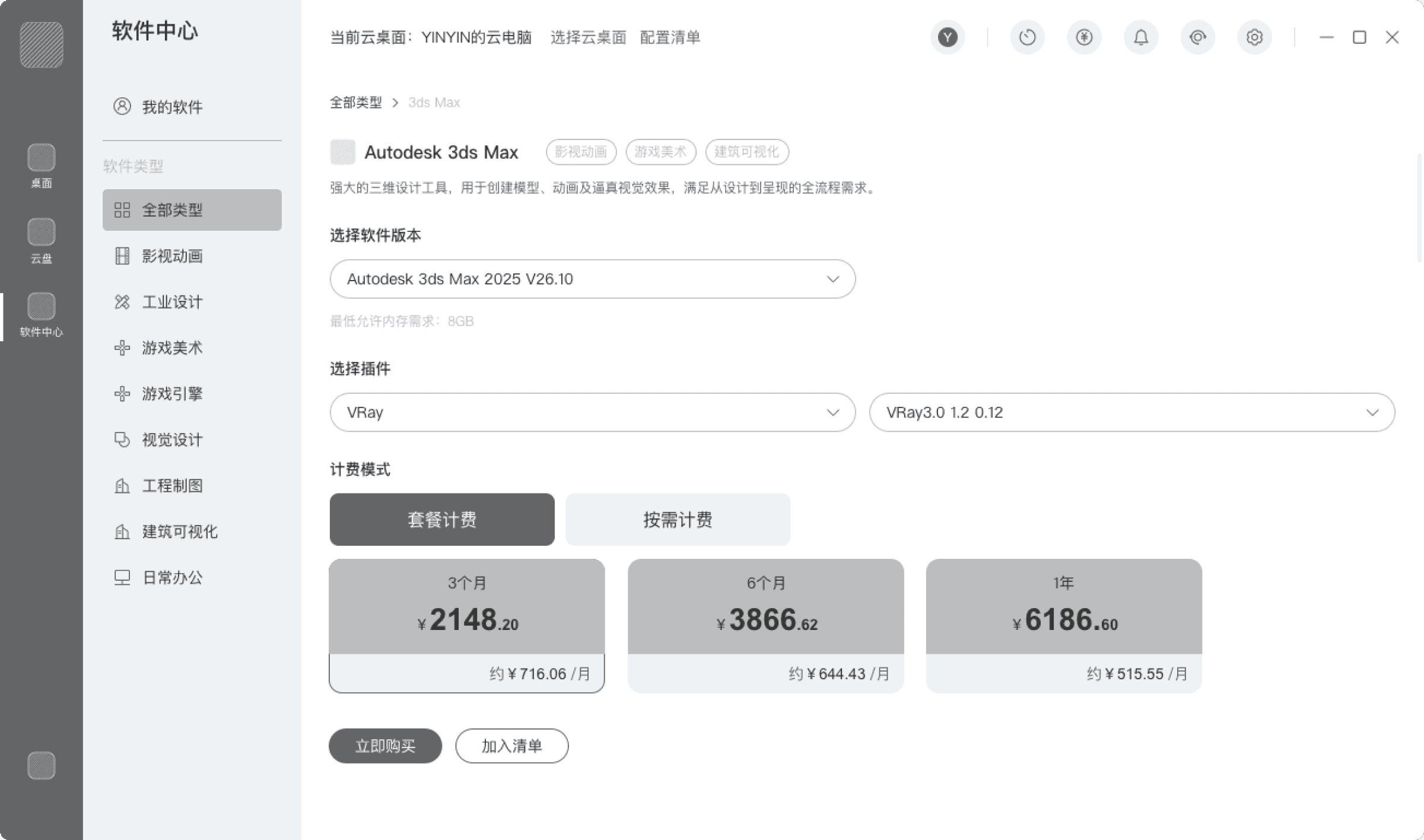
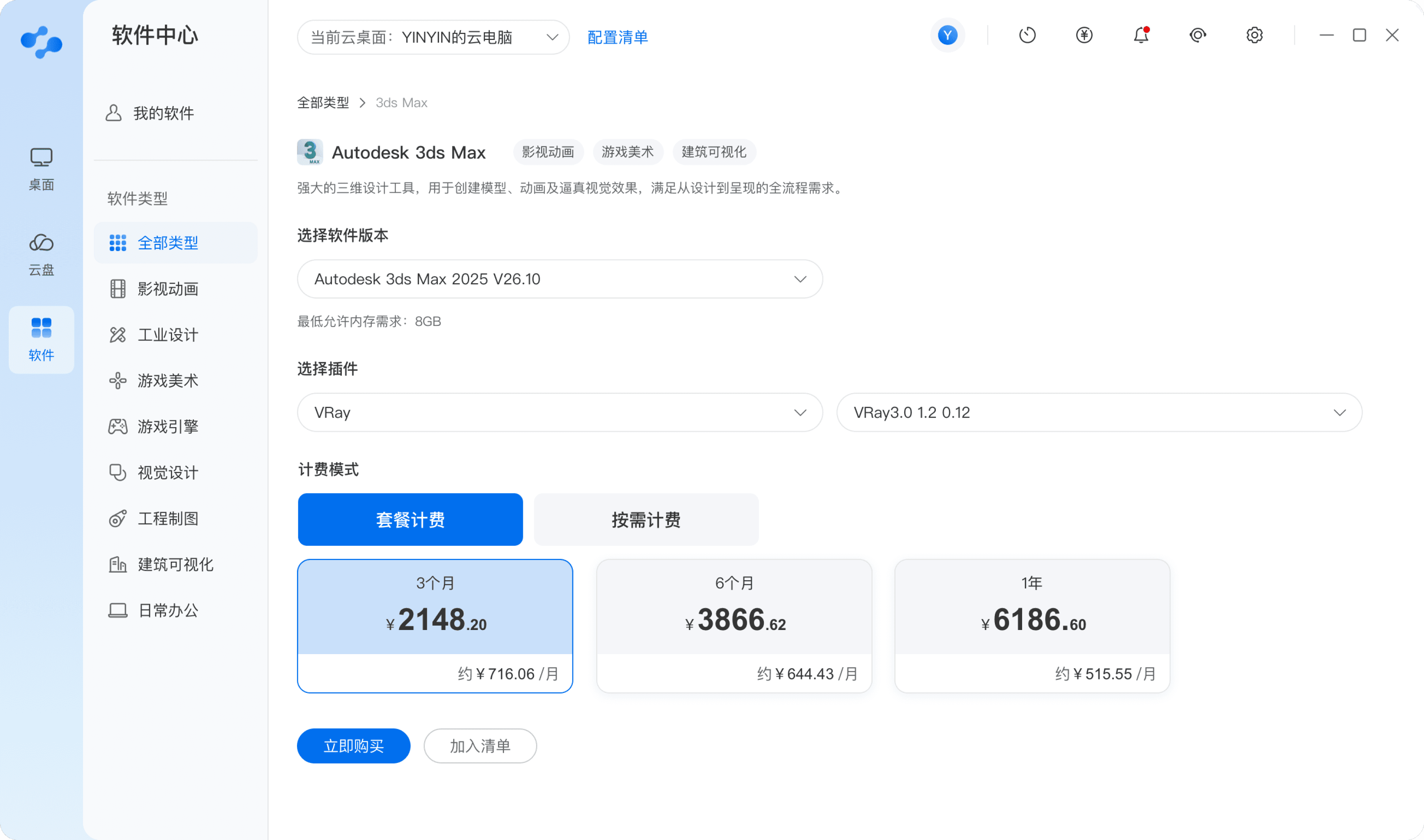
Reorganize the software center for clarity and efficiency by presenting a focused and intuitive configuration interface.
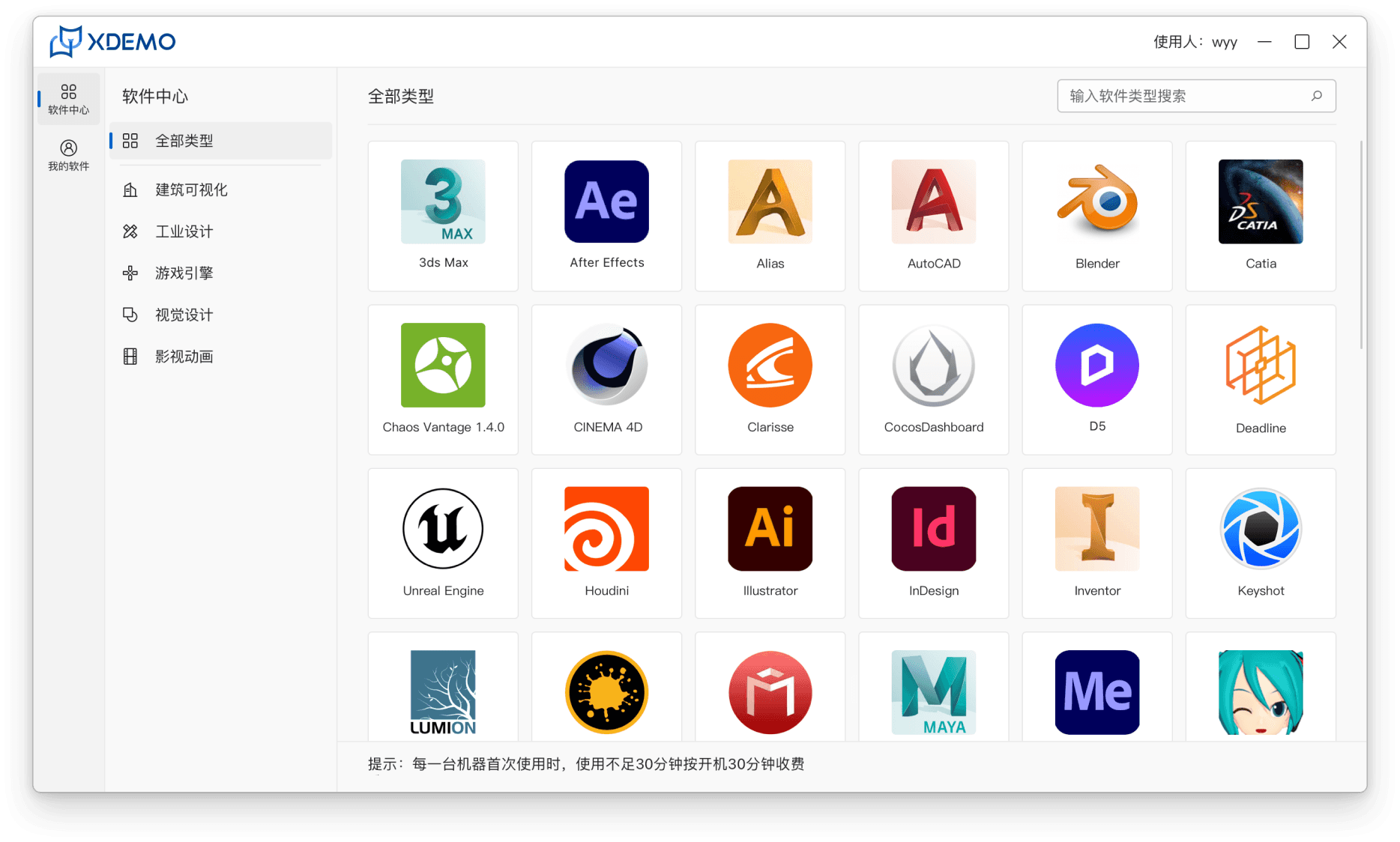
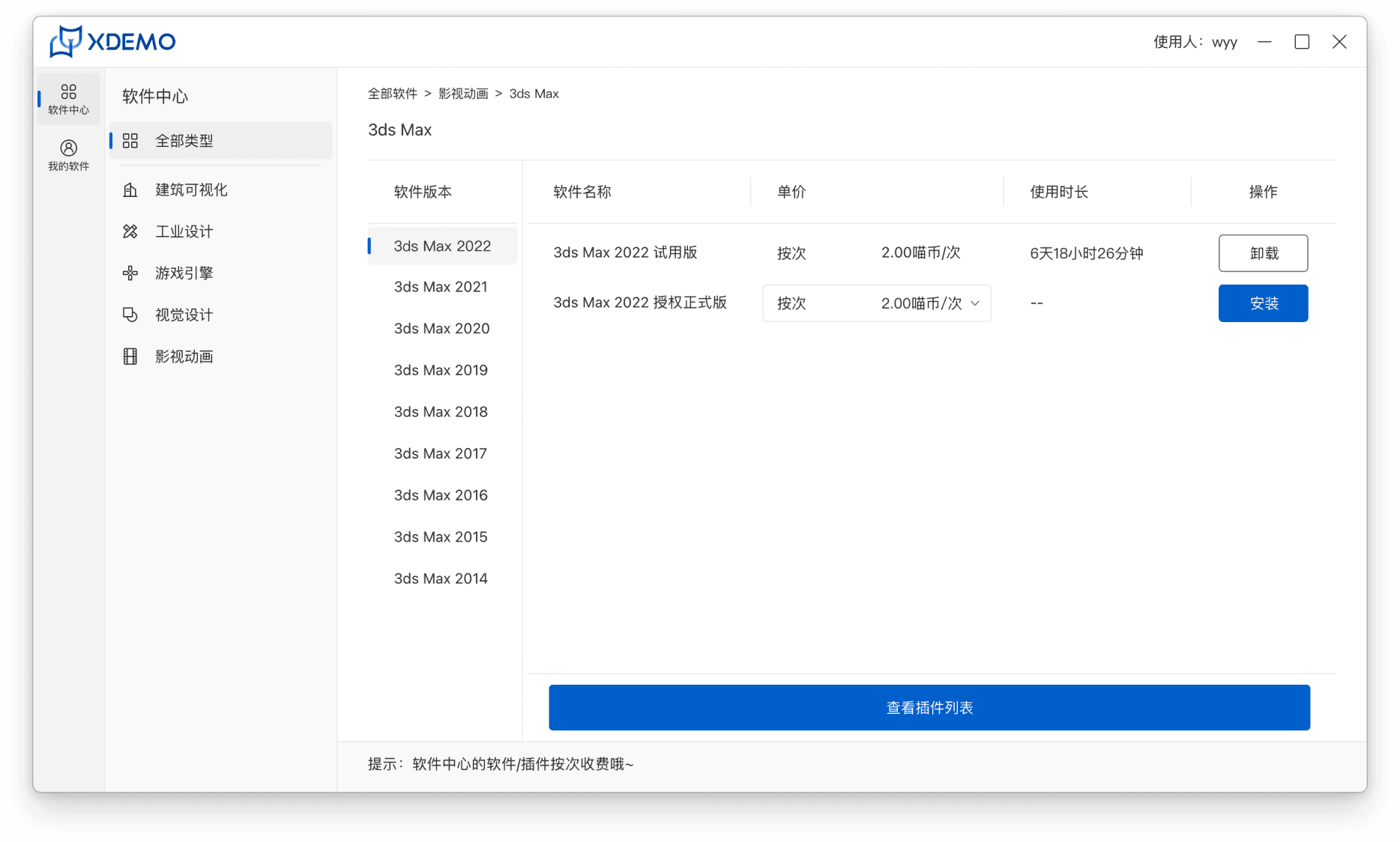
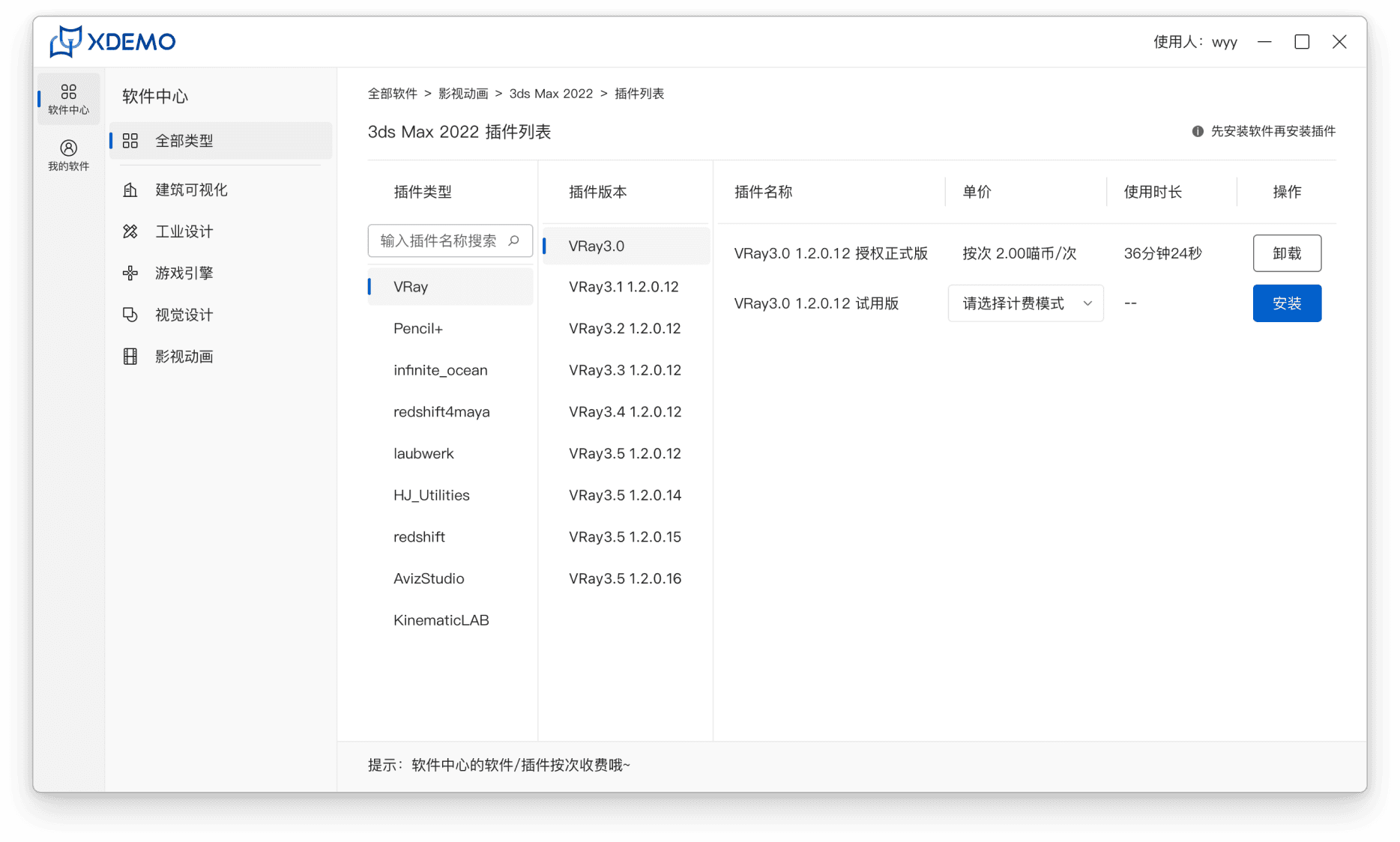
Software Center – Select Software Type
Configure Software (Select Version, Billing Model…)
Configure Plugins (Select Version, Billing Model…)
Support Quick Decision-Making Through Aggregated Configuration Cards
Integrate the Software & Plugin Configuration Flow
Guide Configuration Decisions with Real-Time Pricing Feedback
Increase the information density of cards while clearly presenting software categories, feature descriptions, and applicable scenarios to help users quickly build understanding.
Consolidate previously scattered configuration capabilities across multiple pages and sidebar navigation into a continuous configuration process.
Organize the interface around the main flow: “Select Software → Configure Plugins → Confirm Pricing Plan”, reducing cognitive interruptions caused by page switching.
Centralize the full cost structure (software version, plugin type, billing model) on the configuration page.
Provide real-time price updates to help users immediately understand the cost implications of their choices and reduce decision hesitation.
Prototype
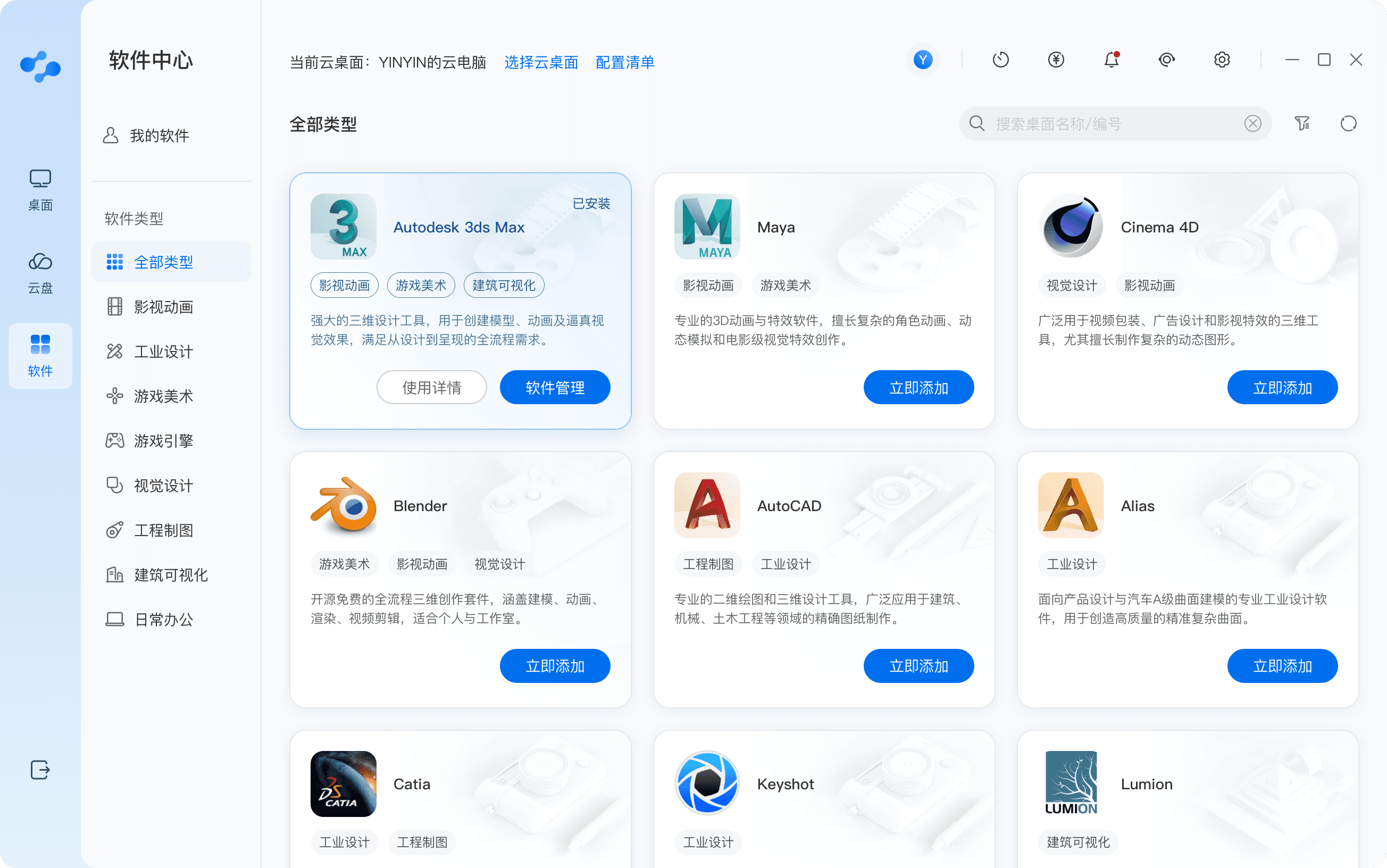
Software Center – Configuration Entry & Software Selection
Software Center – Software Configuration Page
✨
✨
✨
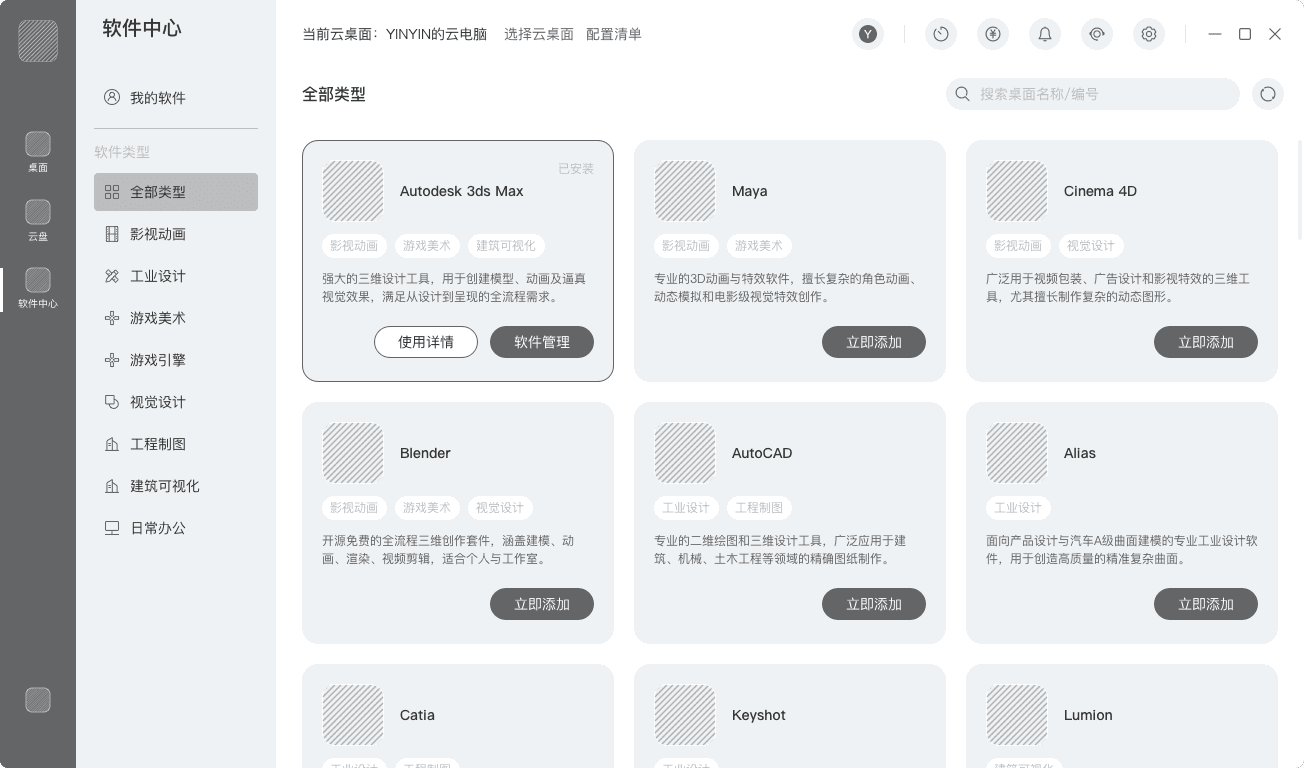
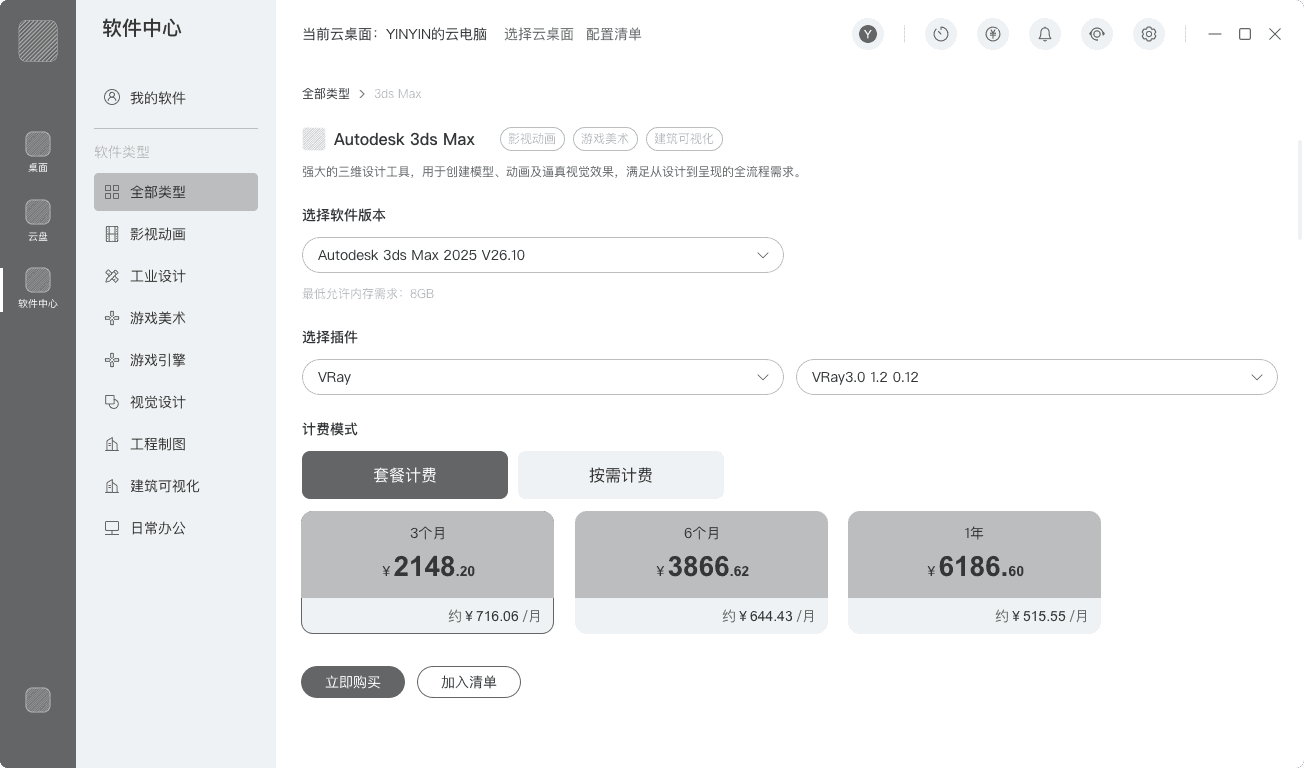
Proposed design
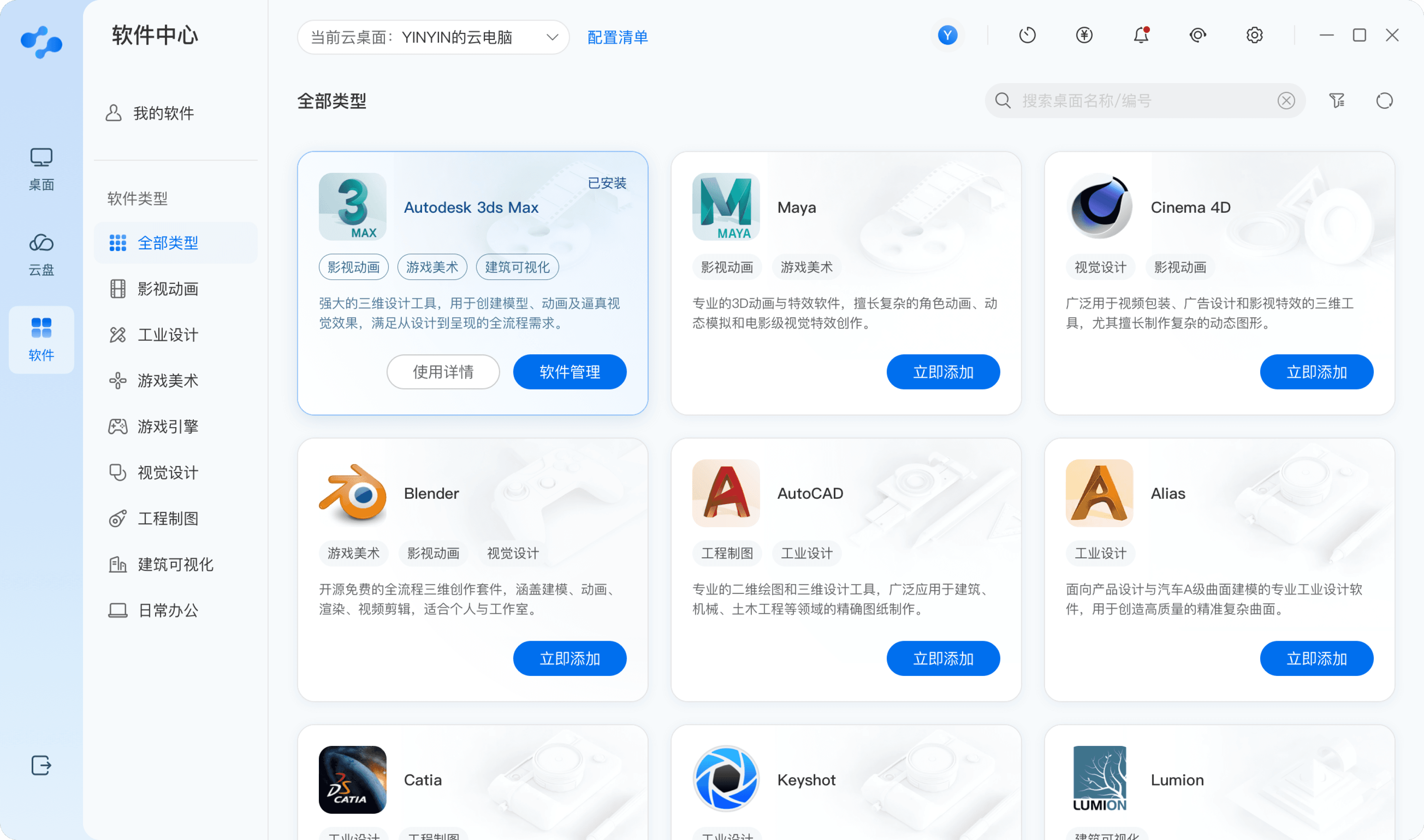
Software Center Entry – Select Software
Software Center – Software Configuration Page
After shifting the configuration flow from a “parameter-stacking” model to a decision-driven experience,” users’ first-time configuration activation success rate increased from 60.2% to 98.6%, representing a 63.8% improvement, while mid-process drop-off rates declined significantly.
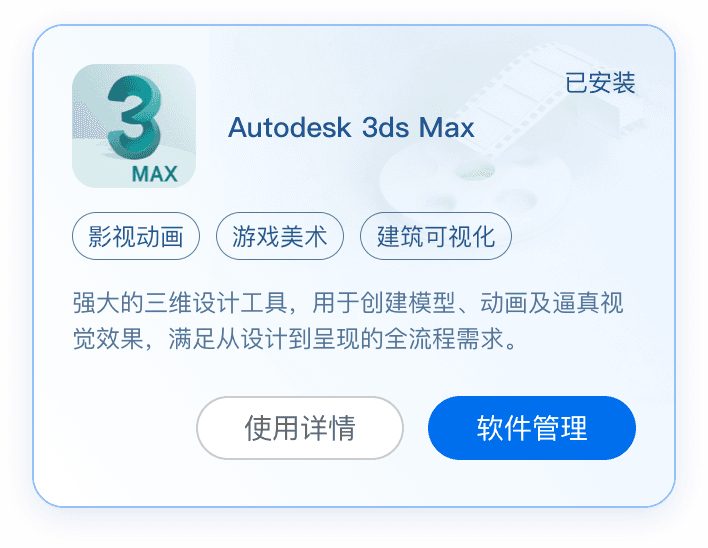
Consolidate previously fragmented configuration content into high-information-density aggregated cards, helping users quickly understand options and establish decision confidence.
Reconstruct scattered and jump-heavy configuration paths into a cohesive and smooth continuous process, reducing ineffective page switching and operational interruptions while improving overall configuration completion rate and efficiency.
Introduce real-time pricing feedback to eliminate uncertainty caused by opaque pricing, making configuration outcomes transparent and predictable, strengthening user confidence and conversion intent.
Card actions dynamically adapt based on the current software status, displaying only relevant key actions (e.g., “Install Now,” “Manage Software,” “View Details”).
By mapping system status directly to available actions, unnecessary choices are reduced and users always understand what they can do next.
🧩
🔄
📊
Optimize the Cloud Desktop Entry Experience
Reconstruct the cloud desktop entry around core information & actions.
Core navigation is intermixed with utility functions, forcing users to constantly switch contexts.
The persistent sidebar navigation unnecessarily consumes screen space and is prone to accidental clicks.
Cluttered Navigation
Cloud Desktop Entry
Inefficient Use of Space & Poor Error Tolerance
Unclear Information Hierarchy Creates Cognitive Load
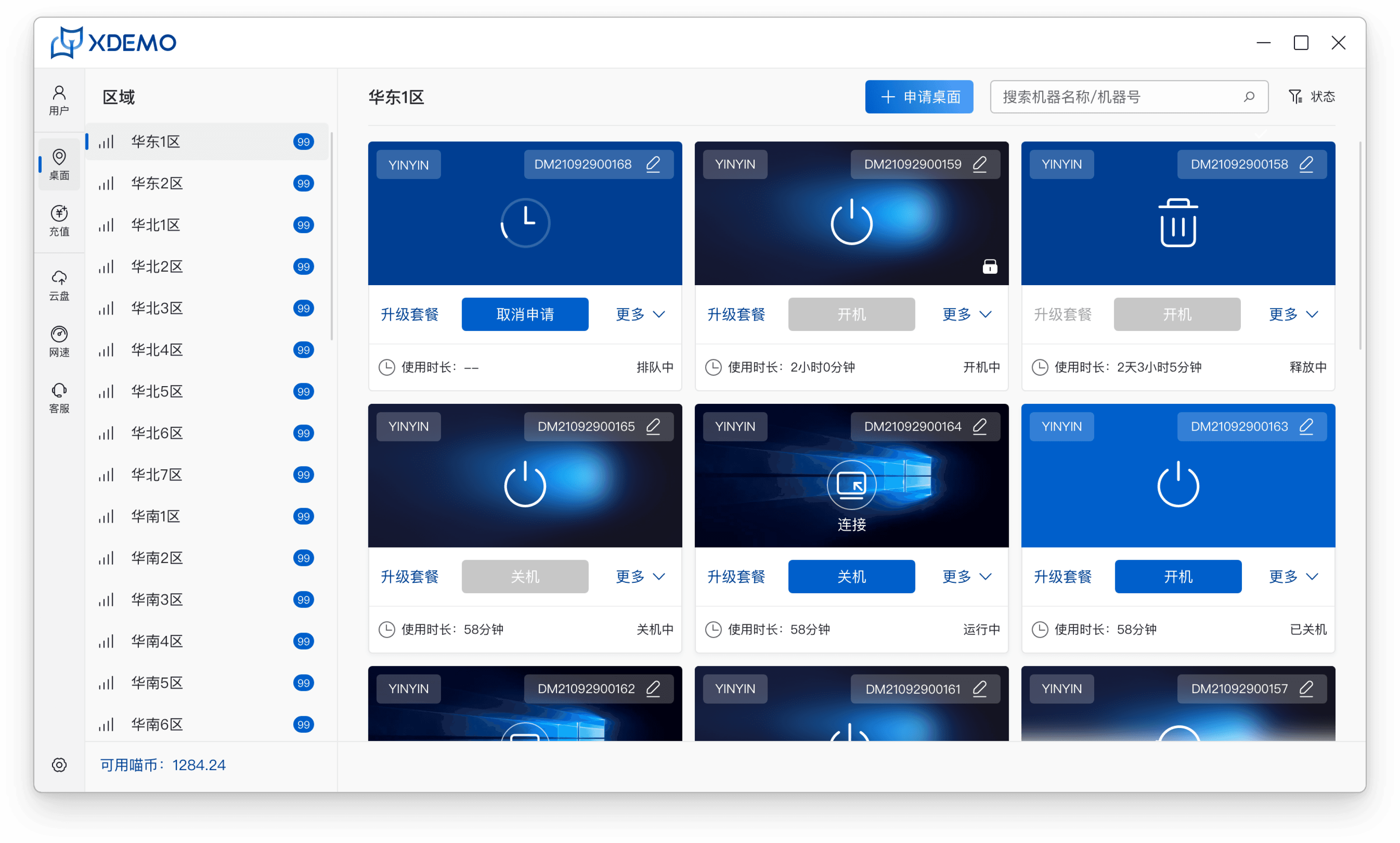
Old design
1
2
3
The interface fails to distinguish and highlight high-priority actions, resulting in poor management efficiency.
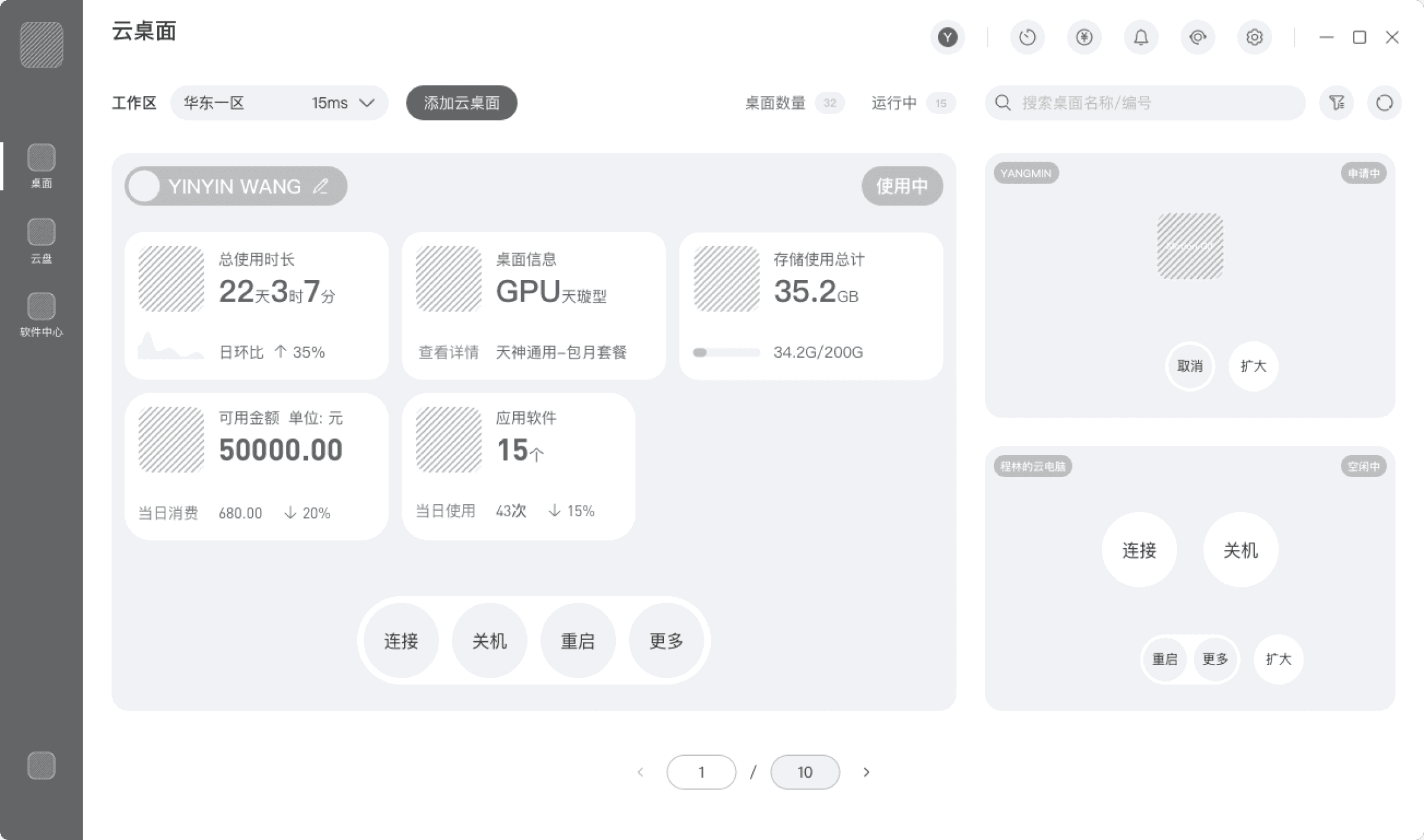
Expanded View – Cloud Desktop Entry
Simplified View – Cloud Desktop Entry
Proposed design
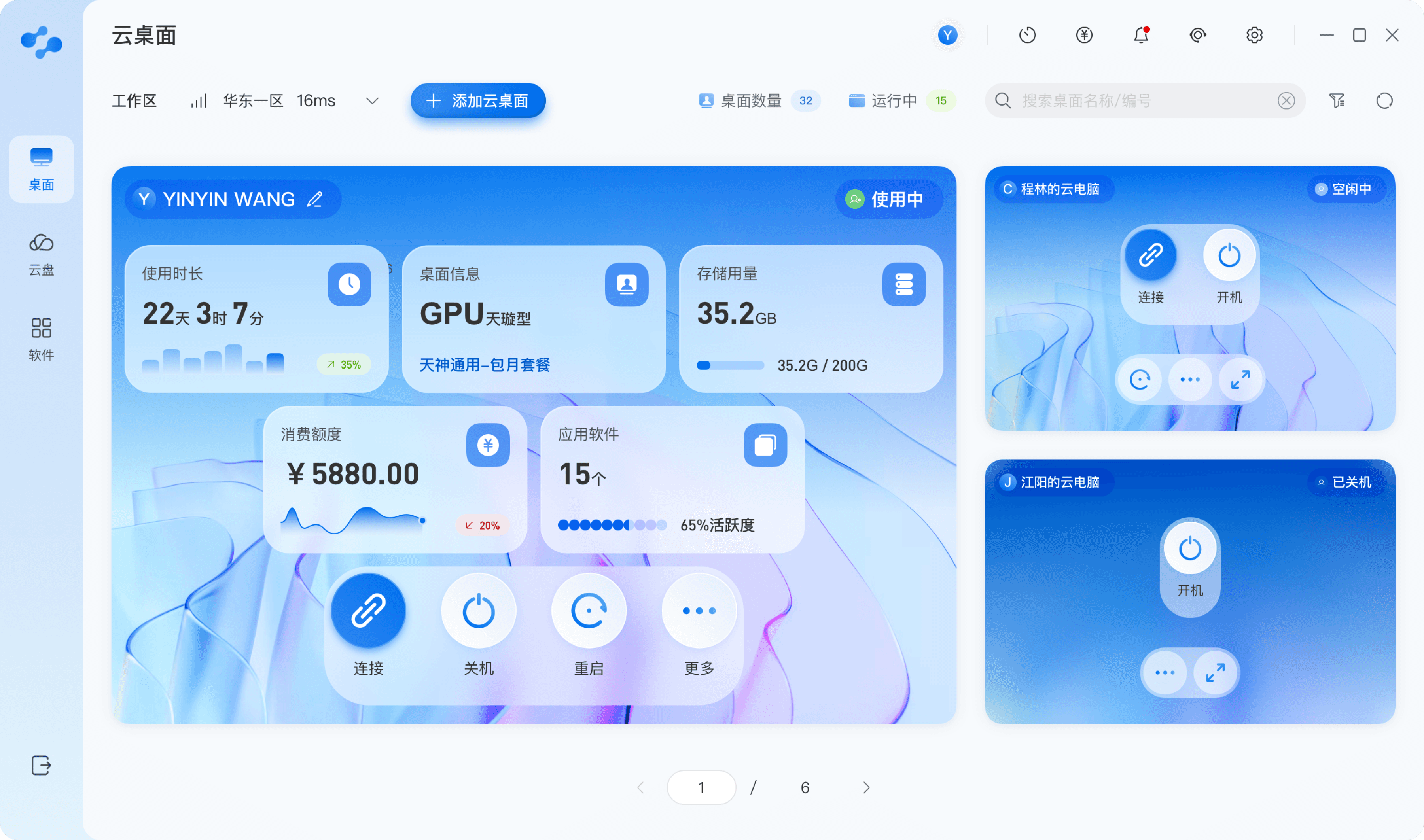
Reduce Low-Frequency Operations, Focus on Core Desktop Tasks
Integrate balance, network speed, and notifications into the top toolbar.
Use expandable dropdown menus for workspace selection to free up space.
Keep the global navigation focused on core modules.
First Prototype
Second Prototype – Optimized Version
Cloud Desktop Entry
Cloud Desktop Entry
✨
软件中心
3-4 Individuals engaged in the fields of film, animation, and industrial design, extensively users of cloud desktop products.
Participants
During the early development phase, we made a clickable demo and conducted usability studies focused on core task flows to identify potential issues and experience gaps in interface layout, interaction design, and logical flow.
💡
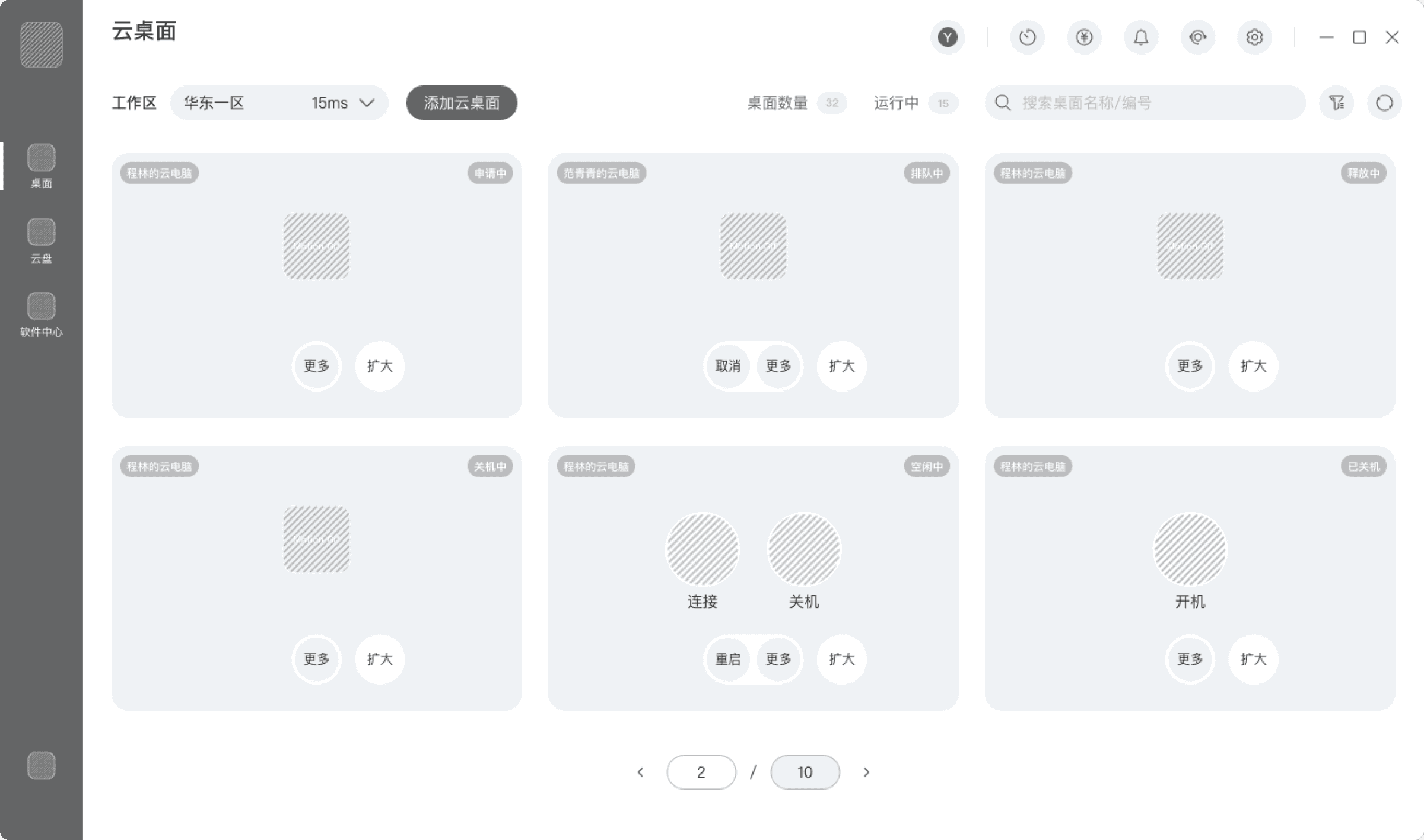
Flat Information Hierarchy on Desktop Cards, Insufficient Status & Decision Cues
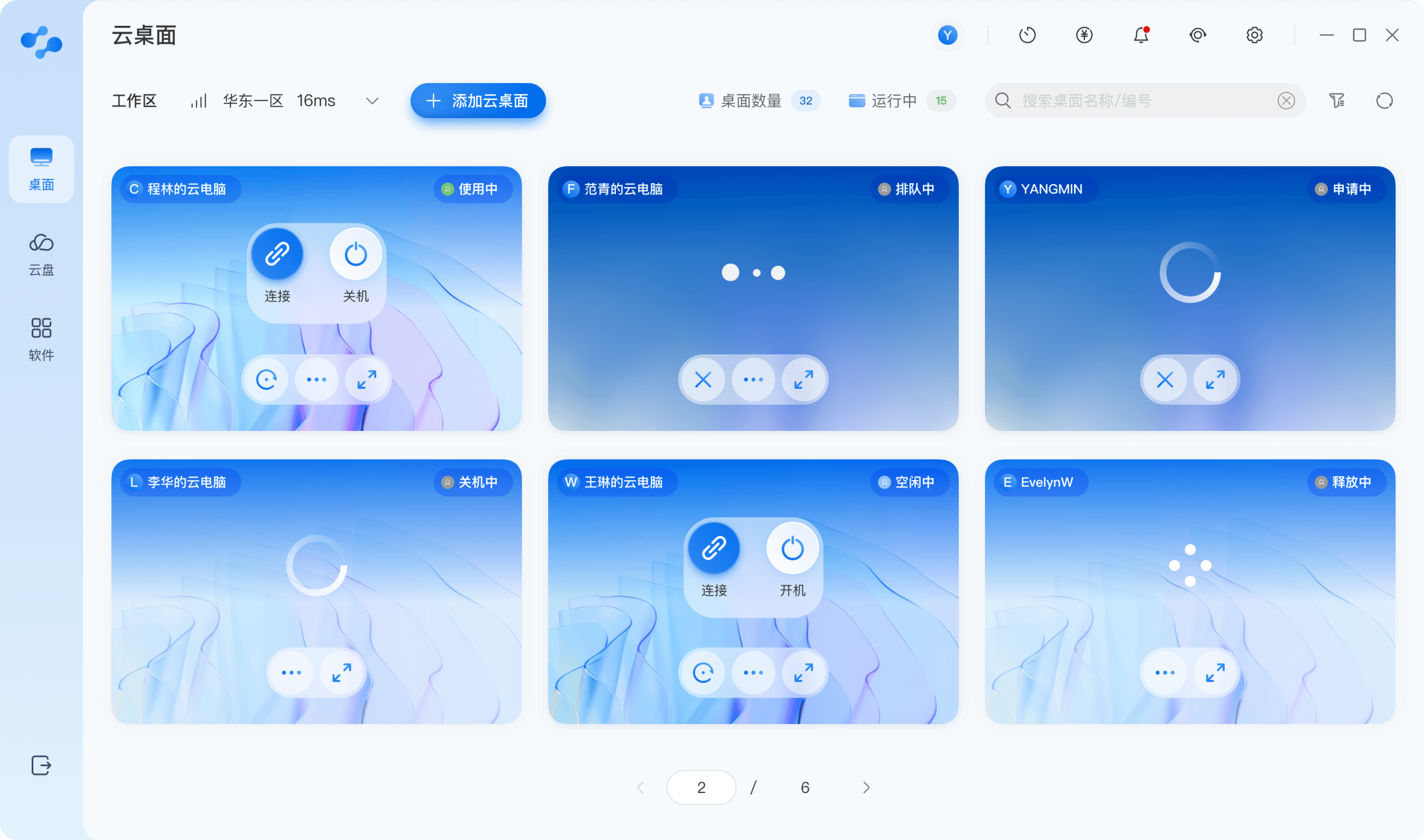
Reconstruct Desktop Card Hierarchy Based on Usage Status
Simplify Card Layout, Emphasize Key Actions
All desktop cards shared similar visual treatments, failing to reflect that “recently used desktops have higher priority.”
Non-active desktops still displayed large amounts of low-priority information, resulting in excessive information density and reduced confidence and efficiency.
Recently used desktop cards are expanded by default to display detailed states (usage duration, cost, software).
Other desktops are shown in compact card format to reduce information noise.
Optimize card information structure and highlight primary actions.
Use simplified card labels and strengthen visual weight of key buttons to enhance error tolerance.
Synchronize button behavior with system status (e.g., Idle / In Use / Pending) to reduce cognitive load.
Usability Issue
Optimized Version
✨
✨
Differentiate global navigation from common tools to reduce operational fragmentation and information clutter.
By compressing the information displayed for non-active desktops and de-emphasizing low-priority fields, desktop cards are able to focus on currently executable actions. Button behaviors are synchronized with desktop status, enabling a shift from visual distraction to direct access to core actions.
Reconstruct hierarchy based on usage frequency:
Frequently used desktops are expanded by default
Other desktops are minimized
This establishes a clear visual hierarchy and achieves operational focus and cognitive friendliness.
By mapping background visuals with status label styles, system states become perceptible and user actions predictable, thereby enhancing overall consistency and error tolerance.
📦
🧭
📋
Powered Off State
Powered On State
Transitional State













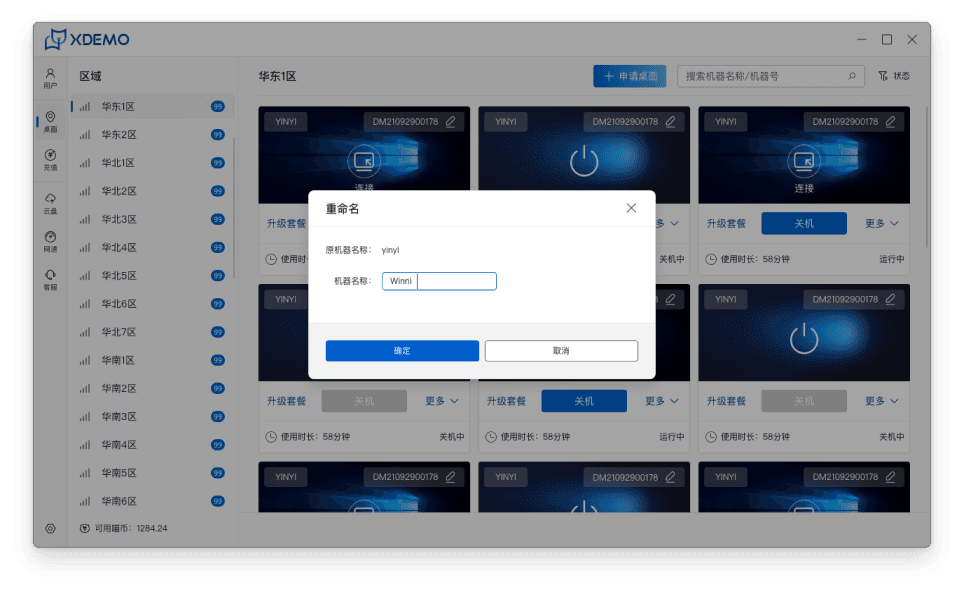
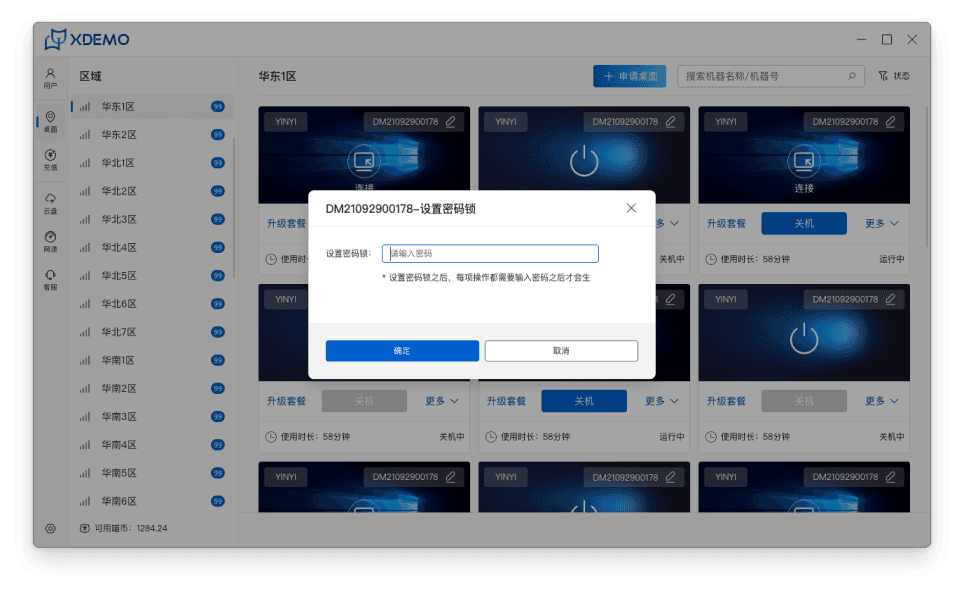
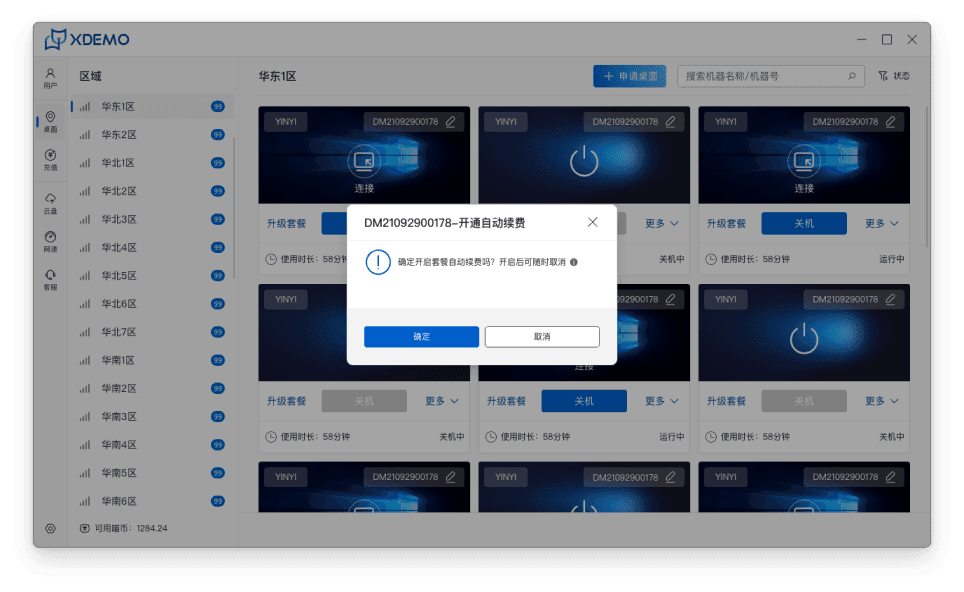
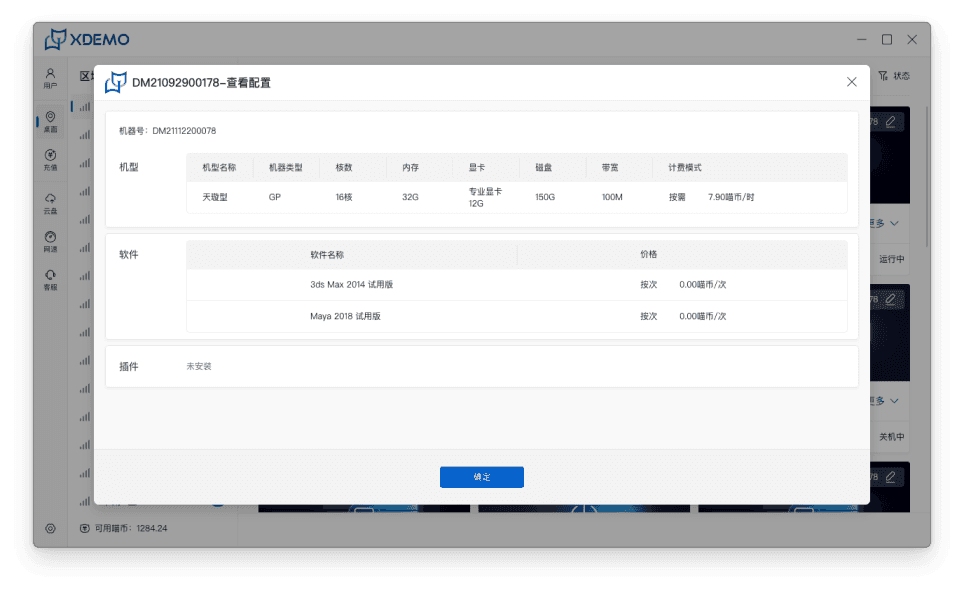
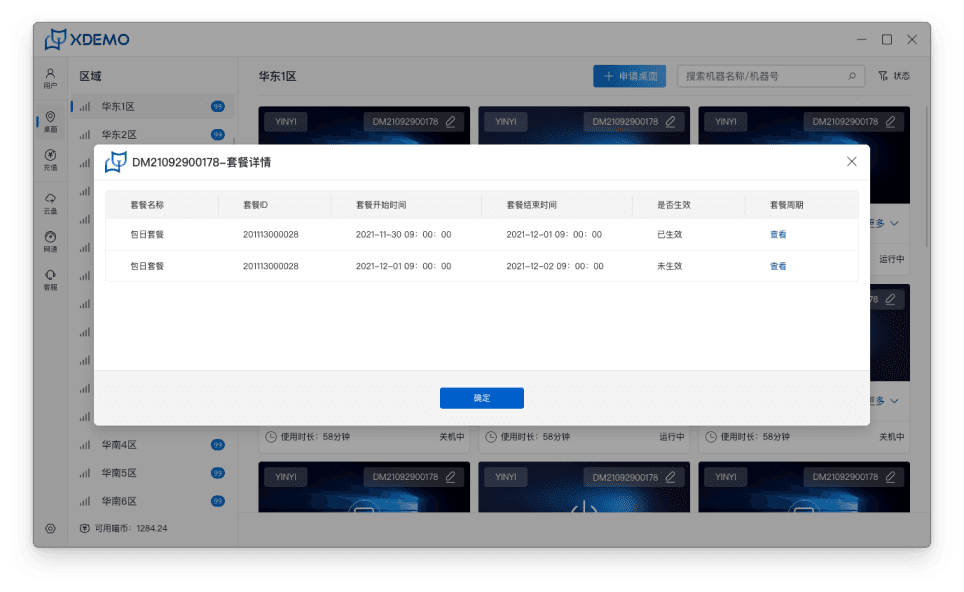
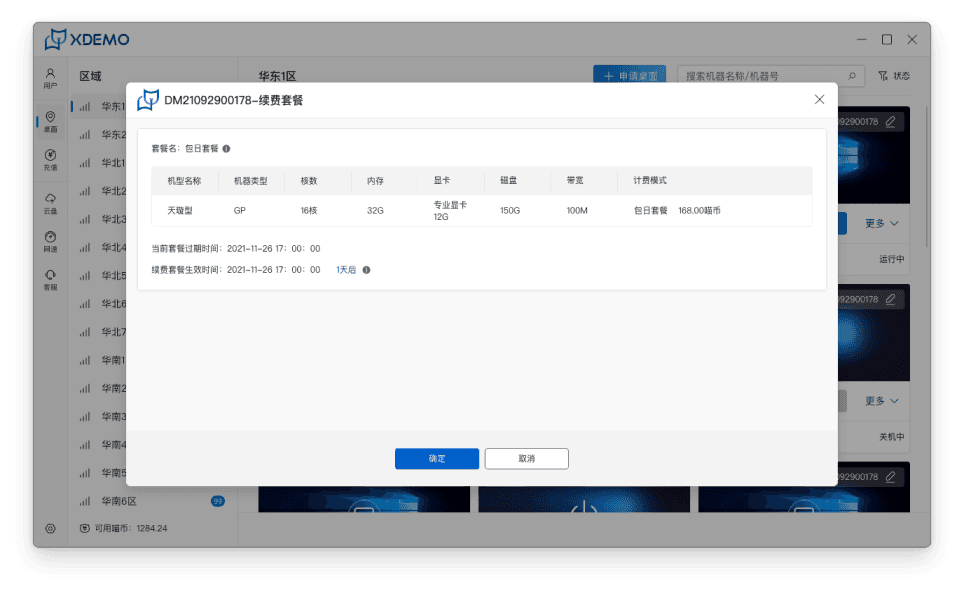
Fragmented Workflow in Configuration Process
Compromised Visual Structure and Scalability
Old design
1
2
Optimize the Cloud Desktop Entry Experience
Reorganize the scattered functional elements into consolidated, scenario-specific modules to reduce cognitive load and accelerate task completion.
The cluttered configuration interface creates high cognitive load, while scattered actions trigger constant pop-up switching, resulting in a poor experience.
Lack of visual hierarchy, crowded layouts, and insufficient professionalism and scalability.
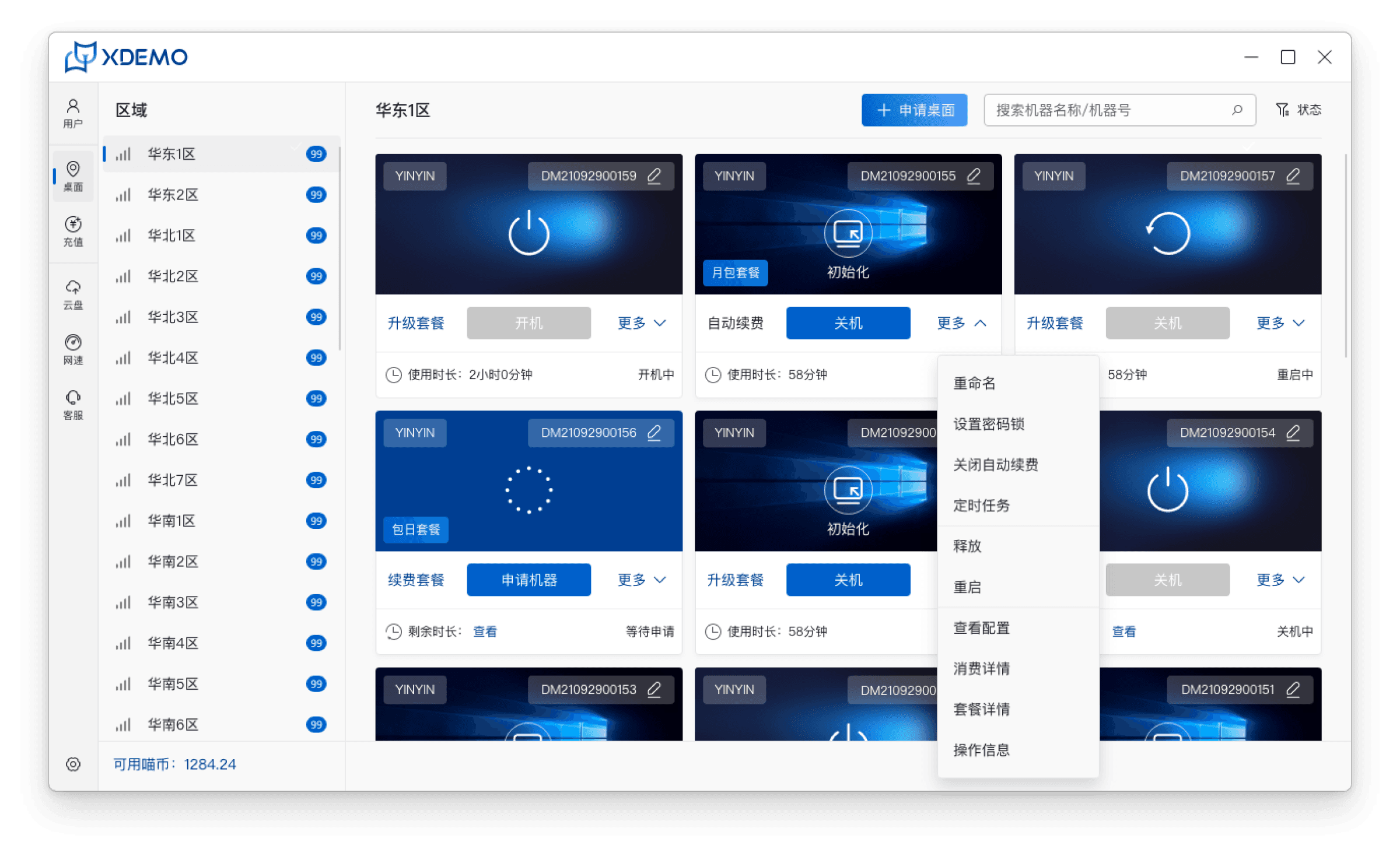
Cloud desktop manage-Desktop client side
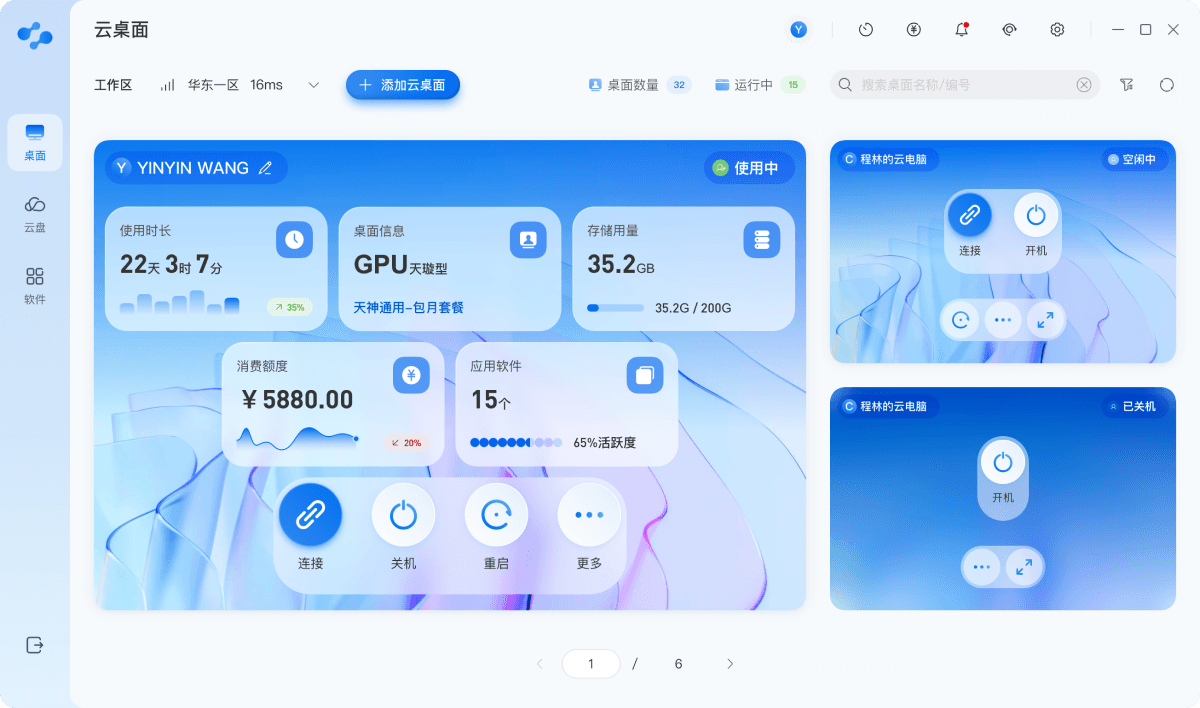
Proposed design
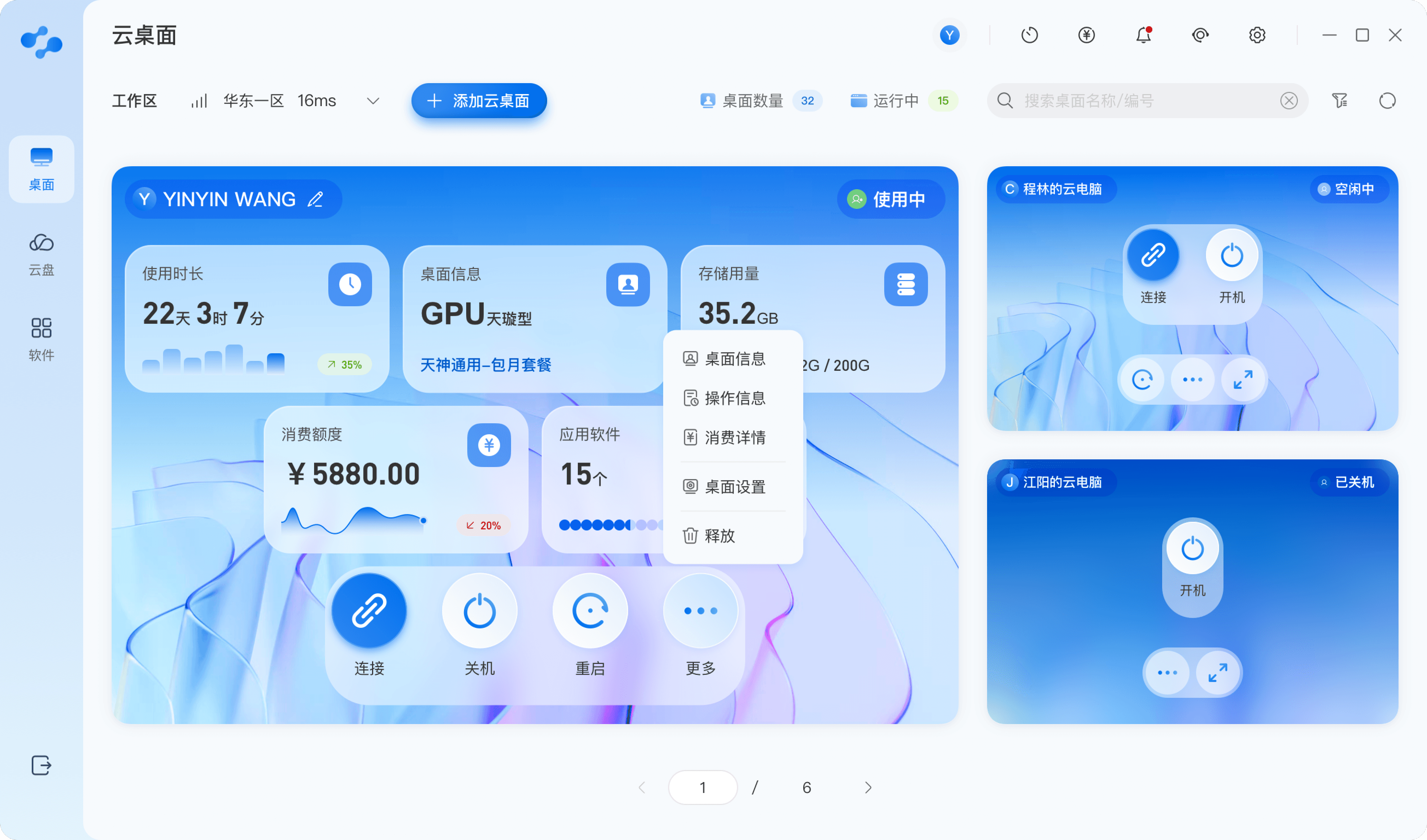
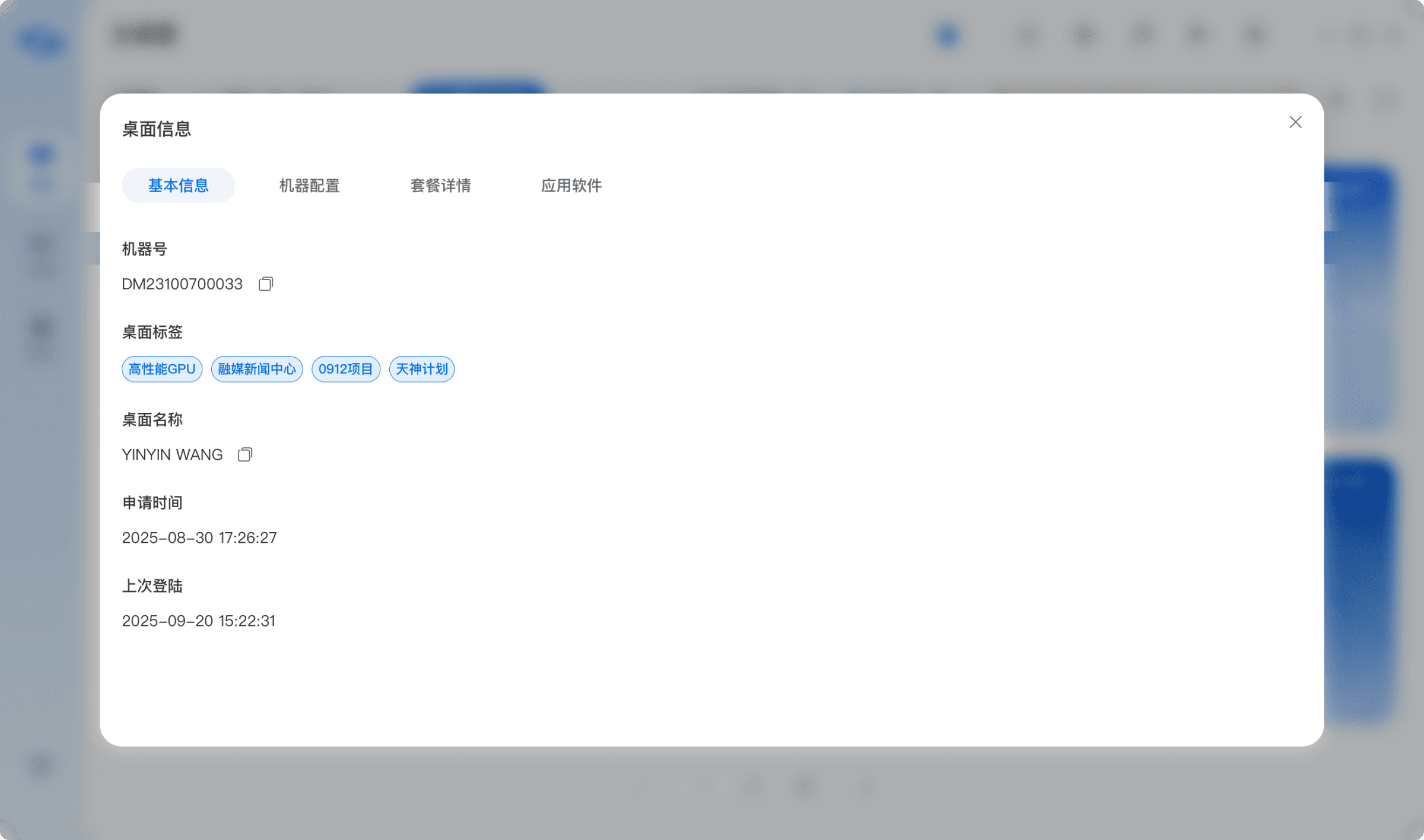
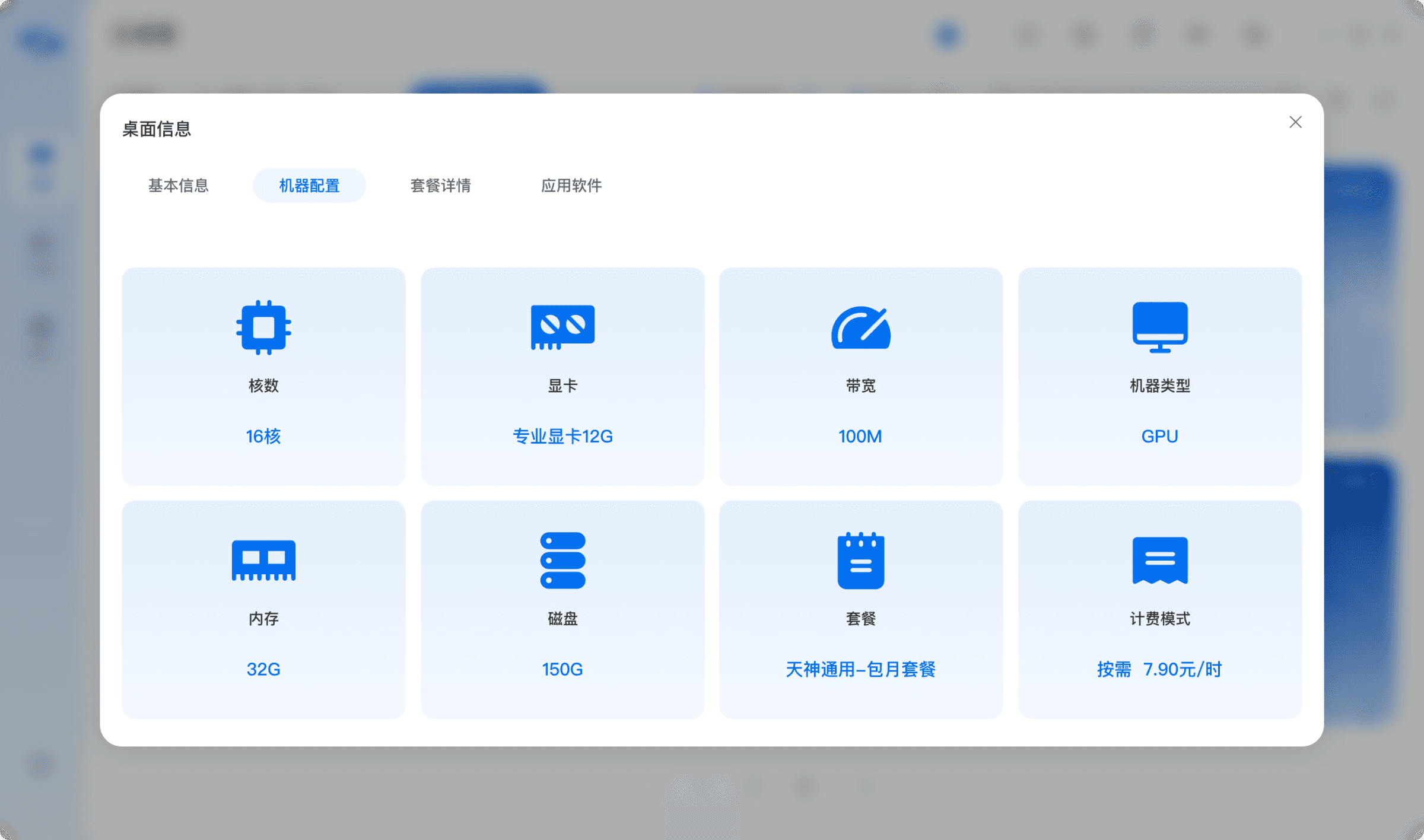
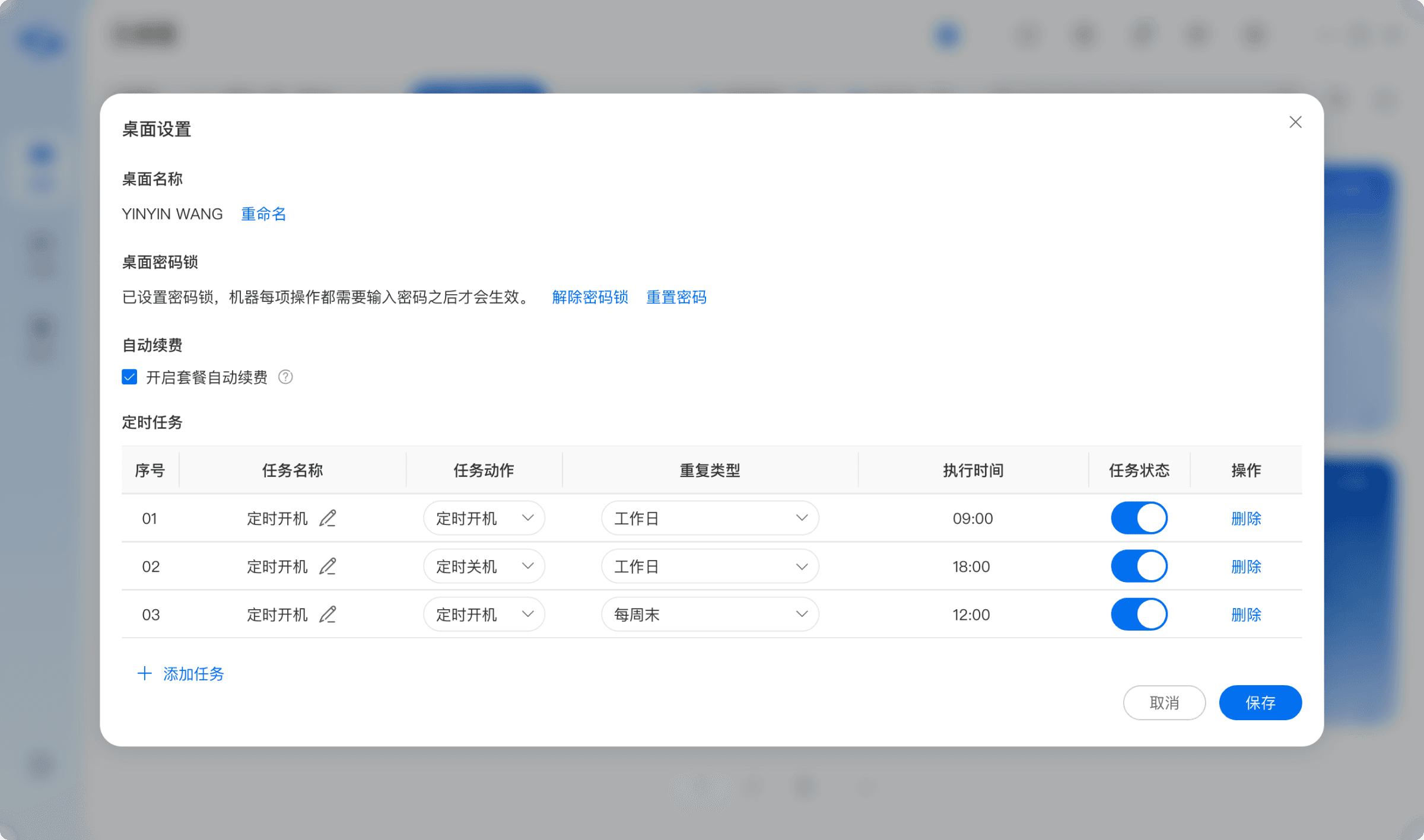
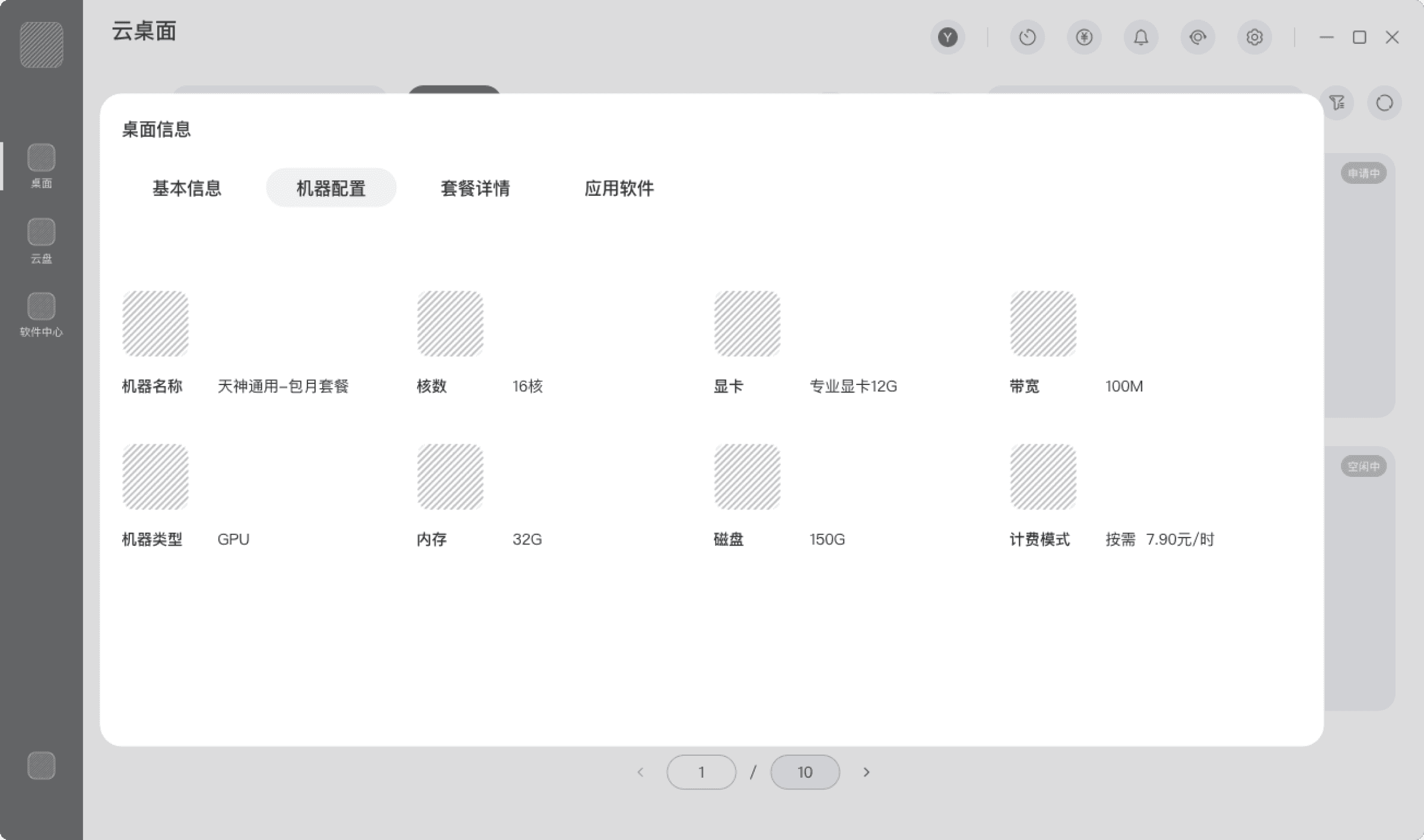
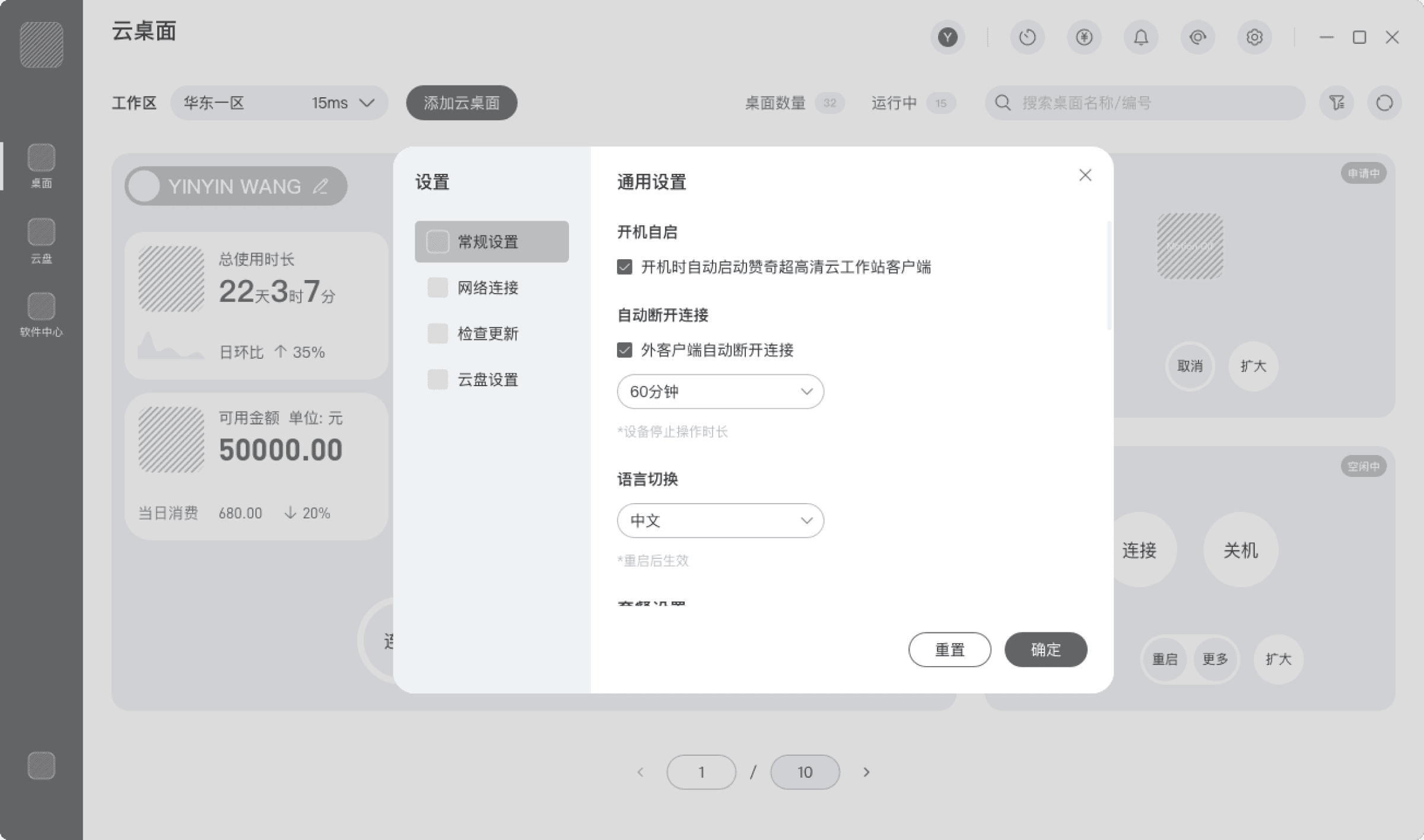
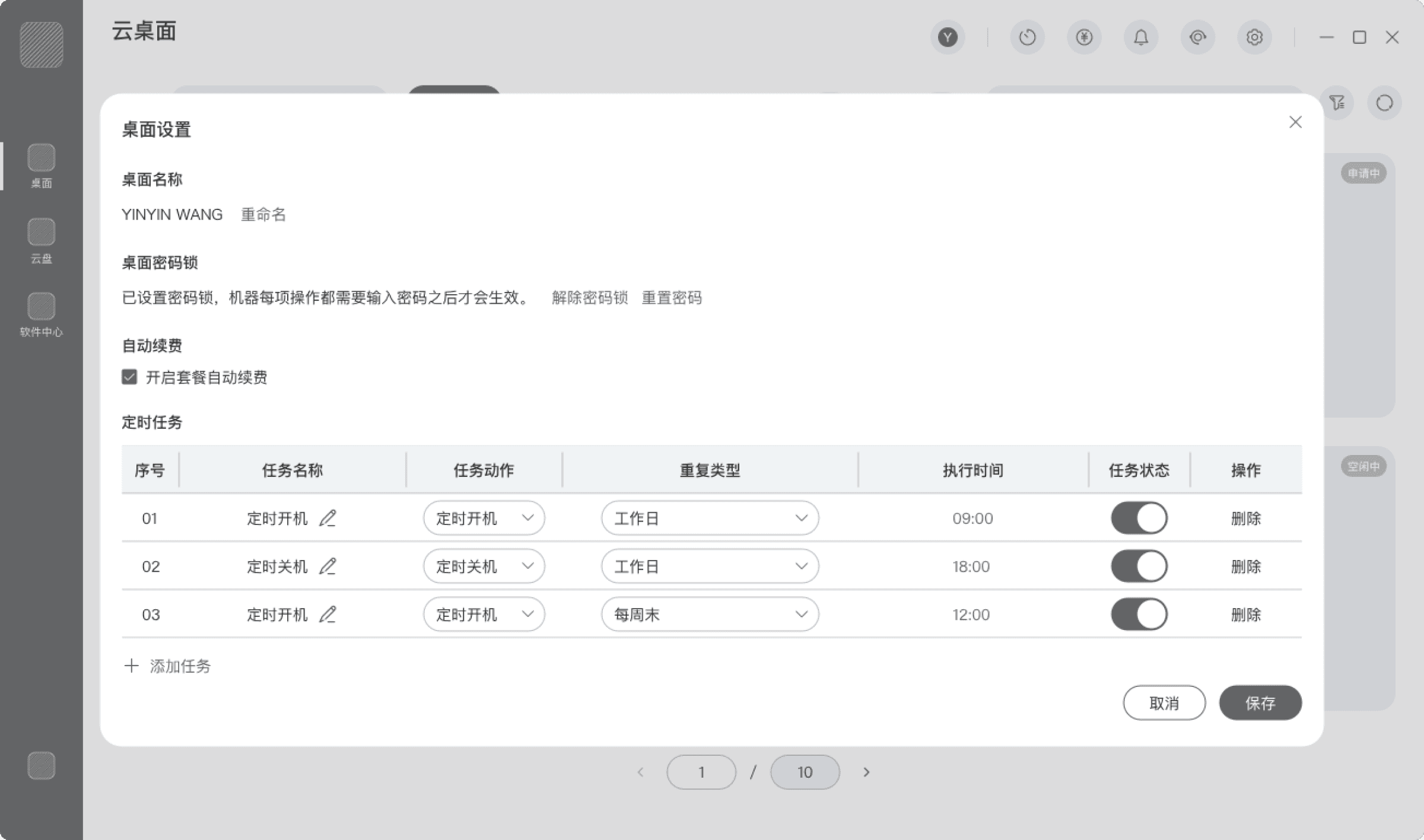
Desktop Settings
Integrated settings panel for configuration management
Desktop Information
Cloud Desktop Entry – More Functions
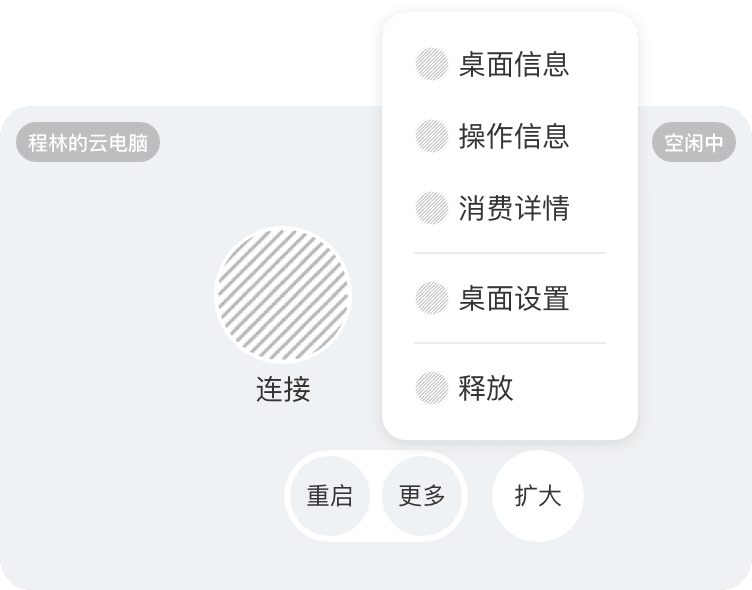
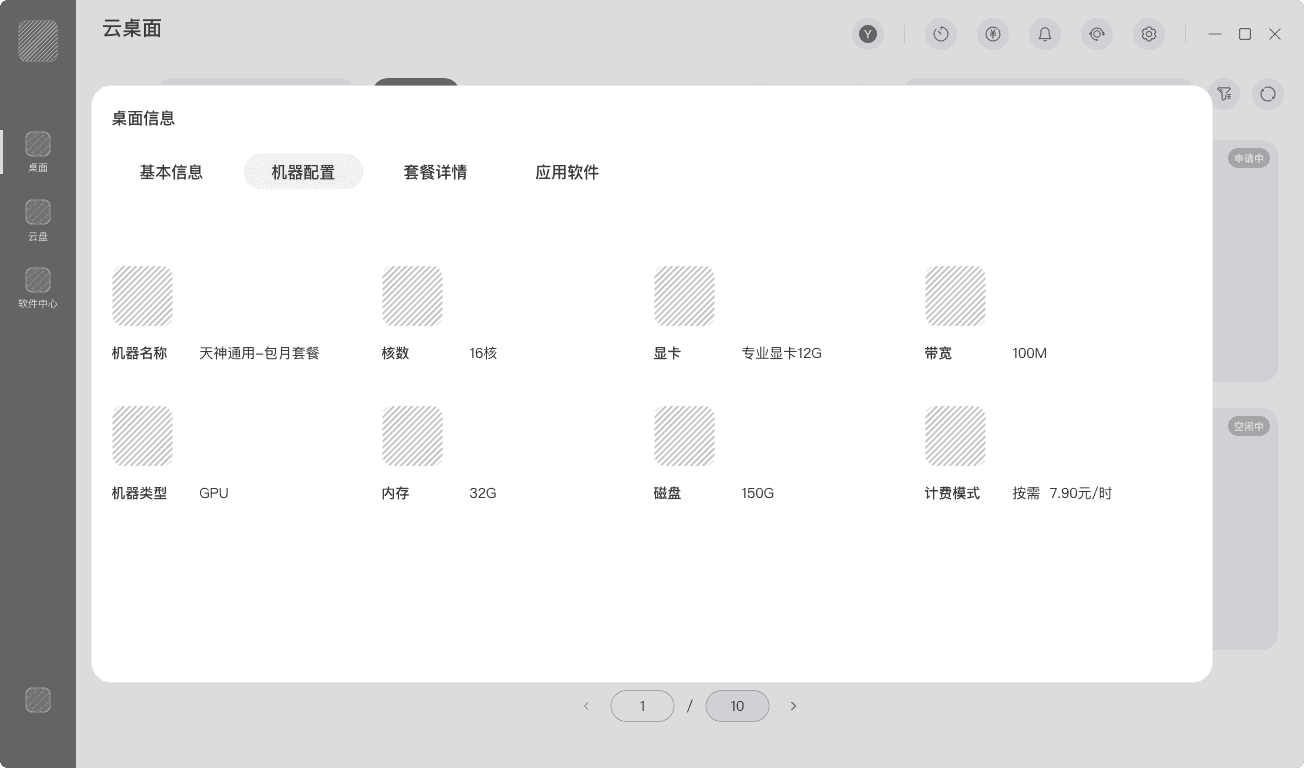
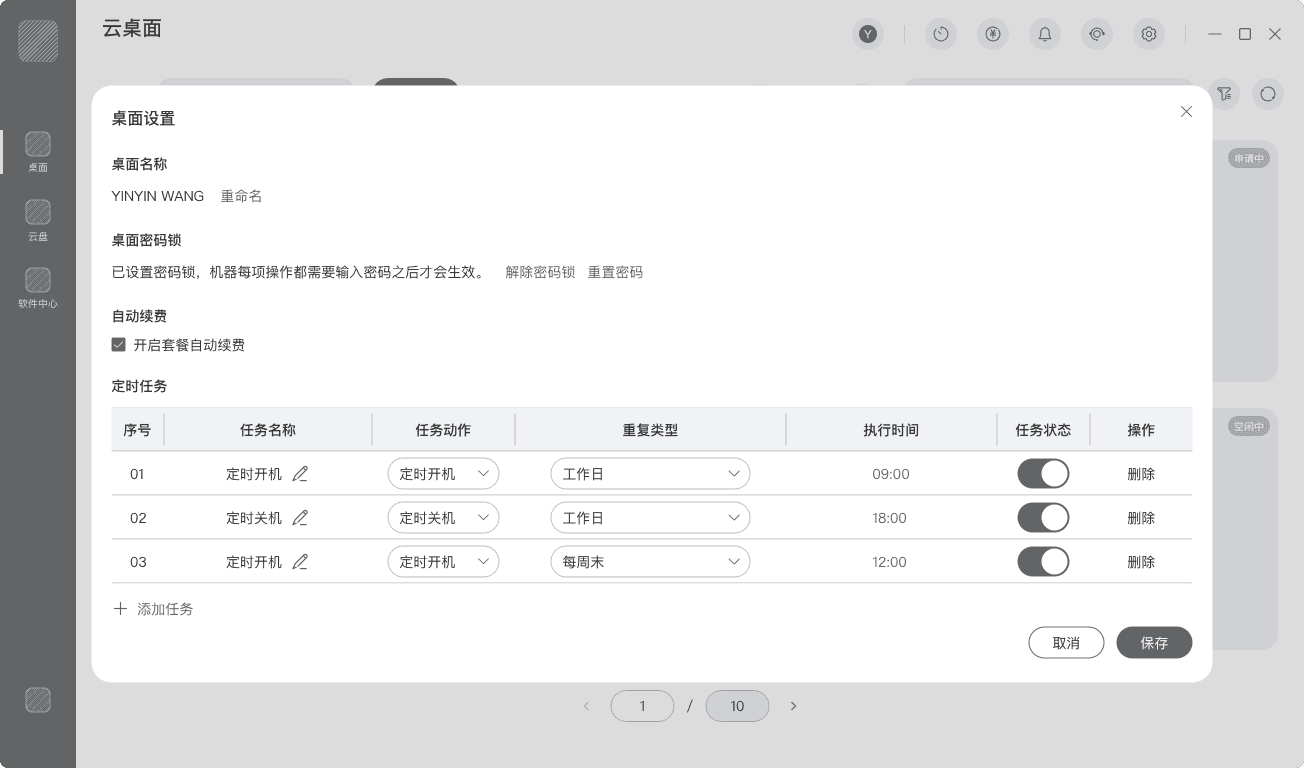
Integrate Scattered Functions Within the “More” Menu Around Usage Scenarios
Reconstruct the functional structure based on cloud desktop information viewing and management scenarios.
Consolidate related operations into aggregated operation panels, reducing page and modal switching and lowering cognitive load.
Apply a progressive disclosure principle: prioritize high-frequency actions such as viewing desktop information, operation history, and billing records, while housing complex configurations under unified entry points to reduce information noise.
Prototype
Cloud Desktop Entry – More Functional Operations
✨
Rebuild the “More” function structure around usage scenarios, upgrading fragmented operational entries into scenario-integrated task flows.
🔗
Through scenario-based restructuring, dispersed functional entry points are transformed into cohesive, structured workflows—reducing unnecessary navigation and improving clarity, scalability, and operational continuity.
Brand Visual Identity
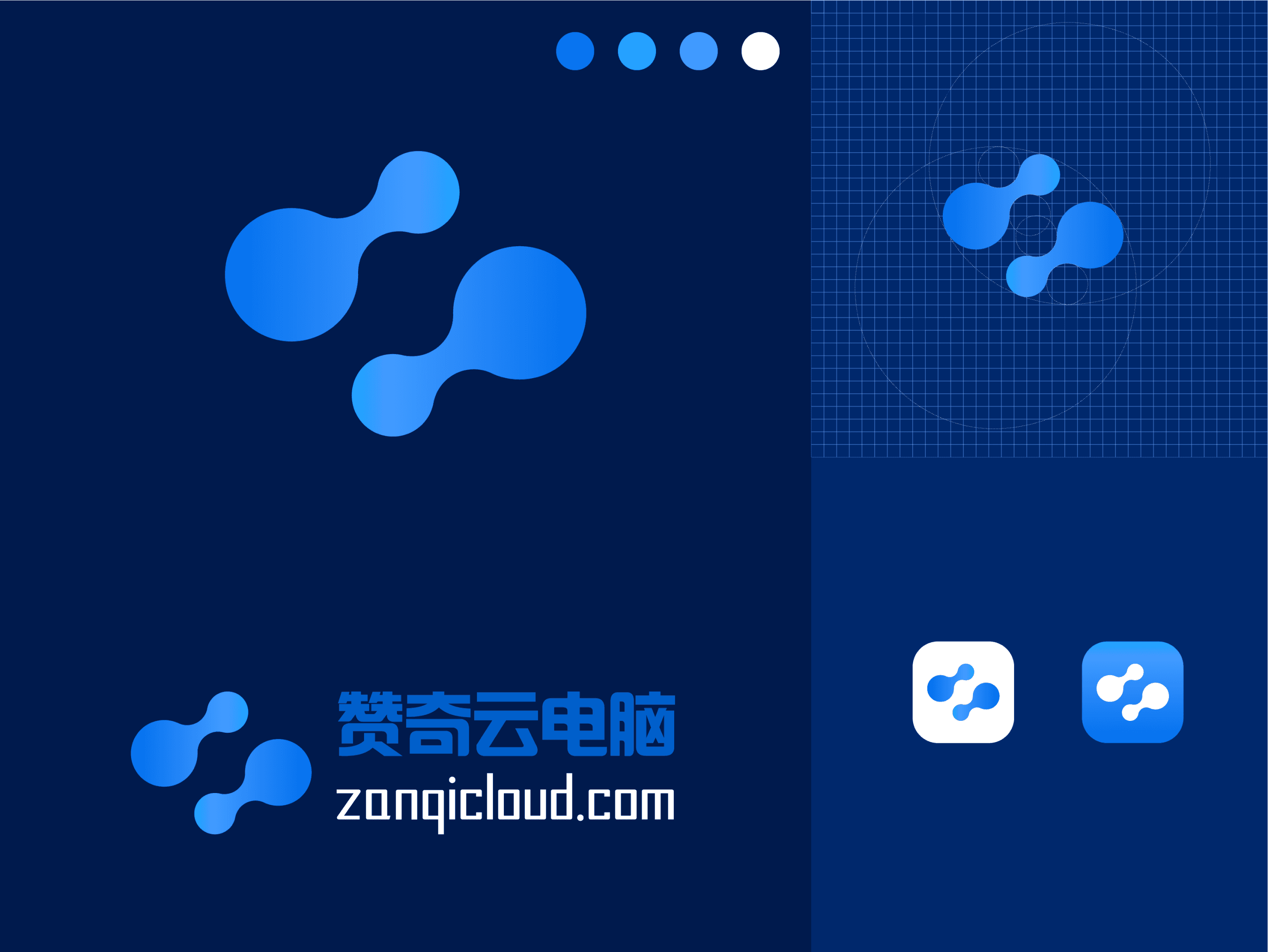
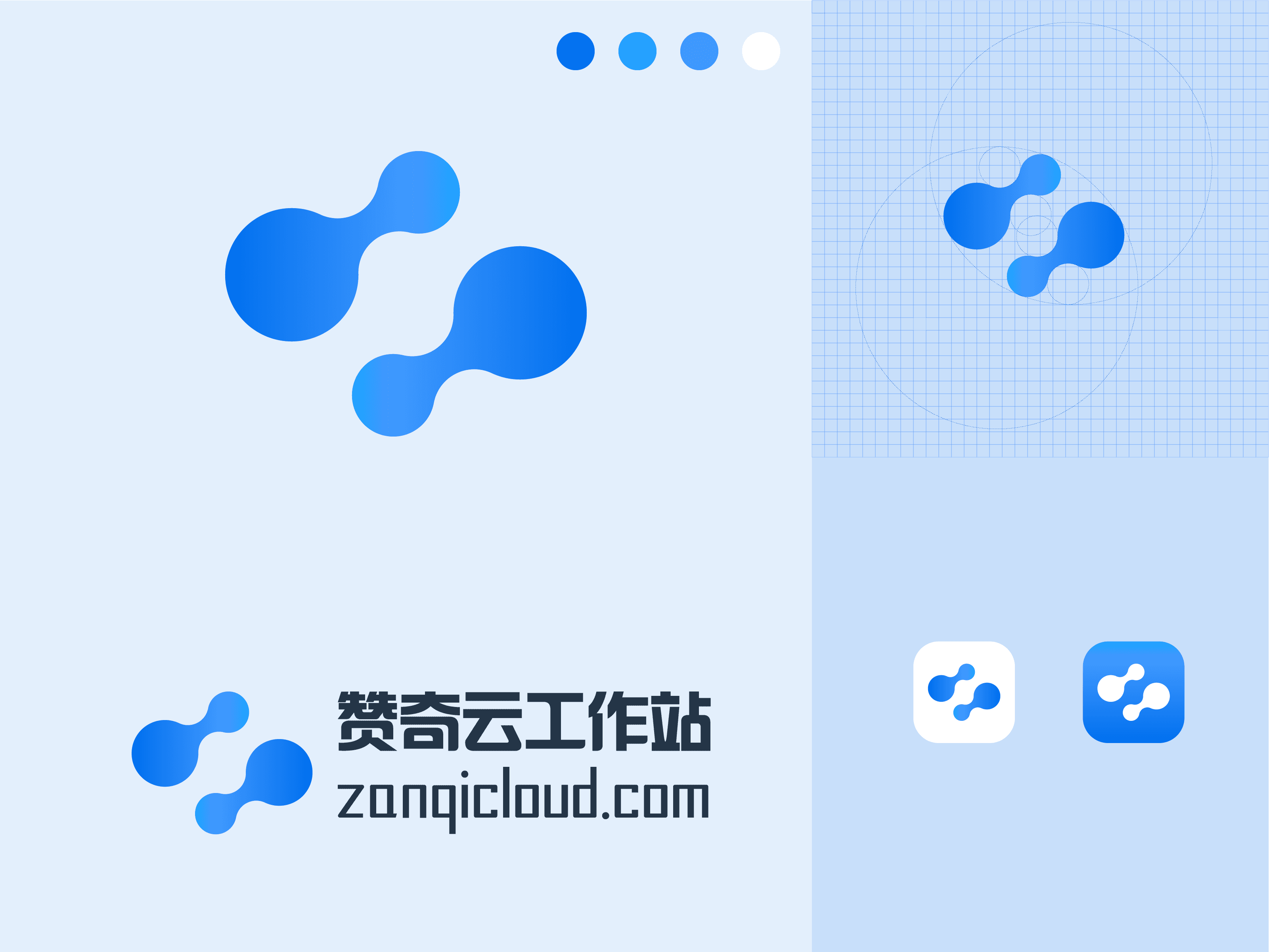
Strengthen Brand Perception & Visual Consistency
Typography
Brand colors
Accent colors
Neutral colors
#333333
#E7E7E7
#666666
#EEEFF2
#999999
#F5F6F9
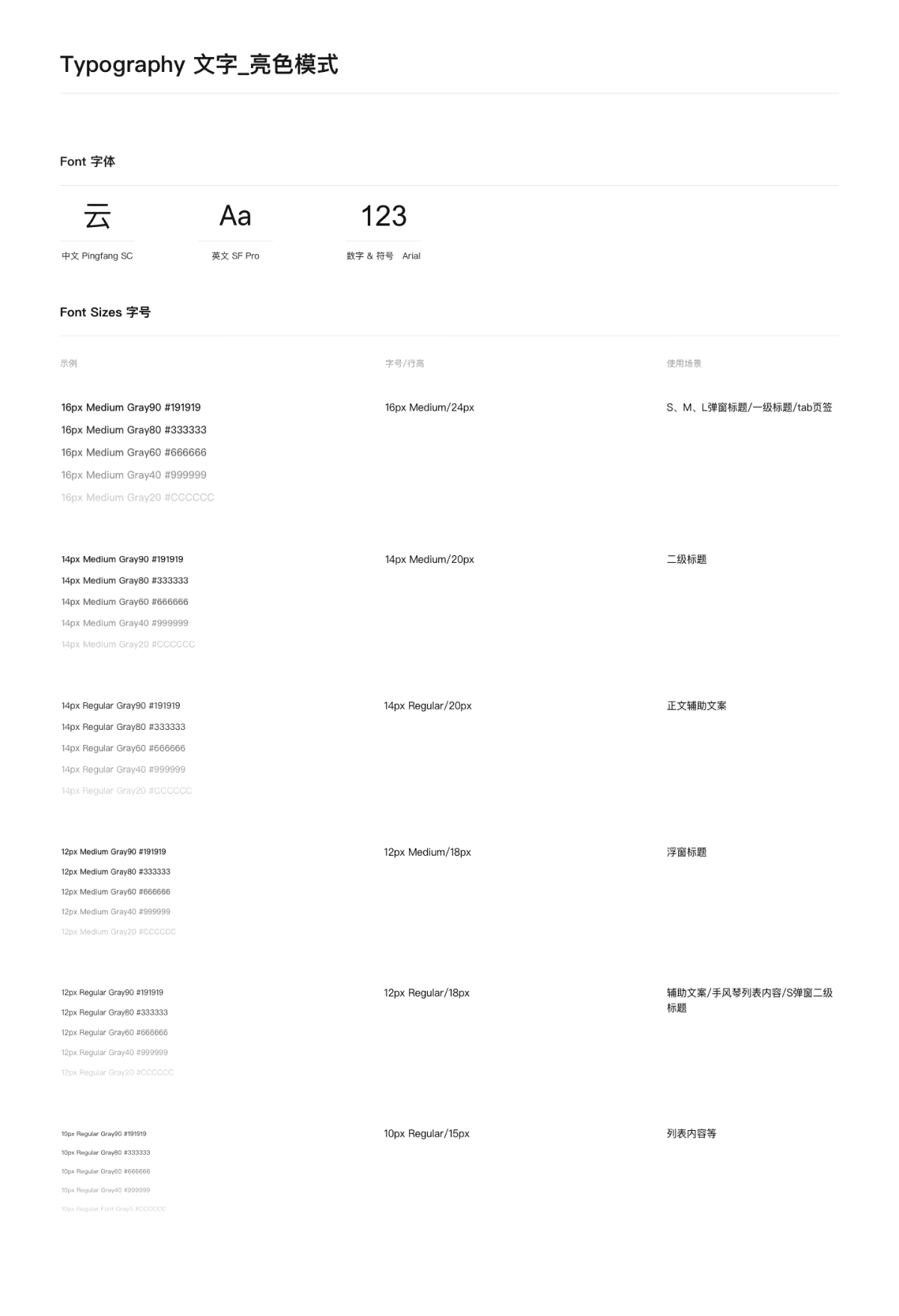
Pingfang SC
Chinese
Numbers & Symbols
Din
云
123
Header1
Font size: 20px
Line height: 30px
Font weight: Semibold
Header0
Font size: 28px
Line height: 42px
Font weight: Bold
Header2
Font size: 16px
Line height: 24px
Font weight: Medium
Header3
Font size: 14px
Line height: 20px
Font weight: Medium
Body
Font size: 14px
Line height: 20px
Font weight: Regular
Caption
Font size: 12px
Line height: 18px
Font weight: Regular
#006FEE
#63D000
#E60000
#F0A424
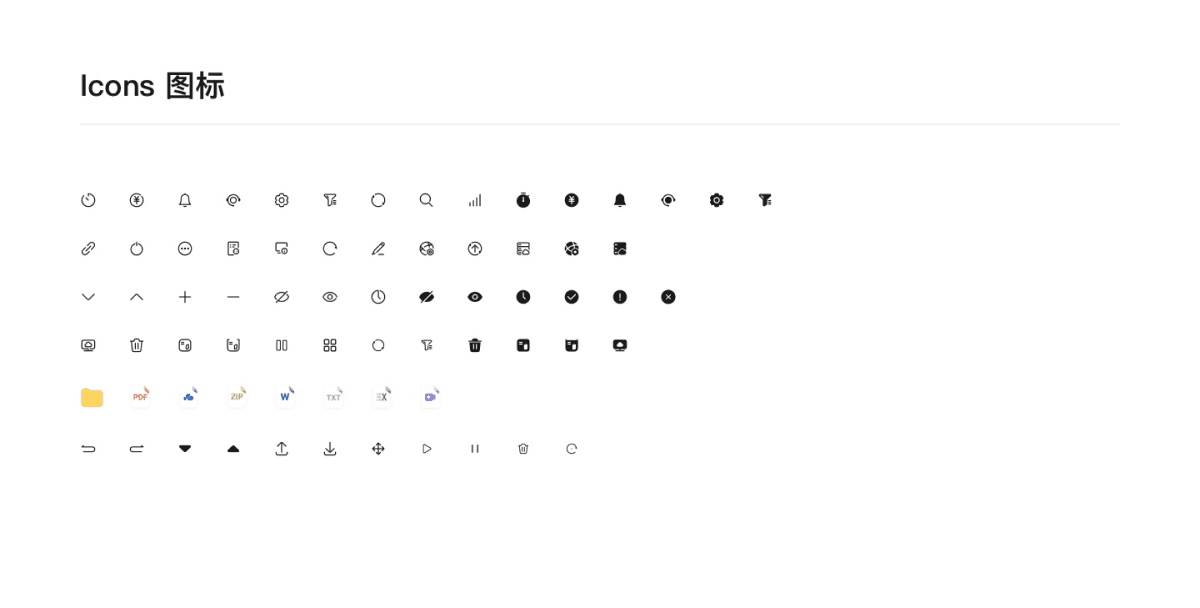
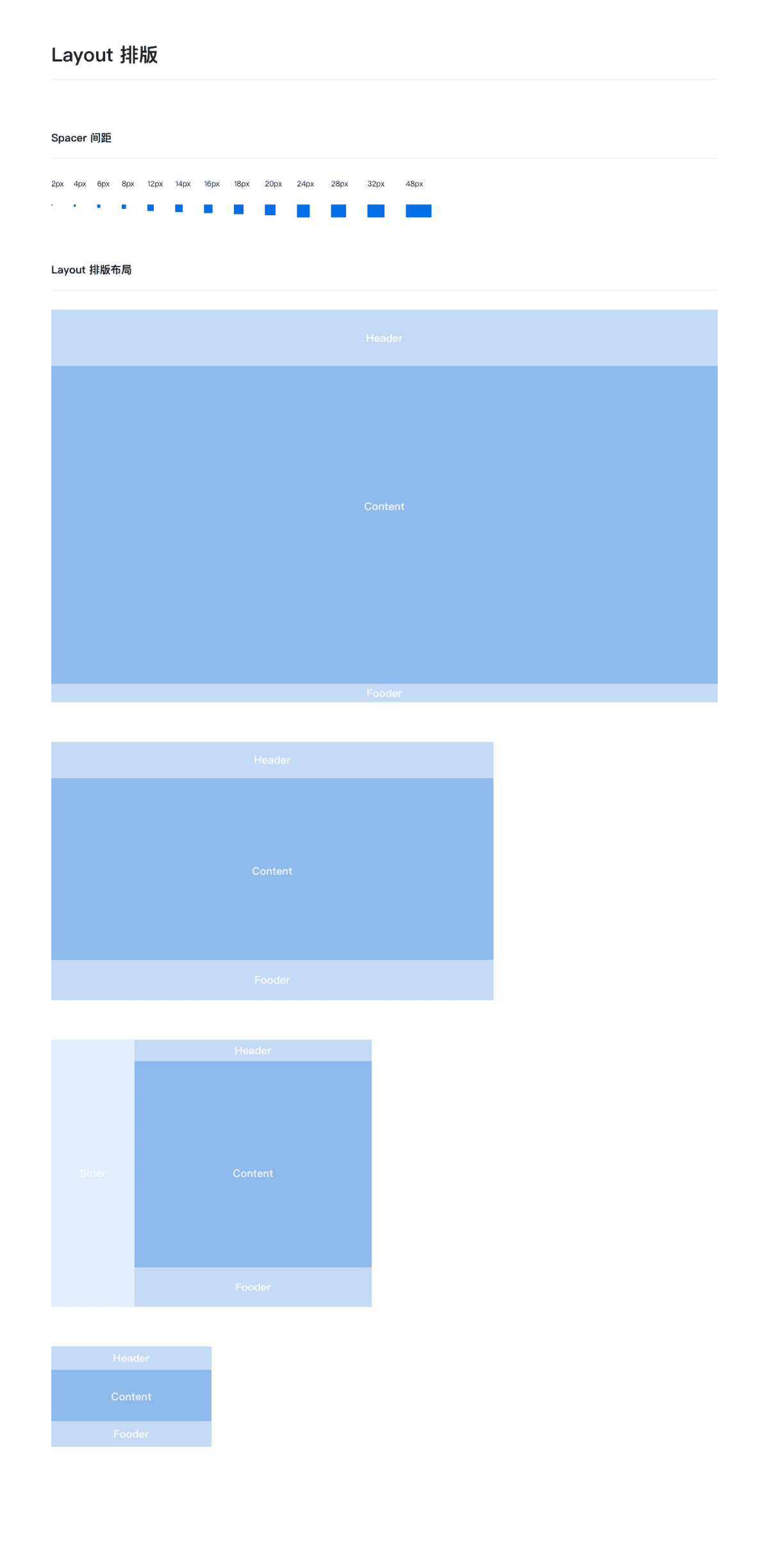
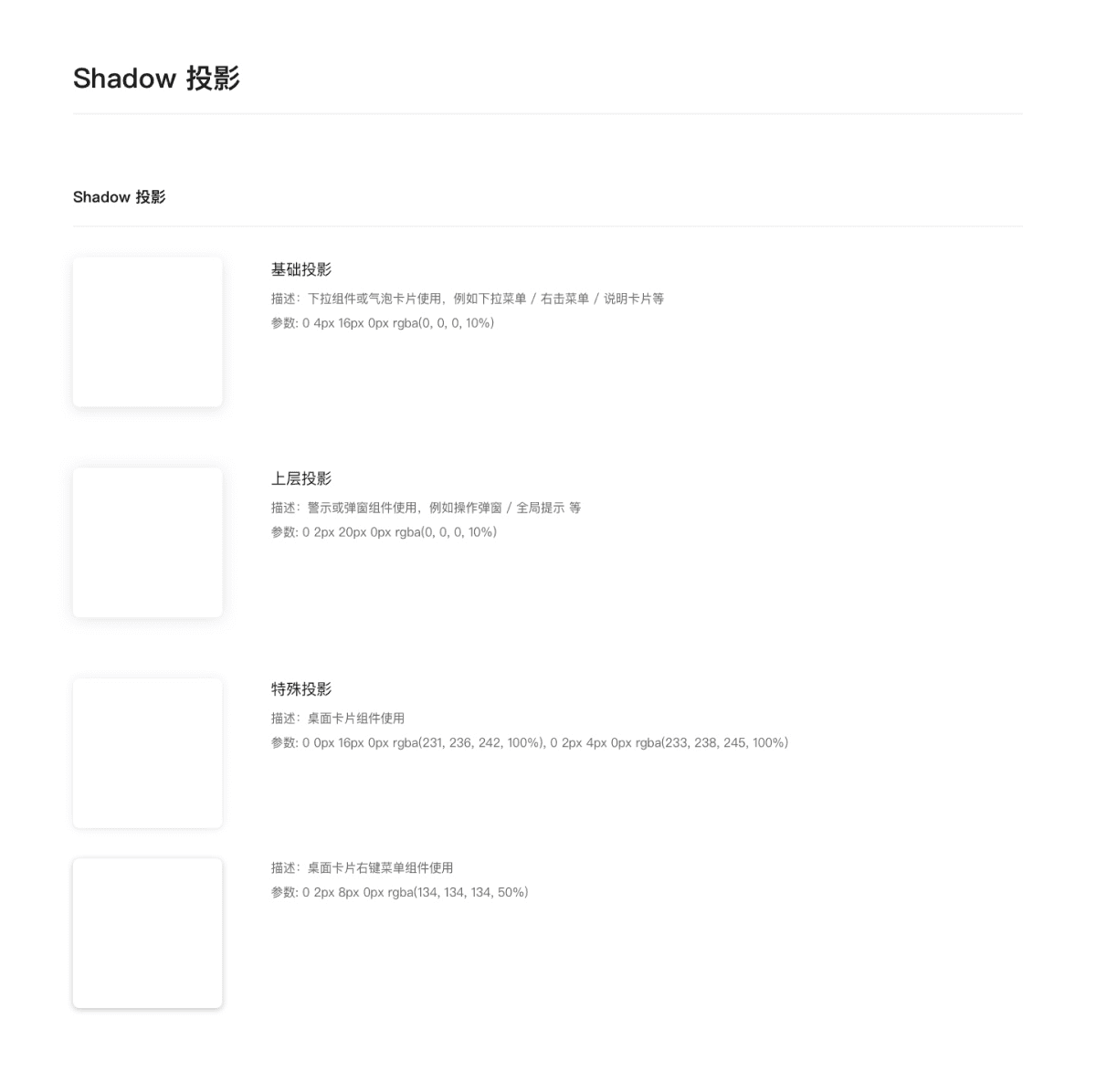
Based on brand keywords — Professional / Stable / Controllable — the brand logo, color system, and visual language were redesigned to establish systematic visual guidelines, strengthening brand perception and recognition efficiency.
A unified brand visual system enables enterprise products to present a stable and consistent professional image, significantly reducing recognition costs while enhancing user trust.
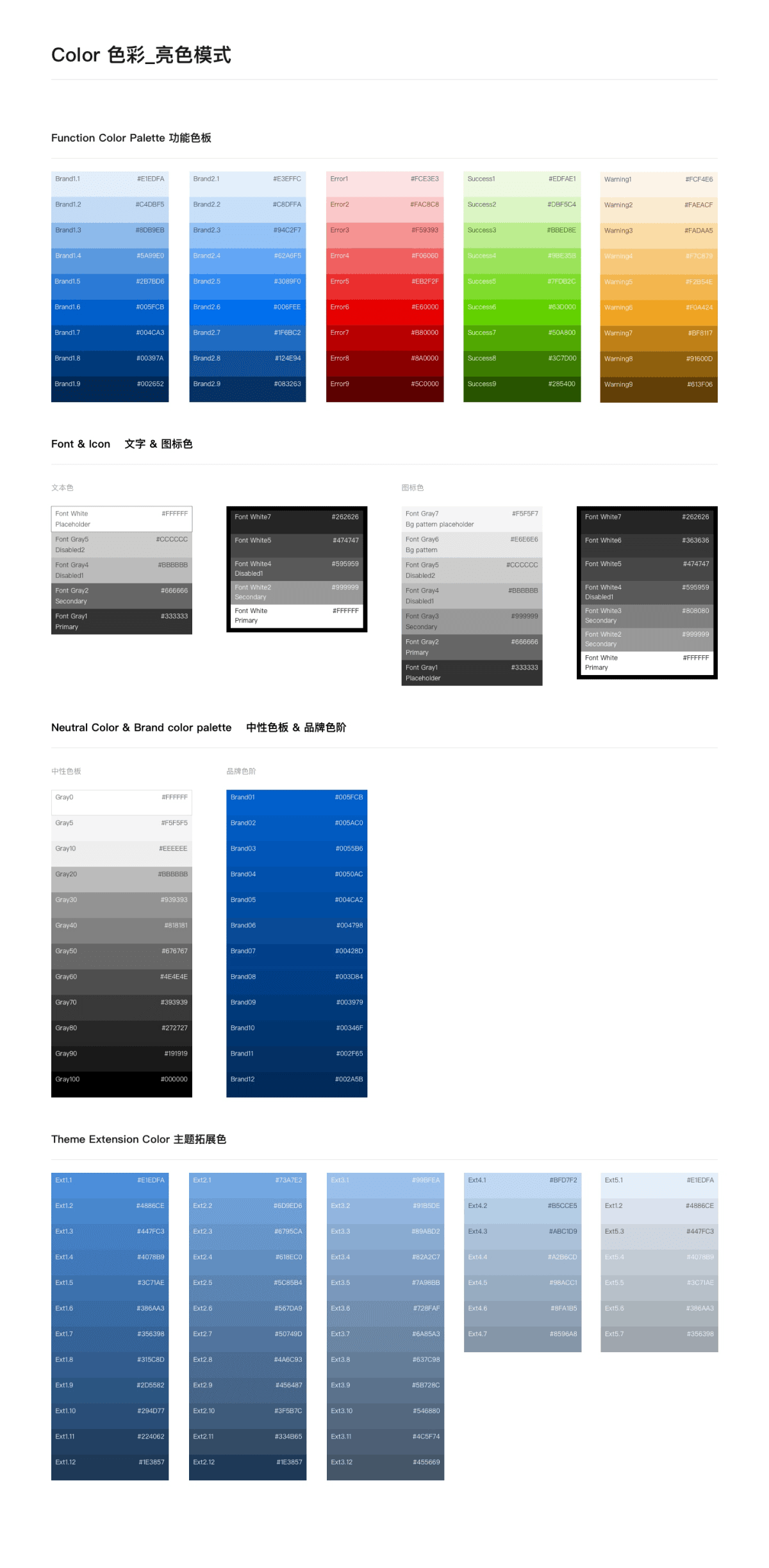
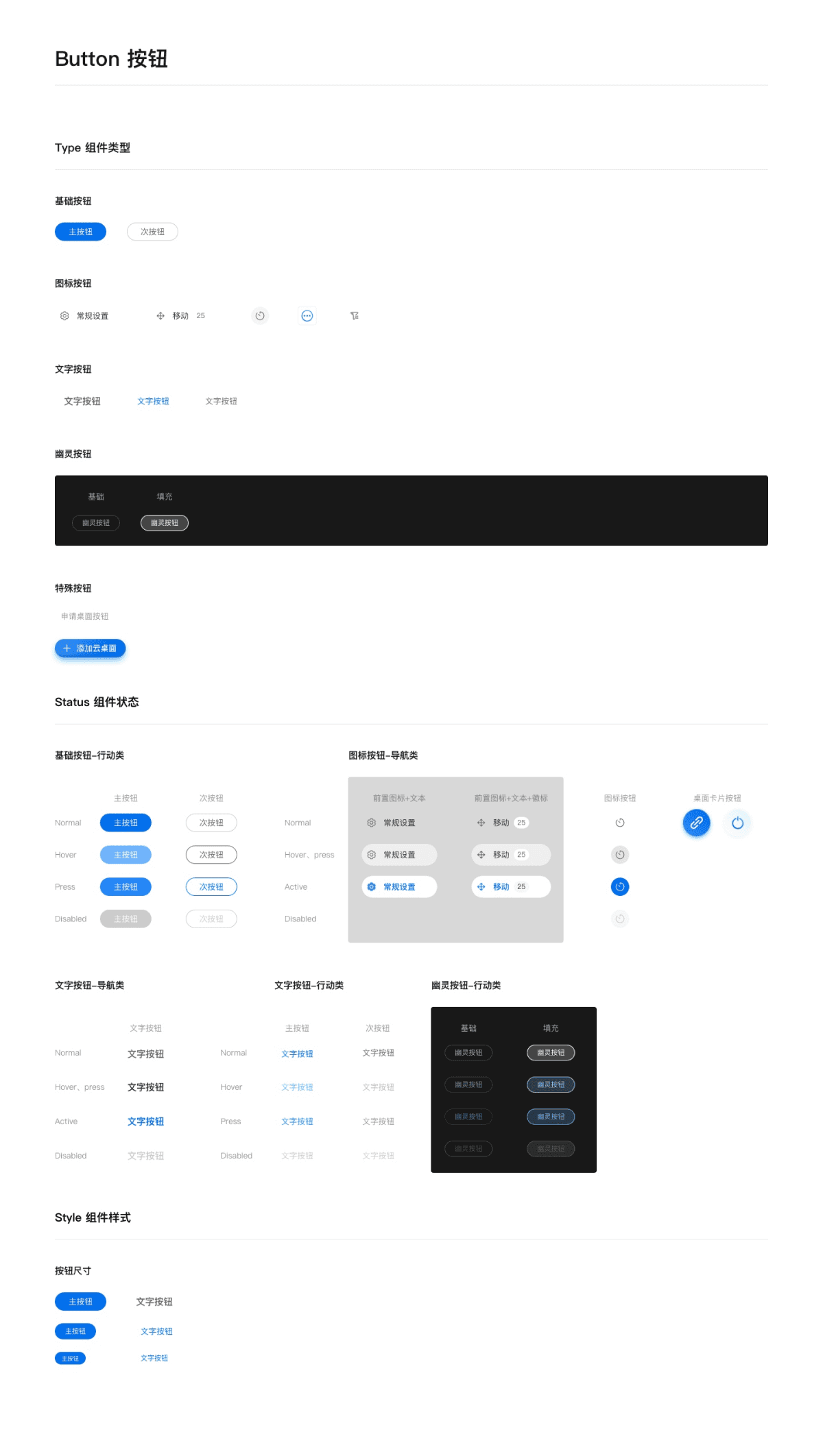
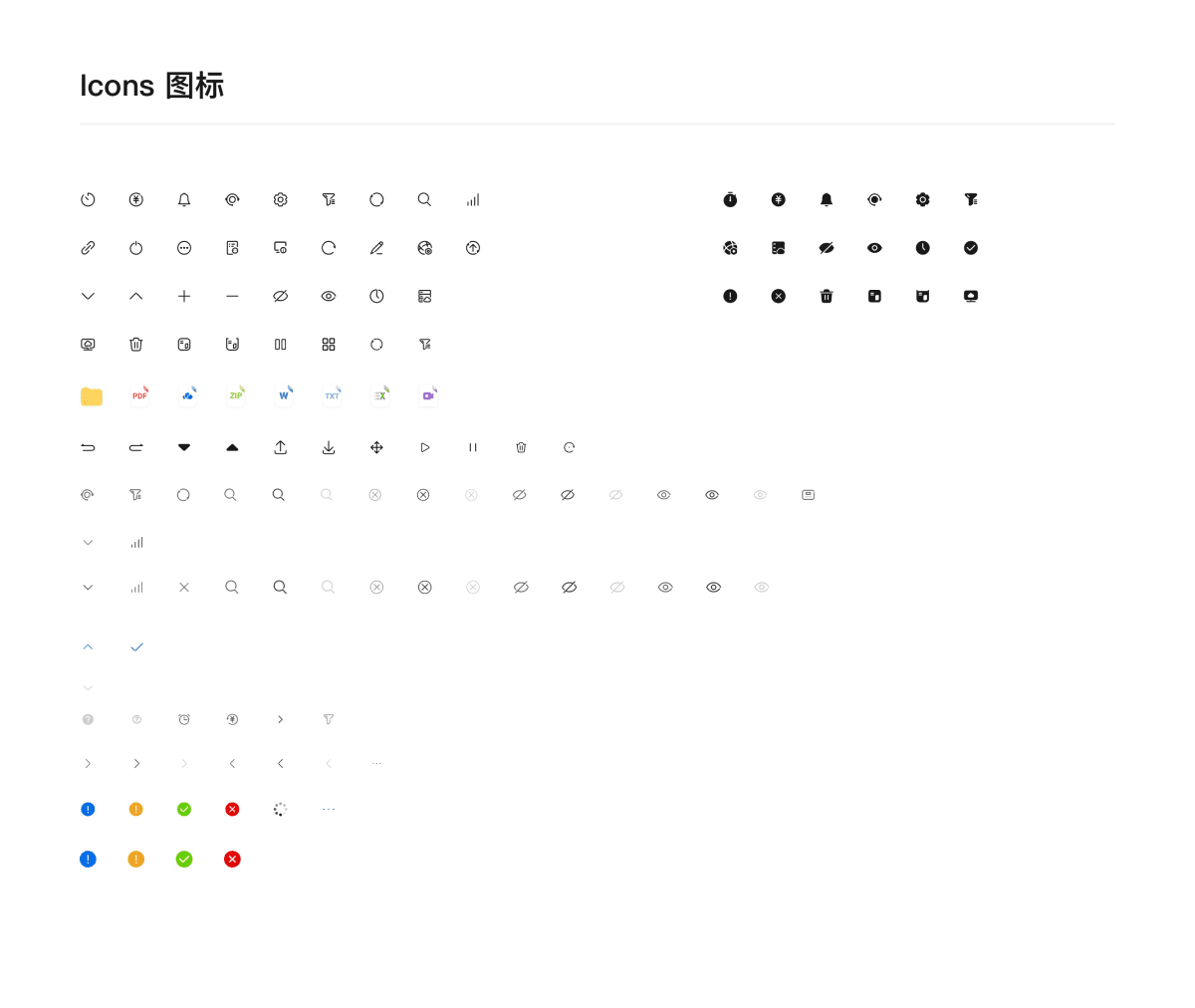
Global Styles
Basic
Navigation
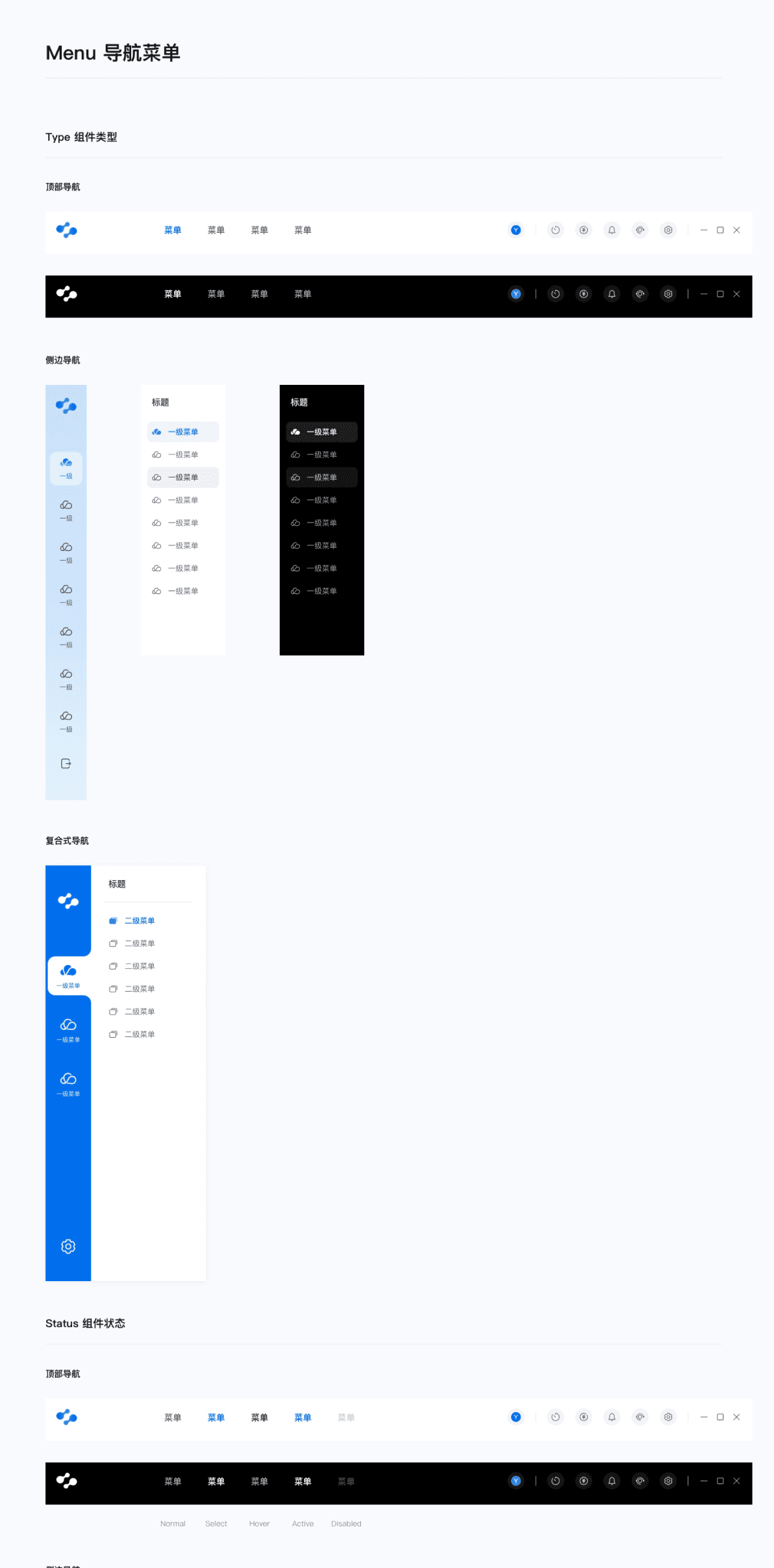
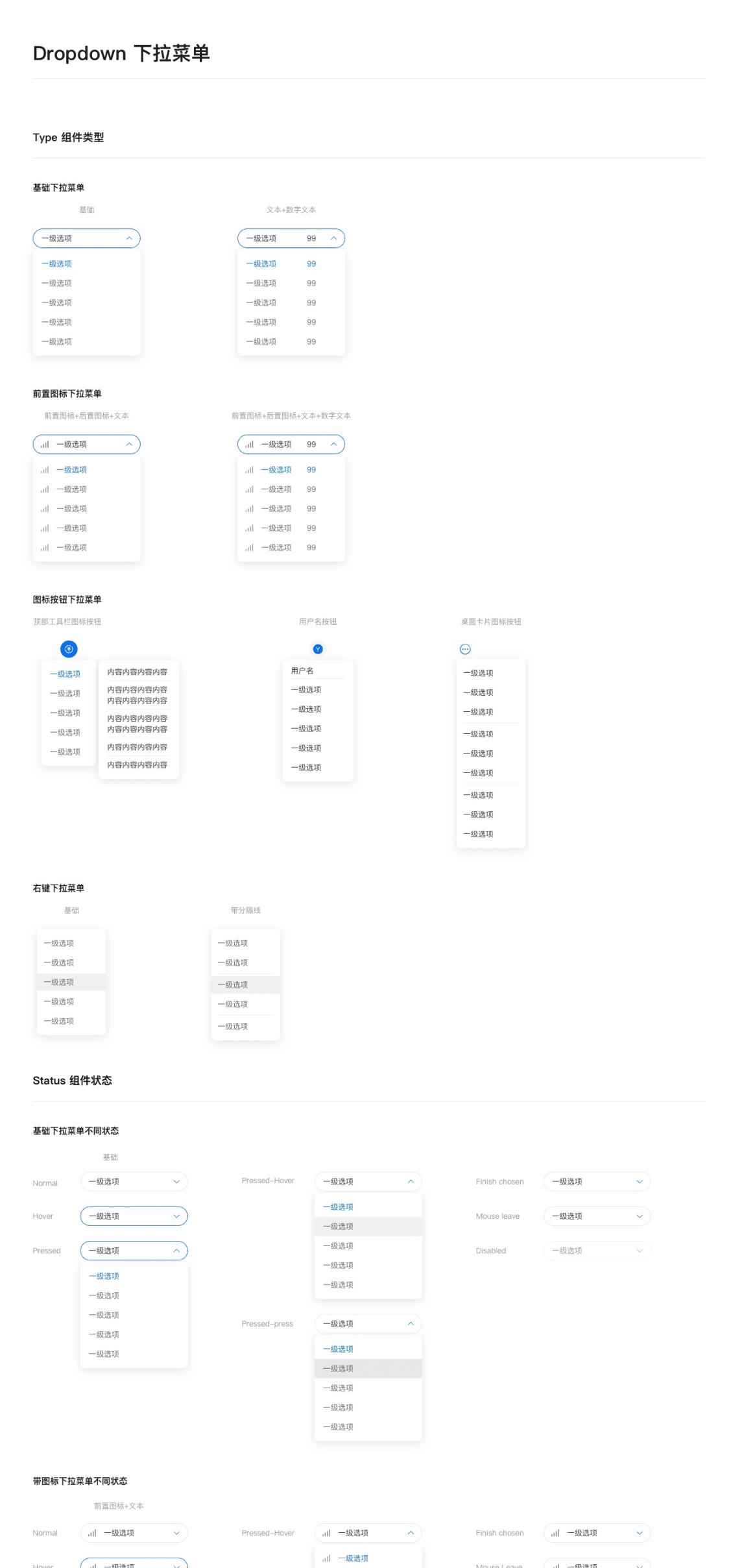
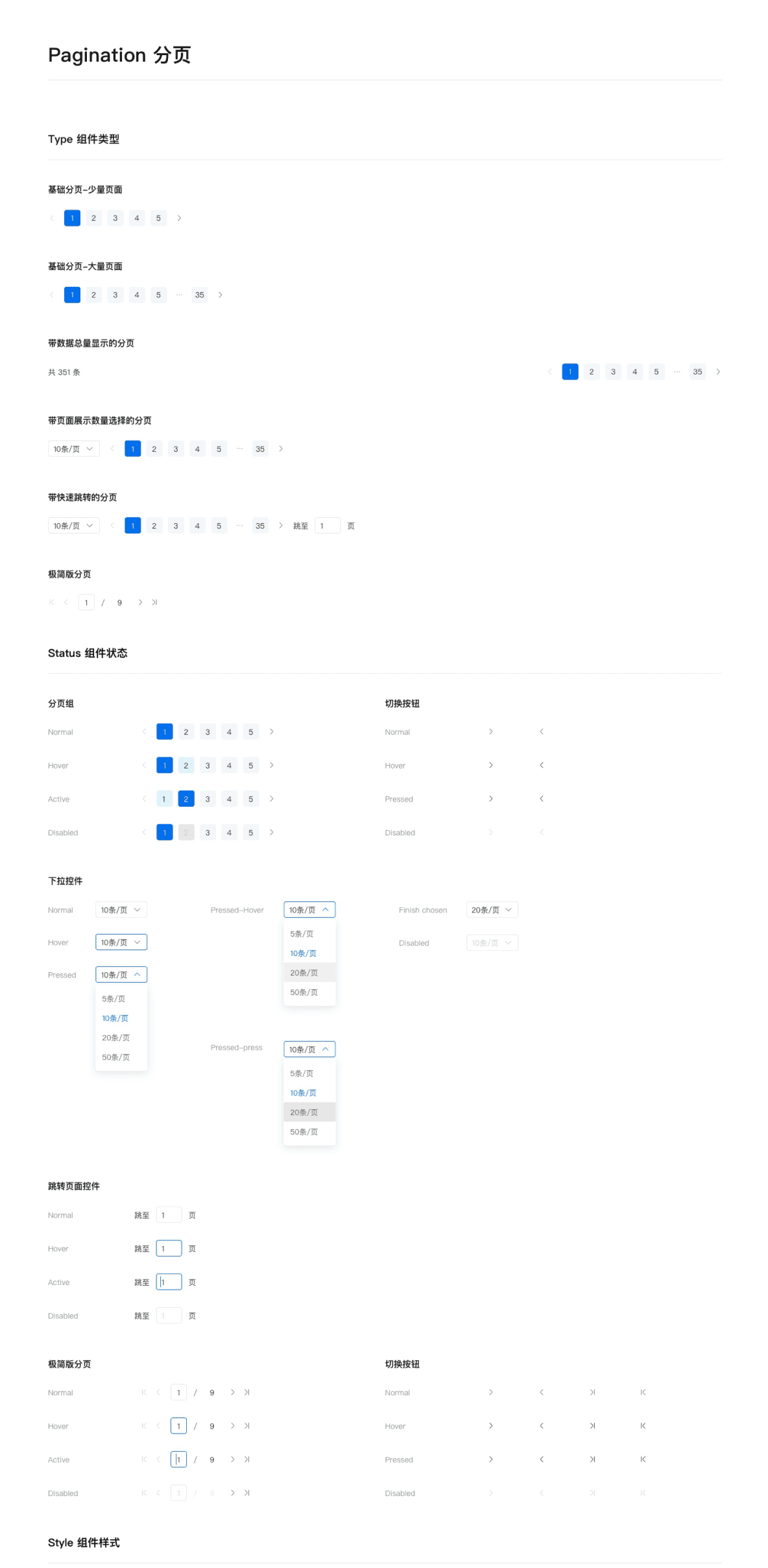
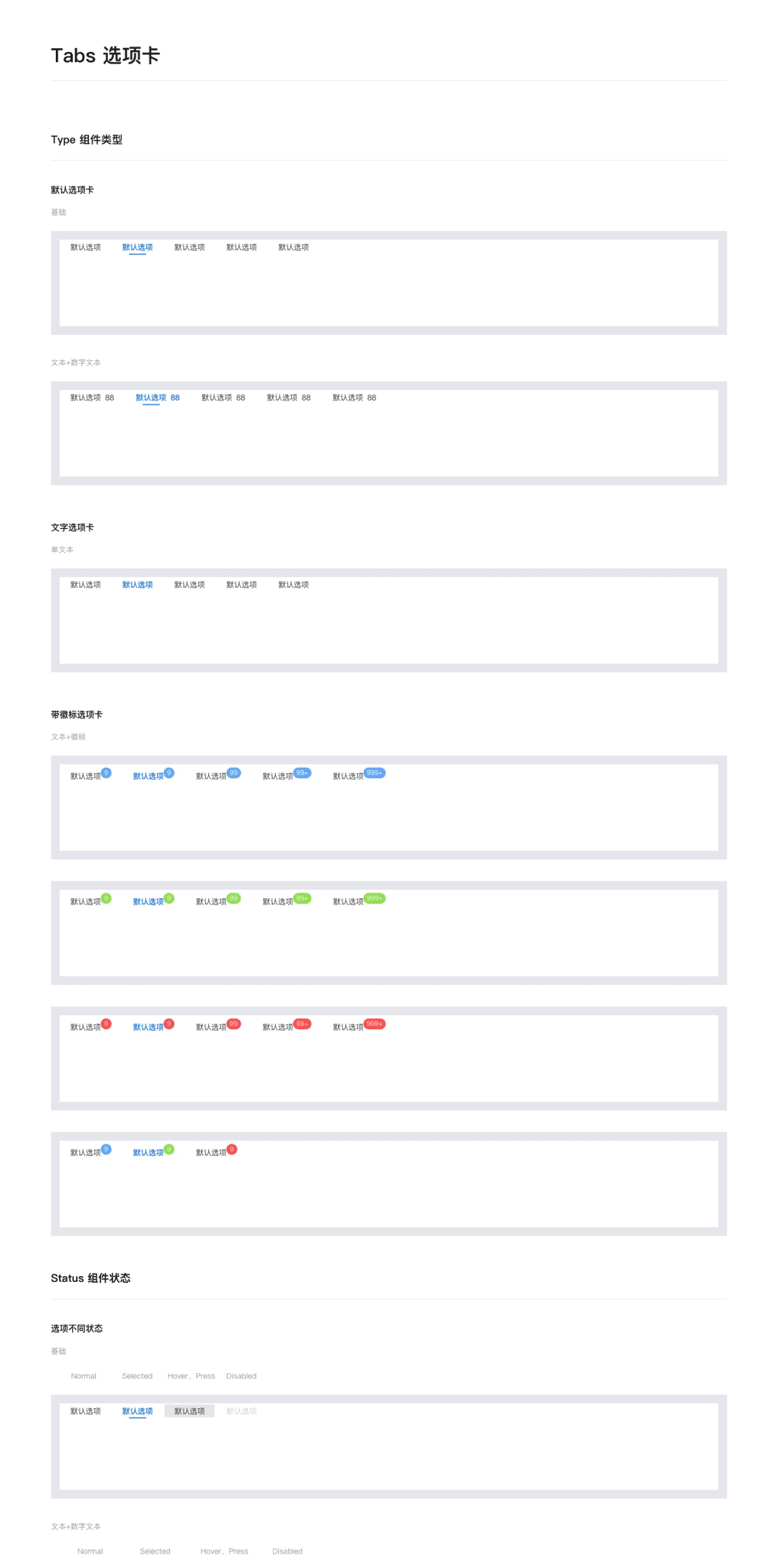
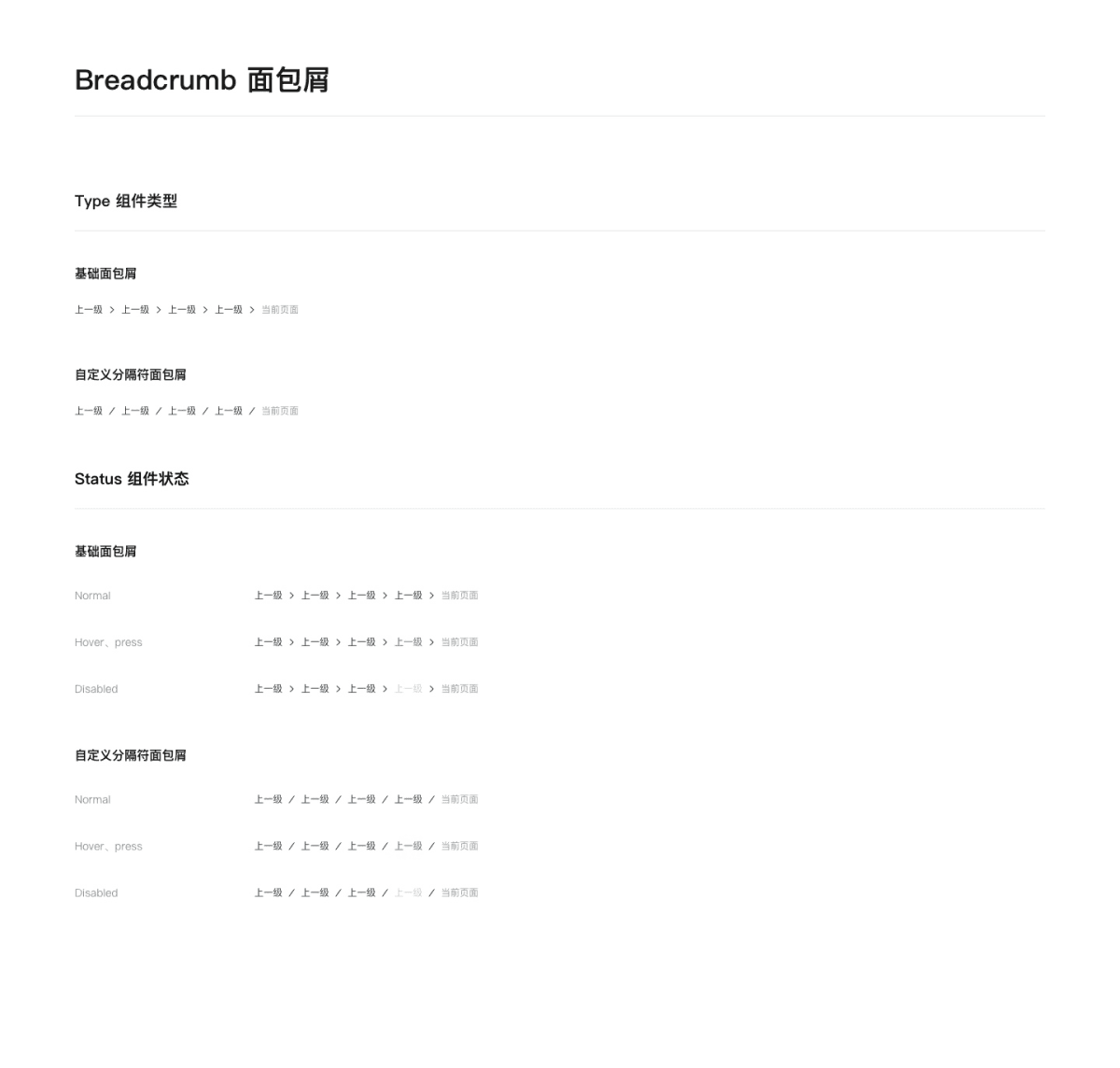
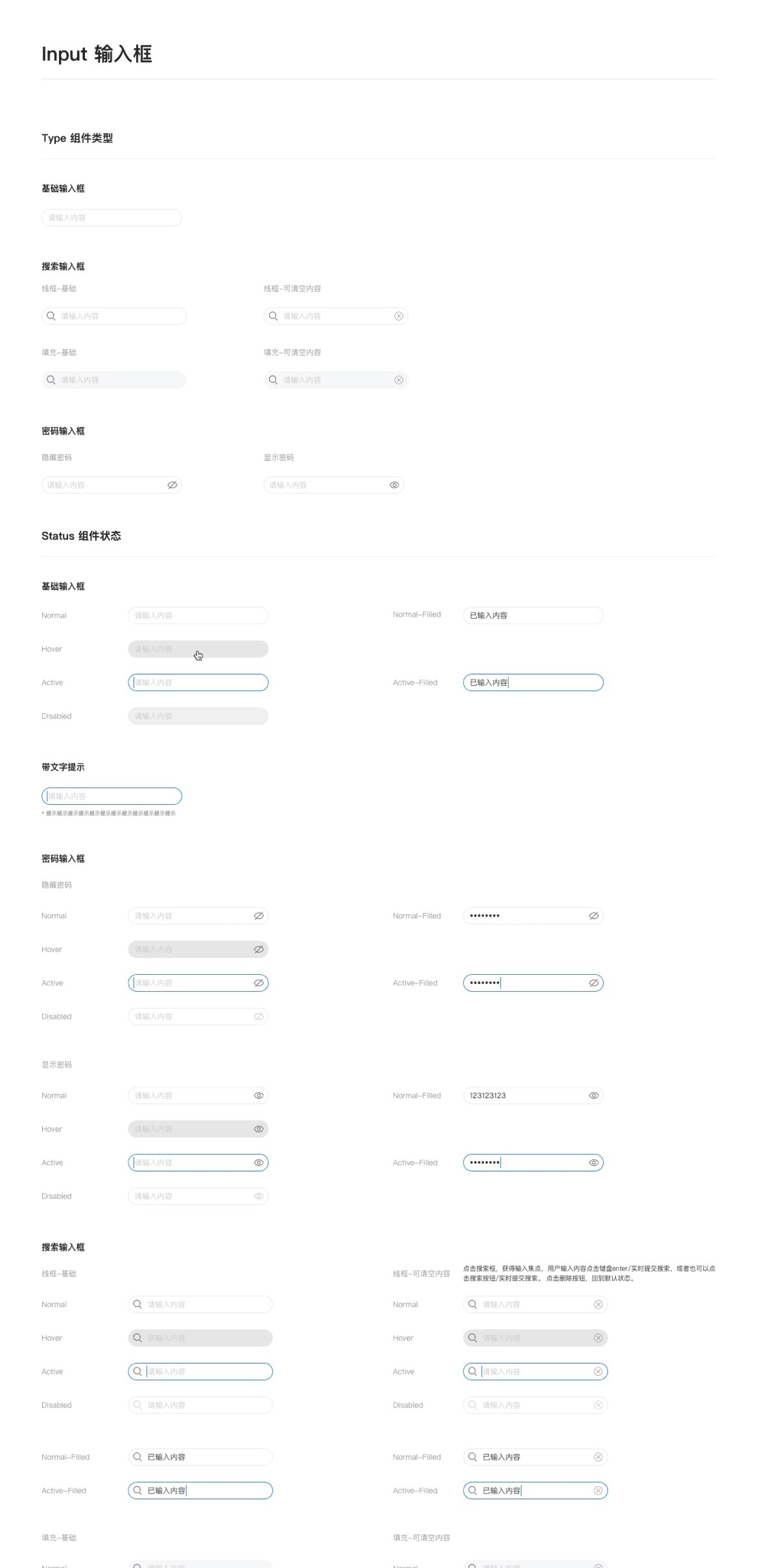
Input
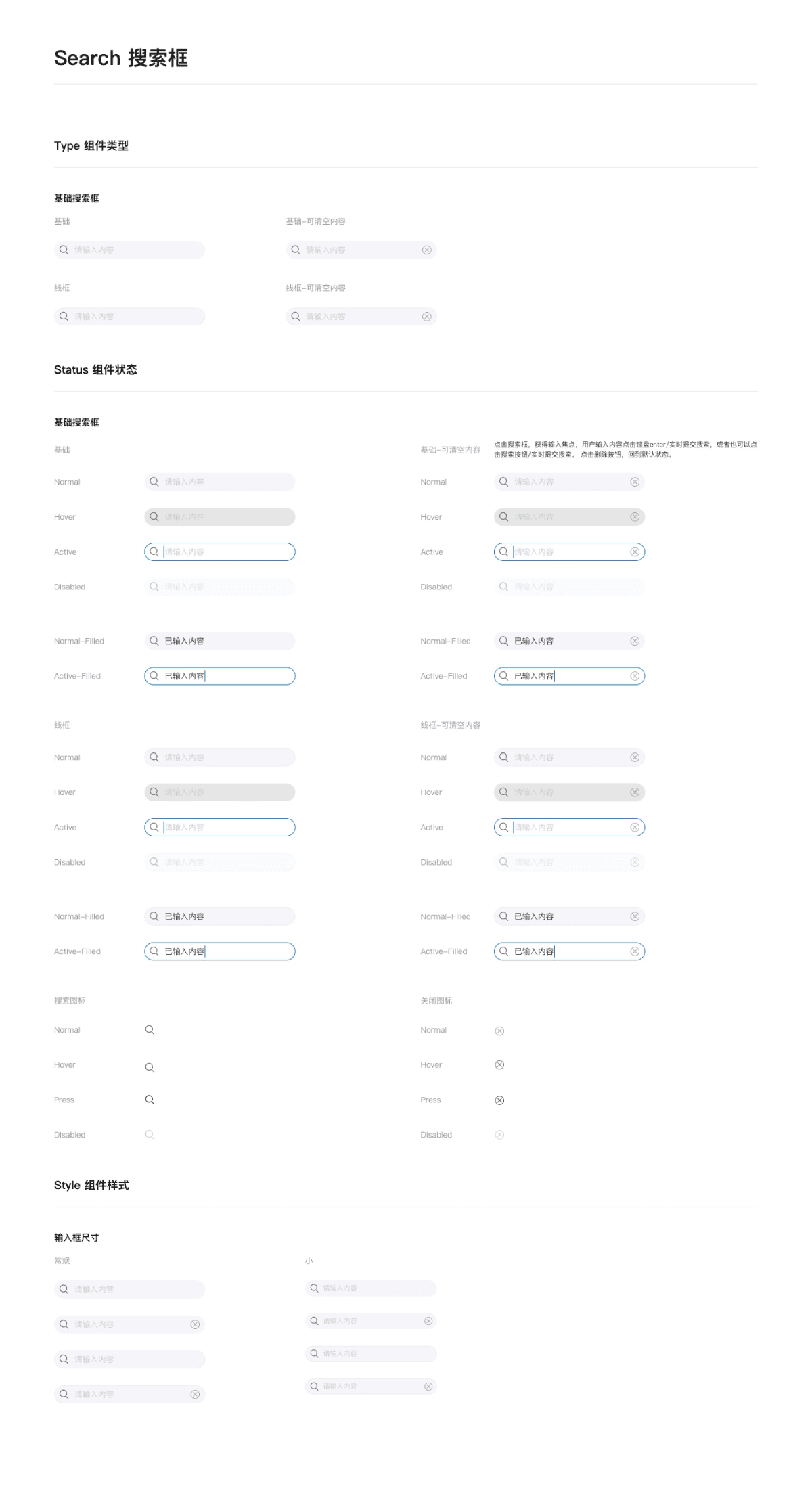
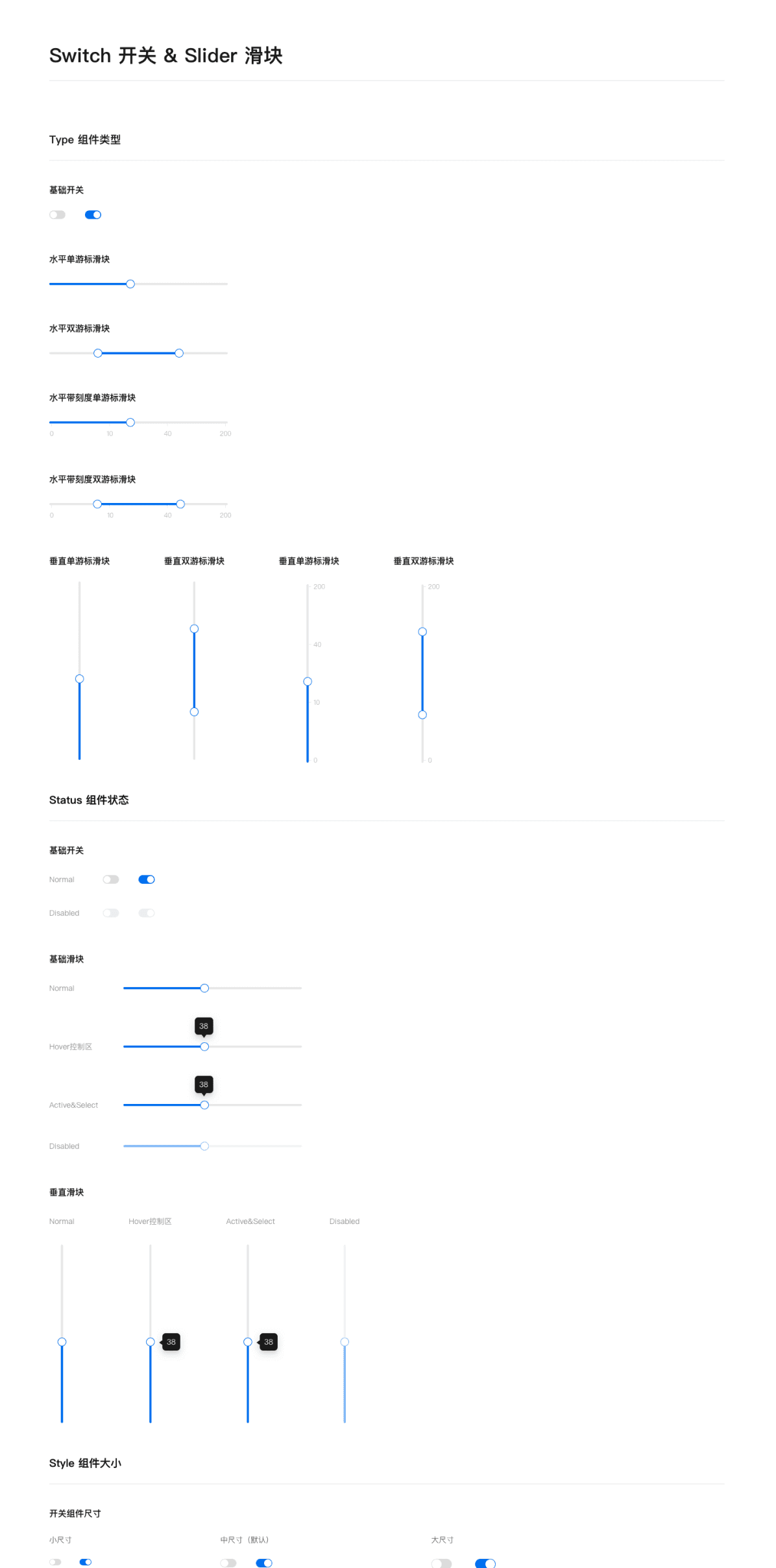
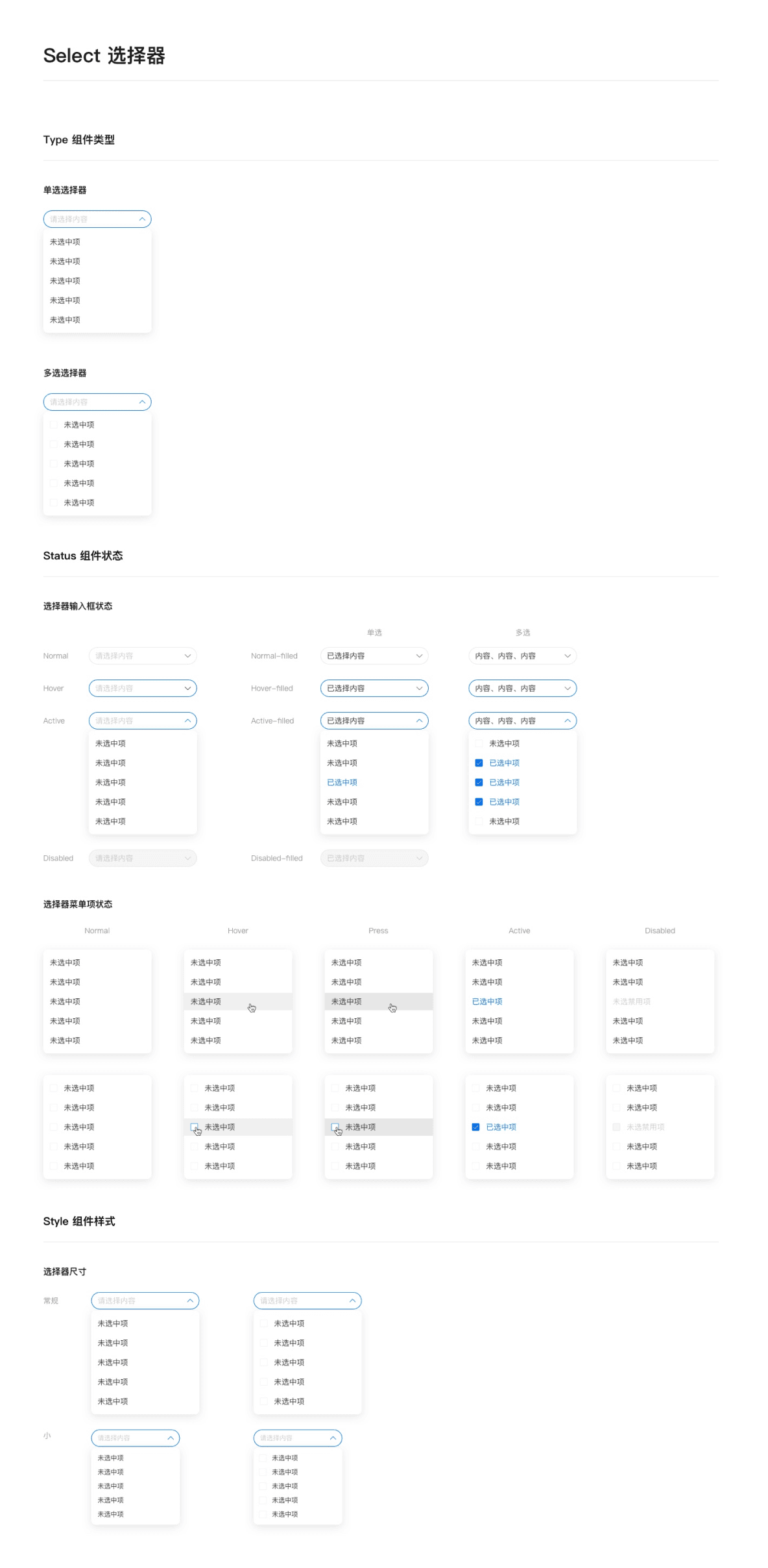
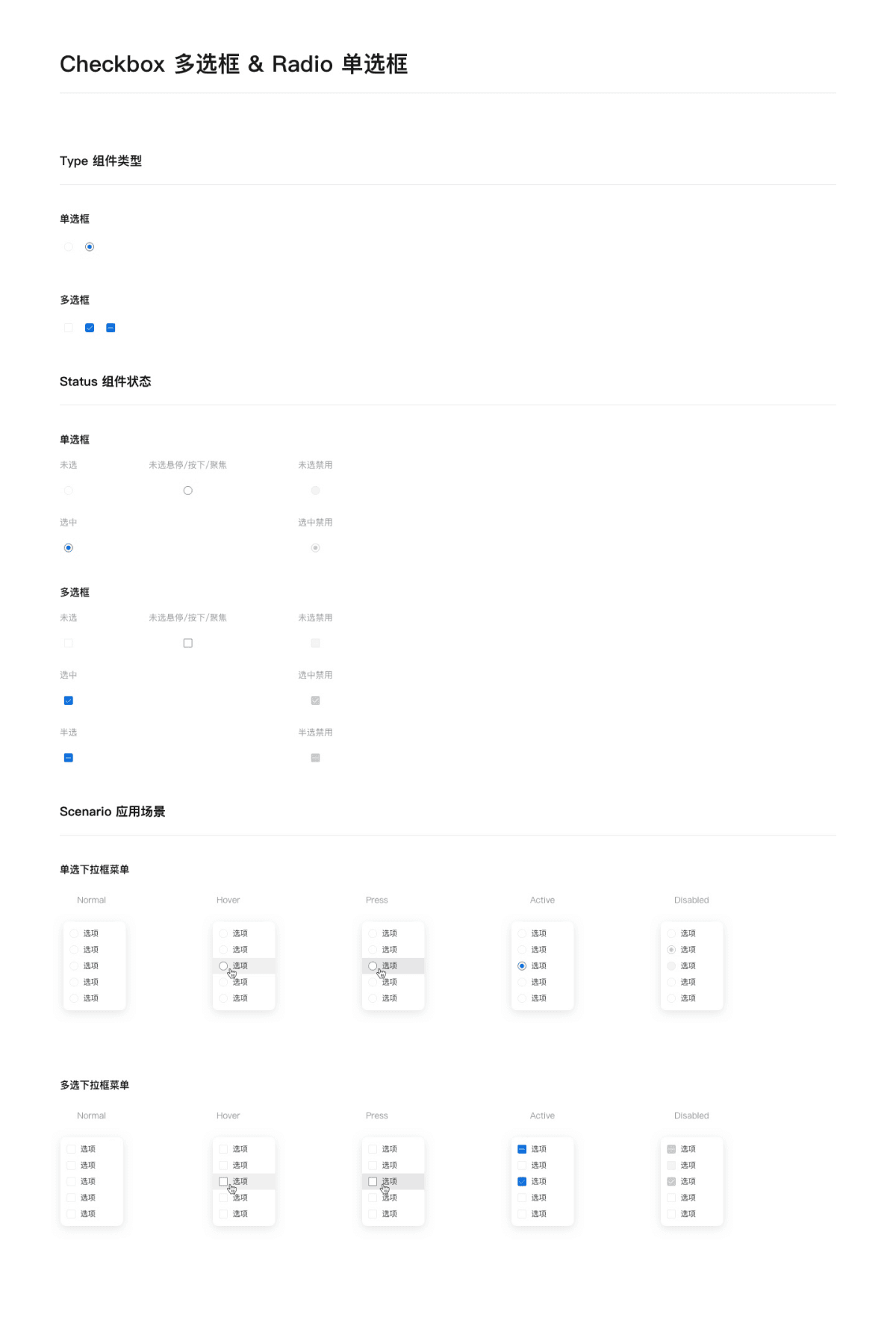
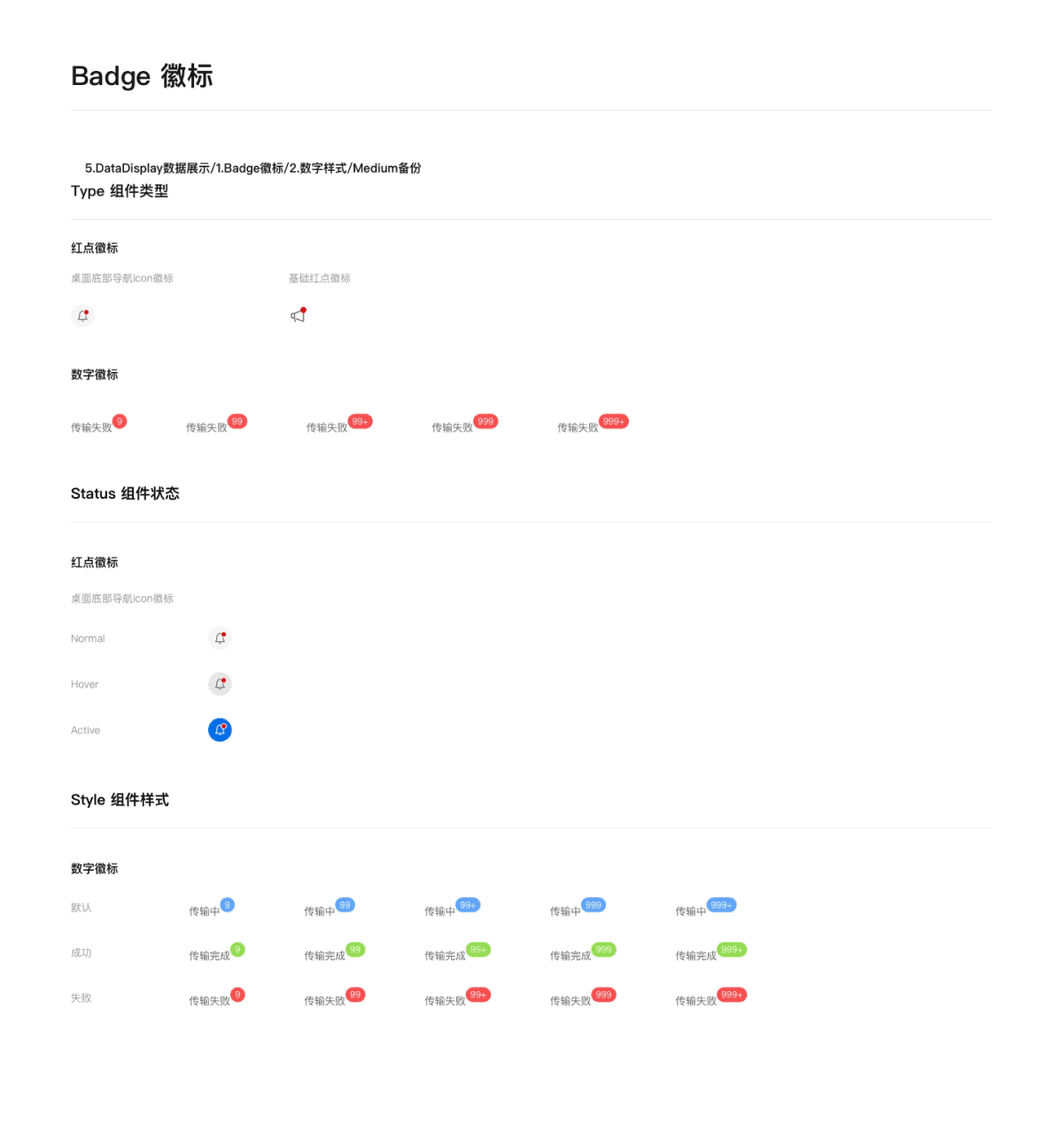
Data Display
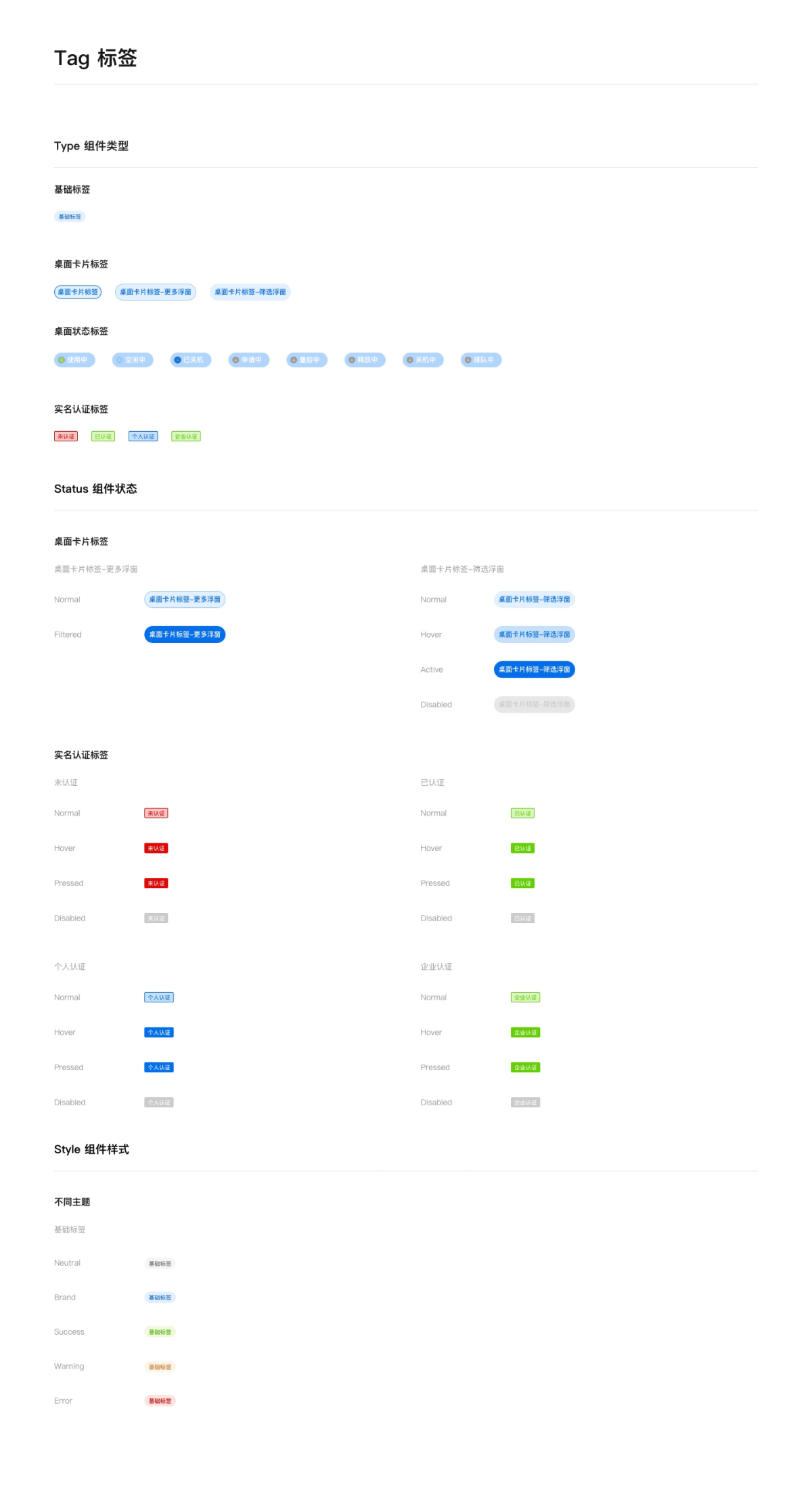
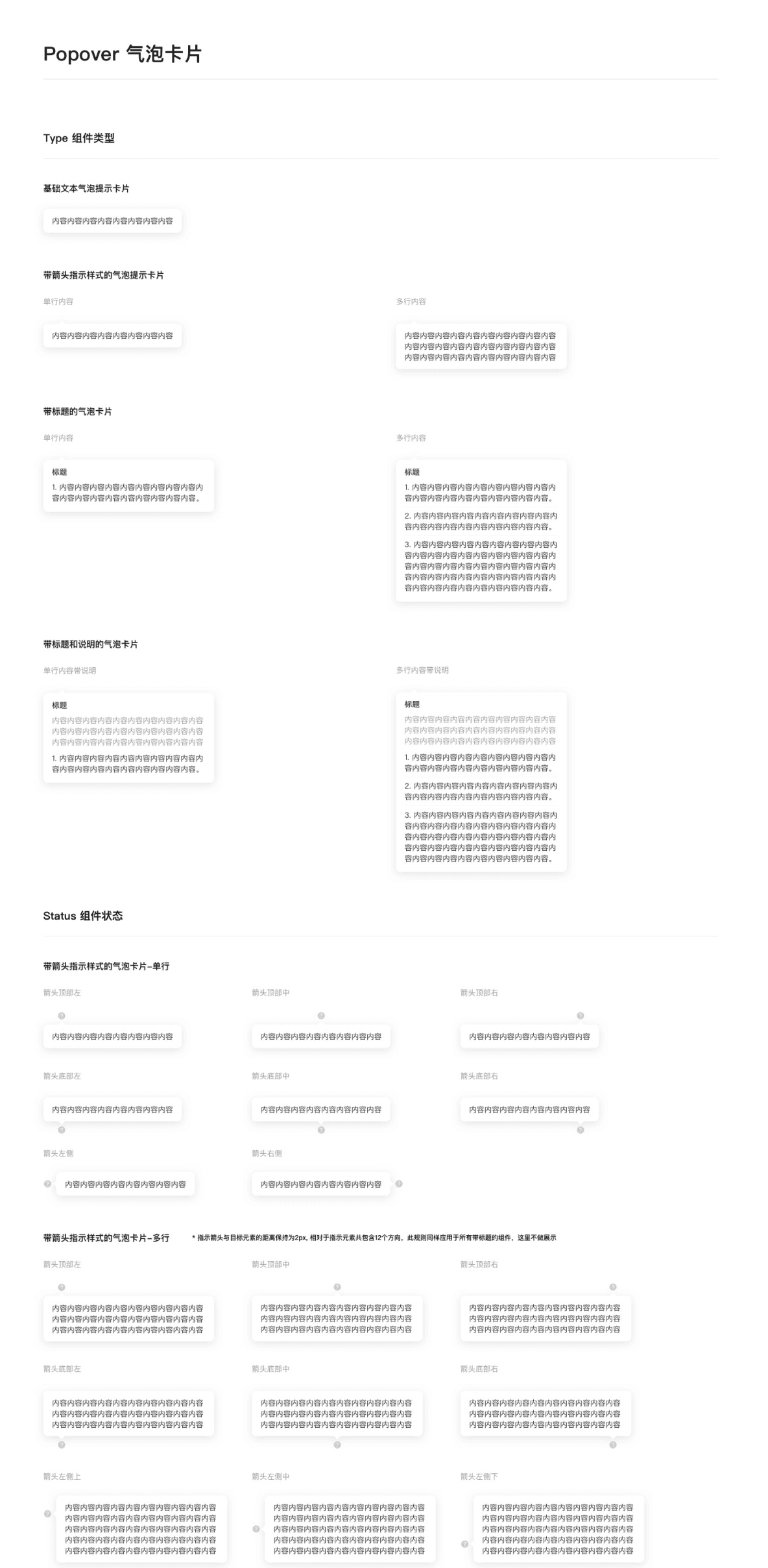
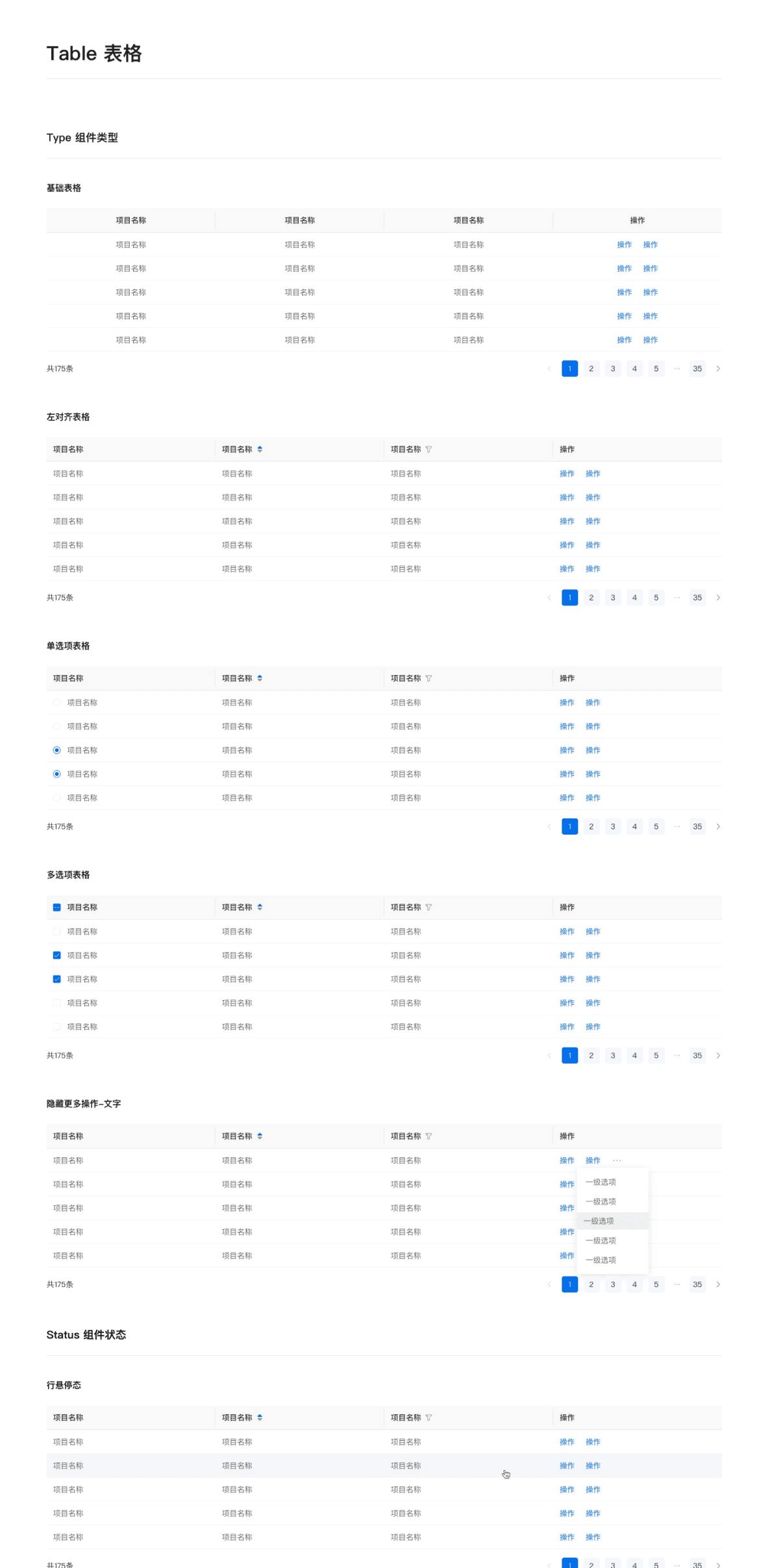
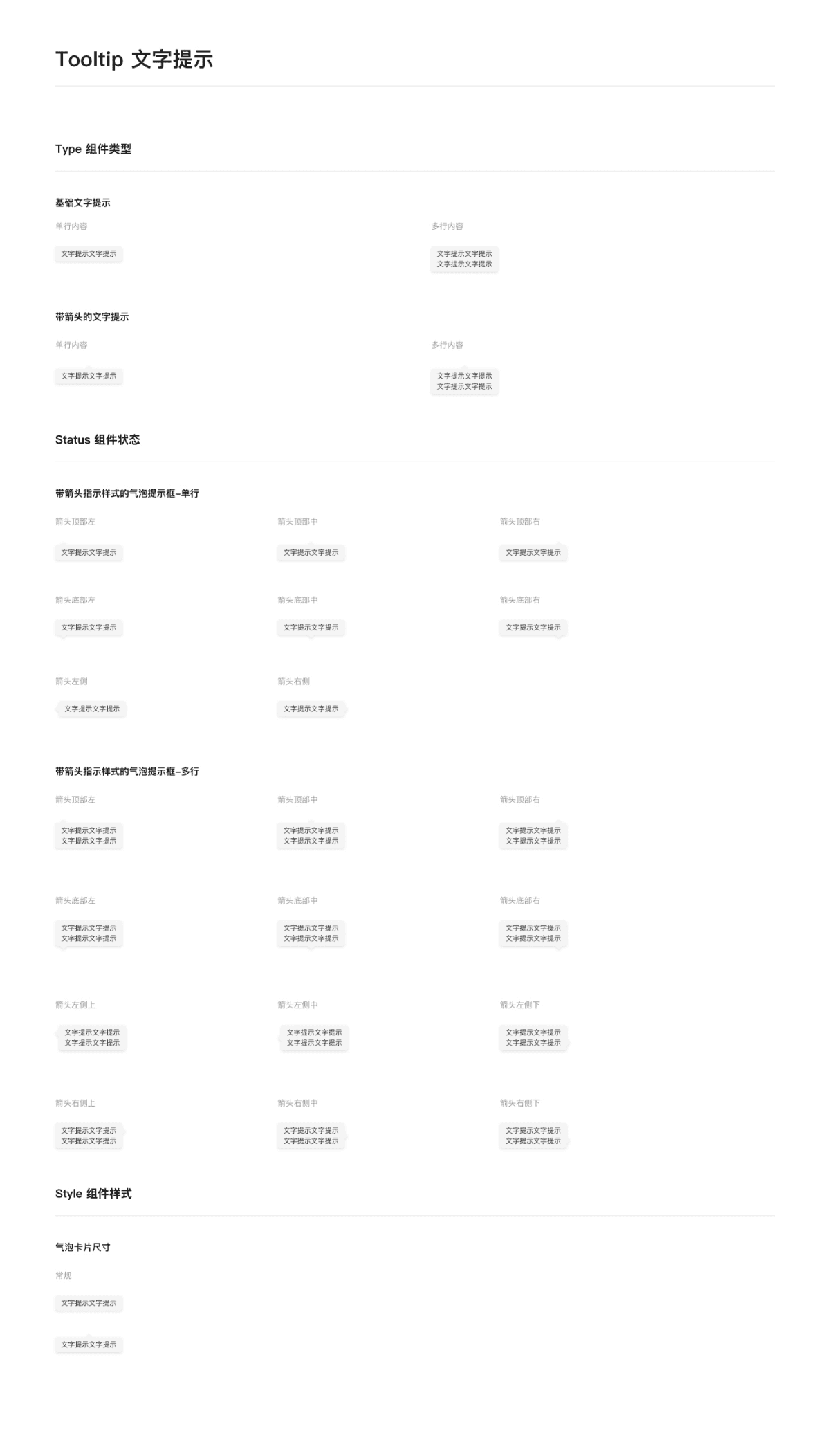
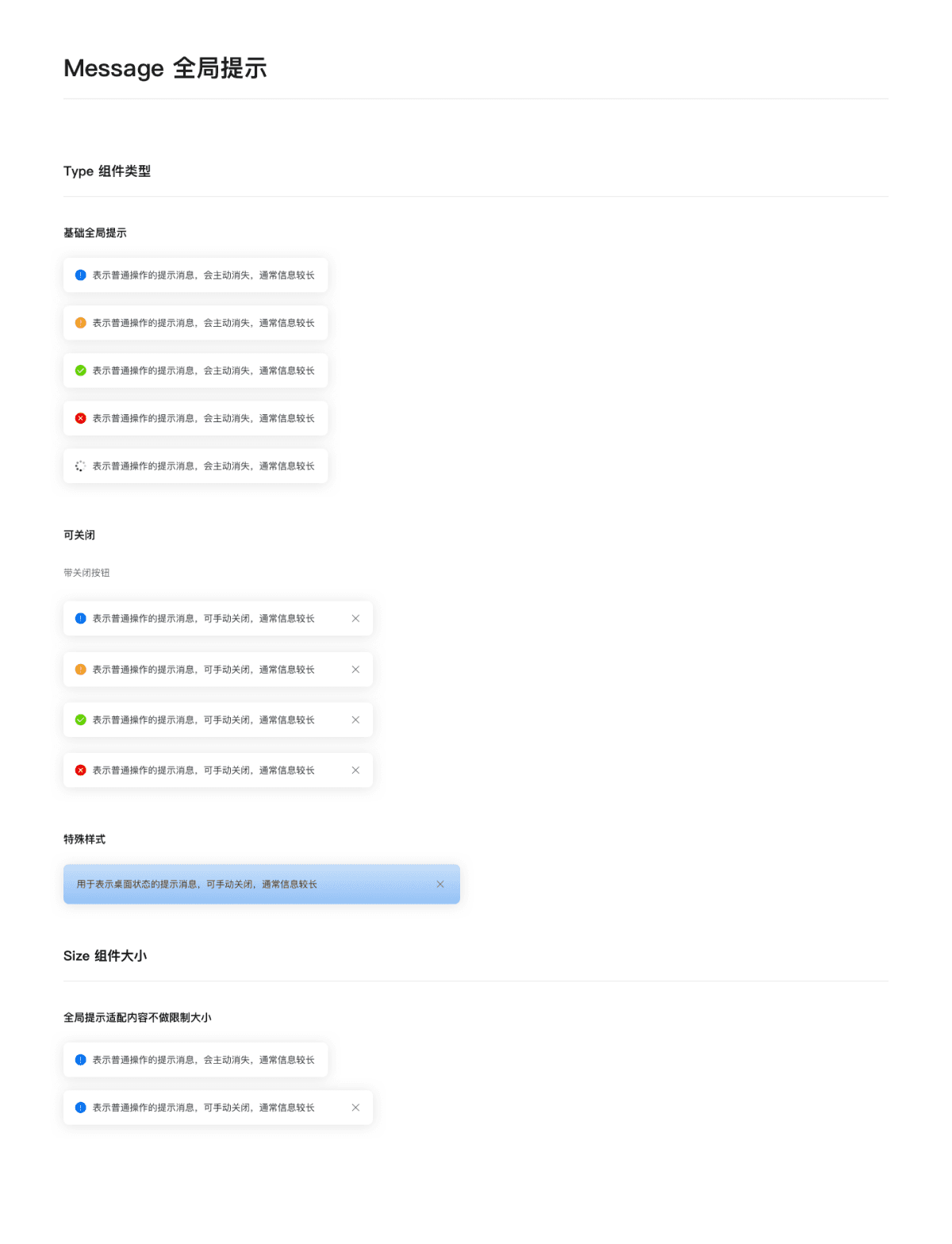
Notification
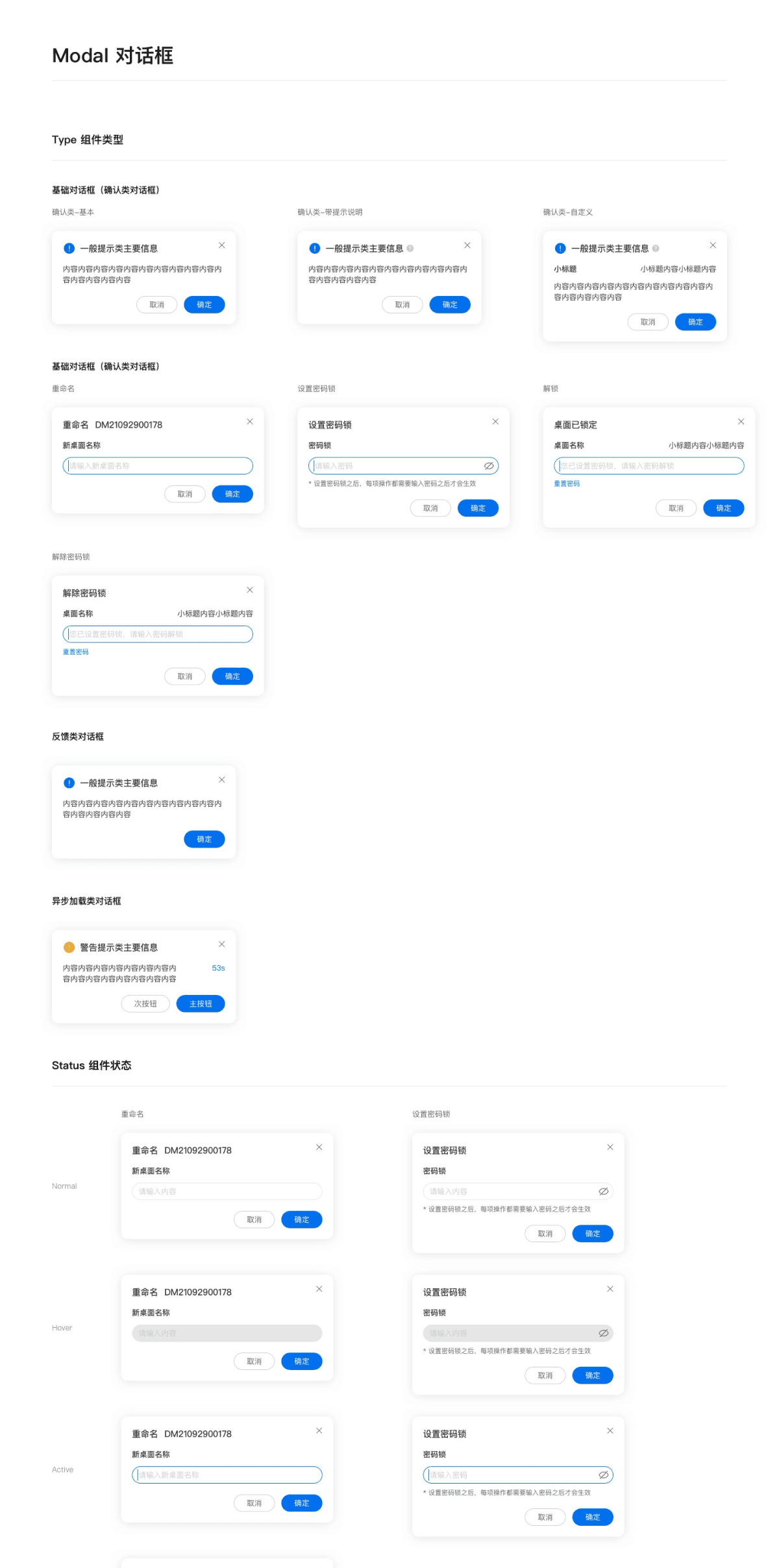
Design System
By systematizing design standards and reusable components, the interface achieved higher consistency, scalability, and cross-team collaboration efficiency.
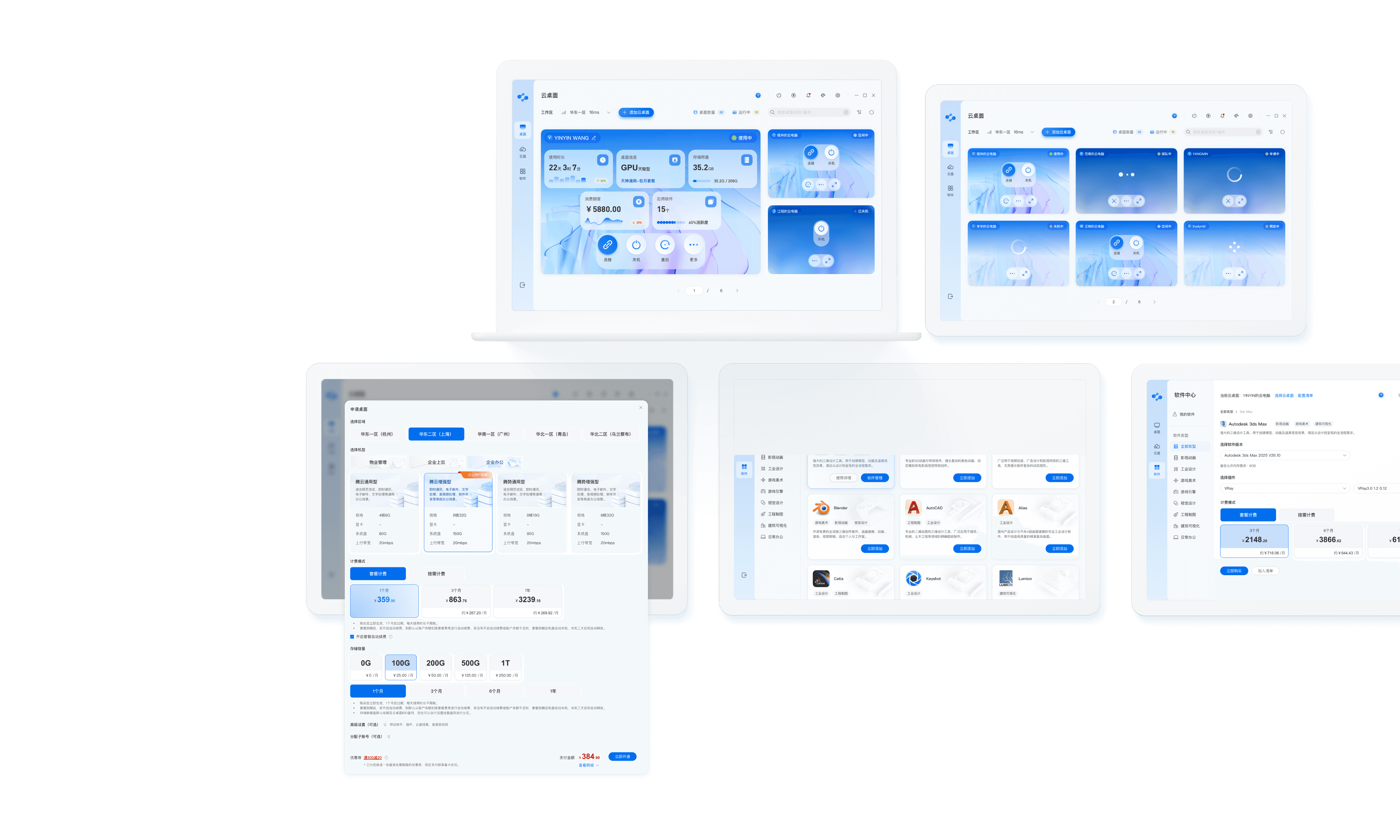
The final delivery of the visual standards + component library directly improved subsequent design efficiency by 30%, while receiving consistent feedback from the team describing the product as “more professional” and “clearer.”
Result
Validation & Results
Project Summary
Through task completion rate comparison and qualitative feedback collection, the effectiveness of key flow optimizations was validated.
In complex, high-cost cloud resource management scenarios, I gradually confirmed that the strategic value of design lies in reducing decision friction and building scalable, reusable structural capabilities.
Increase in first-time configuration activation success rate for new users
Increase in user satisfaction
Information clarity
Decision smoothness
Overall experience perception
Improvement in task completion efficiency for the core flow
Design & development efficiency improvement enabled by the component library + visual standards system
63.8%
4.68/5
76%
+30%
🌳
Systemization Is the Foundation of Scalable Growth
🎯
The Strategic Value of Design Lies in Reducing Decision Friction
In high-cost, high-risk cloud resource purchasing and management scenarios, we identified the core challenges users faced:
Unpredictable information structure
Overly long decision chains
Misalignment between system state and user actions
The lack of a “predictable structure” proved more critical than feature richness itself.
By reconstructing the information architecture, unifying the state–action model, and building a centralized configuration flow, we validated that within high-cost systems:
Reducing decision friction directly improves business conversion efficiency.
The most valuable outcome of this project was establishing a reusable structural framework:
State-driven operational logic
Decision-oriented information presentation model
Aggregated task-flow structure
Unified visual language and interaction patterns
This means the design evolved from isolated interface optimization to a structural asset — improving single-task efficiency while also laying a stable foundation for future product expansion and cross-team collaboration.